AI agent for diplomats
Visa Fraud Pattern Review Agent
A short list of related-file clusters with evidence for the officer to review
What it does
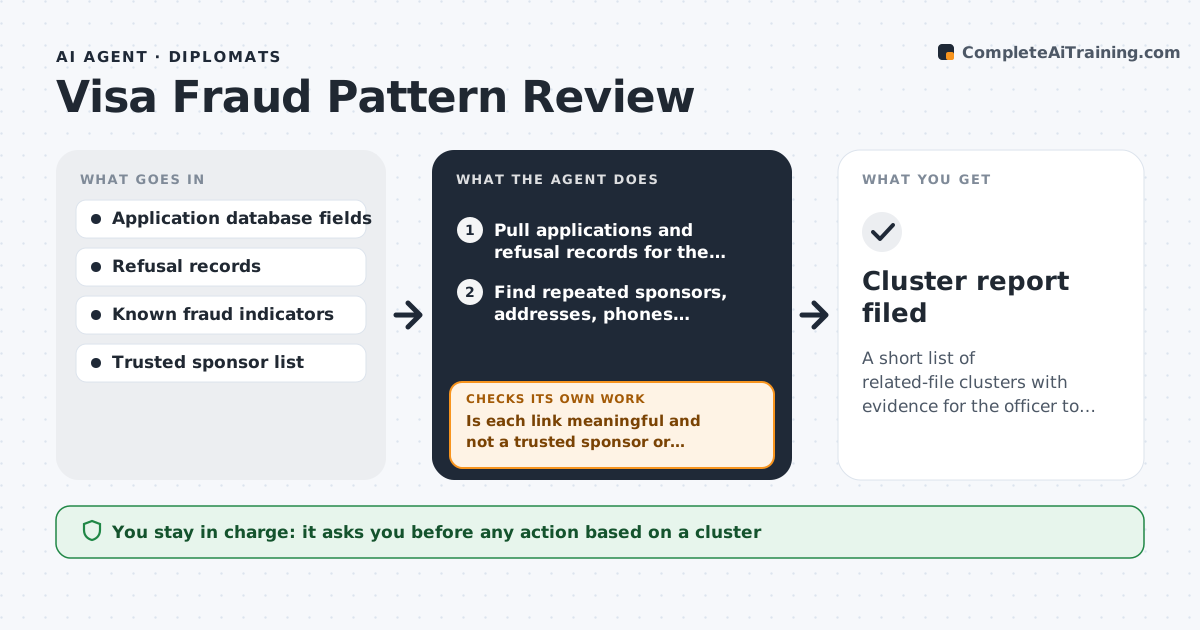
Fraud in visa applications often shows up as the same sponsor, address, document or agent across many files, and officers see only one file at a time. This agent reviews applications and past refusals for repeated documents, sponsors, addresses, phone numbers and agents. It builds clusters of related files and checks each cluster against the known fraud indicators the section keeps. For each cluster it counts how many files, how many were refused and how consistent the details are, and it removes harmless links, such as a large employer who sponsors many people. It then lists cases that need a closer look with the evidence. If the evidence is weak, it widens the data and tests again. The consular officer decides on any action. Edge case: a university that sponsors hundreds of students is not treated as a fraud cluster.
How it works
Follow the arrows from top to bottom. The orange dashed arrow is the loop: when a check fails, the agent goes back and tries again.
Read the steps as a list
- Weekly review or officer flag
- Pull applications and refusal records for the period
- Find repeated sponsors, addresses, phones, documents and agents
- Group the files into clusters
- Is each link meaningful and not a trusted sponsor or shared address?If not: remove the link and regroup the files. Back to step 3.
- Check clusters against the known fraud indicators
- Is the evidence strong enough to report?If not: widen the date range and fields, then rebuild the clusters. Back to step 2.
- Write a case summary for each reportable cluster
- Consular officer decides on any actionThe agent waits here for your OK.
- Cluster report filed
How it decides
A cluster is reported when at least five files share the same detail and at least one fraud indicator applies. Trusted sponsors and common addresses are excluded.
- Report a cluster of 5 or more files with a shared detail and a fraud indicator
- Exclude trusted sponsors on the approved list
- Treat a shared hotel or apartment block address as weak evidence
- Never label an applicant as fraudulent in the report, only the pattern
Make it yours
Every agent is a starting point. You choose these settings for your own situation.
- Minimum cluster size (default 5)
- Fields to compare
- Trusted sponsor list
- Review frequency
What keeps you in control
It always asks you first
- Any action based on a cluster
Hard limits
- Never refuses or approves an application
- Never shares application data outside the section
It stops when
- Done: clusters are reported with evidence
- Stop: case data is unavailable
Set it up
We guide you through the set-up, step by step
Members get the full set-up guide for this agent. No technical skills needed: you copy, paste and upload.
- One set of instructions to paste into your AI, with the clicks for ChatGPT, Claude, Microsoft 365 Copilot, Gemini and Grok
- The agent then walks you through connecting your own data, one source at a time
- A downloadable copy with the flow chart, the rules and the full guide