AI agent for insurance actuaries
Actuarial Opinion Workpaper Agent
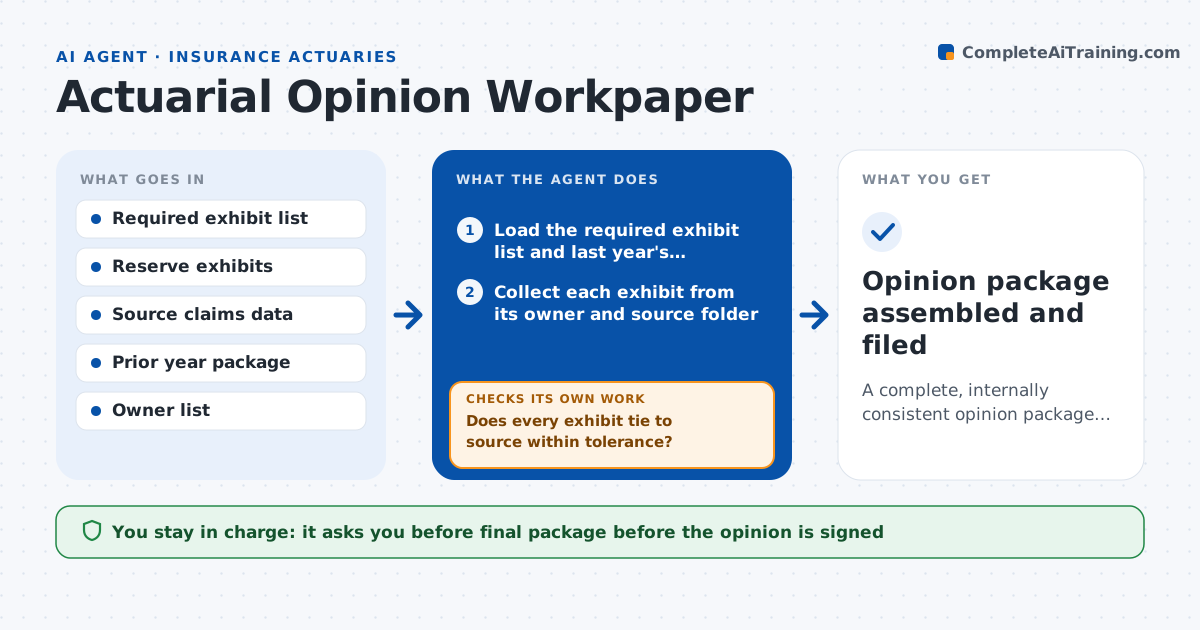
A complete, internally consistent opinion package with every exhibit tied to source and prior year
What it does
Before signing a statement of actuarial opinion, the appointed actuary needs a complete package: reserve exhibits, triangles, assumptions memos, peer review notes and reconciliations. The pieces live in email, shared drives and other people's laptops, and gaps appear a day before the deadline. This agent starts from the list of required exhibits for the opinion. It collects each one, then checks that every number ties to the source data and to last year's exhibit, flagging any movement above a set threshold with no explanation. It lists gaps by owner, asks them for the missing items, and rechecks as updates arrive. It keeps a running checklist so nothing is lost. The actuary reviews and approves the final package. Edge case: a triangle was refreshed after the memo was written, so the memo figure no longer ties and the agent flags it.
How it works
Follow the arrows from top to bottom. The orange dashed arrow is the loop: when a check fails, the agent goes back and tries again.
Read the steps as a list
- Opinion preparation window opens
- Load the required exhibit list and last year's package
- Collect each exhibit from its owner and source folder
- Tick off exhibits present and list the missing ones by owner
- Tie each exhibit's totals to source data
- Does every exhibit tie to source within tolerance?If not: send the difference to the owner with the figures, wait for a correction and retie. Back to step 5.
- Compare each exhibit with last year and list unexplained movements
- Is every large movement explained in the memo?If not: request an explanation from the owner and add it to the memo, then recompare. Back to step 7.
- Update the gap list and the running checklist
- Actuary reviews and approves the final packageThe agent waits here for your OK.
- Opinion package assembled and filed
How it decides
An exhibit is complete only when it exists, ties to source within tolerance and moves from last year by an amount that is explained. It chases the owner when any of the three fails.
- Tie totals within 0.1% or $10,000, whichever is smaller
- Flag year over year movements above 10% for explanation
- Chase owners every three business days until an item is complete
- Mark the package not ready if any required exhibit is missing two weeks before the deadline
Make it yours
Every agent is a starting point. You choose these settings for your own situation.
- Tie-out tolerance (default 0.1%)
- Movement threshold that needs an explanation (default 10%)
- Reminder frequency (default every three business days)
- Exhibit list for your jurisdiction
What keeps you in control
It always asks you first
- Final package before the opinion is signed
- Any request that changes an exhibit's method
Hard limits
- Never alters an exhibit, only reports differences
- Never signs or submits the opinion
- Keeps a dated log of every chase
It stops when
- Done: all exhibits present, tied and explained
- Stop: source data is unavailable or an exhibit owner cannot be reached
Set it up
We guide you through the set-up, step by step
Members get the full set-up guide for this agent. No technical skills needed: you copy, paste and upload.
- One set of instructions to paste into your AI, with the clicks for ChatGPT, Claude, Microsoft 365 Copilot, Gemini and Grok
- The agent then walks you through connecting your own data, one source at a time
- A downloadable copy with the flow chart, the rules and the full guide