AI agent for insurance actuaries
Mortality and Lapse Assumption Update Agent
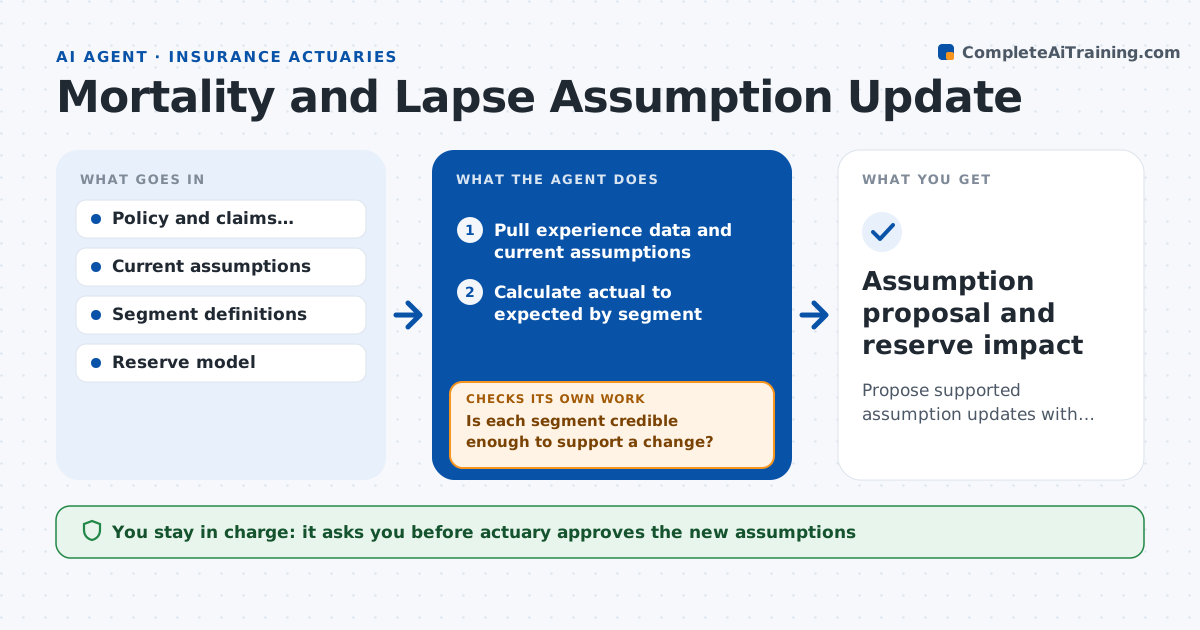
Propose supported assumption updates with reserve impact, ready for review.
What it does
Each year actuaries refresh the mortality and lapse assumptions behind reserves and pricing, which means weeks of data pulls and comparisons. This agent pulls recent experience, compares it with current assumptions by segment and tests whether the data is credible enough to justify a change. For segments with enough data, it proposes new assumptions, and for the rest, it keeps the current ones or blends them using credibility weights. It then reruns reserves to show the effect of the changes. If a segment fails the credibility test, it widens the study period or merges segments and reruns the analysis. The actuary approves all assumptions.
How it works
Follow the arrows from top to bottom. The orange dashed arrow is the loop: when a check fails, the agent goes back and tries again.
Read the steps as a list
- Annual study begins
- Pull experience data and current assumptions
- Calculate actual to expected by segment
- Is each segment credible enough to support a change?If not: widen the period or merge segments, then recalculate. Back to step 3.
- Propose new assumptions with credibility weights
- Rerun reserves with the new assumptions
- Compare reserves with the current basis and explain the change
- Is the reserve change within the expected range?If not: review segments driving the change and test for data errors. Back to step 5.
- Draft the assumption memo
- Actuary approves assumptionsThe agent waits here for your OK.
- Assumption proposal and reserve impact
How it decides
It changes an assumption only where experience is credible, and uses credibility weighting where it is partly credible.
- Treat a segment as fully credible at 1,082 claims or more
- Use partial credibility weighting below that
- Merge segments with fewer than 30 claims
- Review any reserve change above 2 percent
Make it yours
Every agent is a starting point. You choose these settings for your own situation.
- Credibility standard
- Segments
- Reserve change review limit (default 2 percent)
- Study period (default 3 years)
What keeps you in control
It always asks you first
- Actuary approves the new assumptions
- Chief actuary approves the reserve impact
Hard limits
- Never changes the production reserve model
- Shows the data basis for every assumption
It stops when
- Done: assumptions and memo approved
- Stop: experience data has unresolved errors
Set it up
We guide you through the set-up, step by step
Members get the full set-up guide for this agent. No technical skills needed: you copy, paste and upload.
- One set of instructions to paste into your AI, with the clicks for ChatGPT, Claude, Microsoft 365 Copilot, Gemini and Grok
- The agent then walks you through connecting your own data, one source at a time
- A downloadable copy with the flow chart, the rules and the full guide