AI agent for insurance actuaries
Rate Filing Exhibit Tie-Out Agent
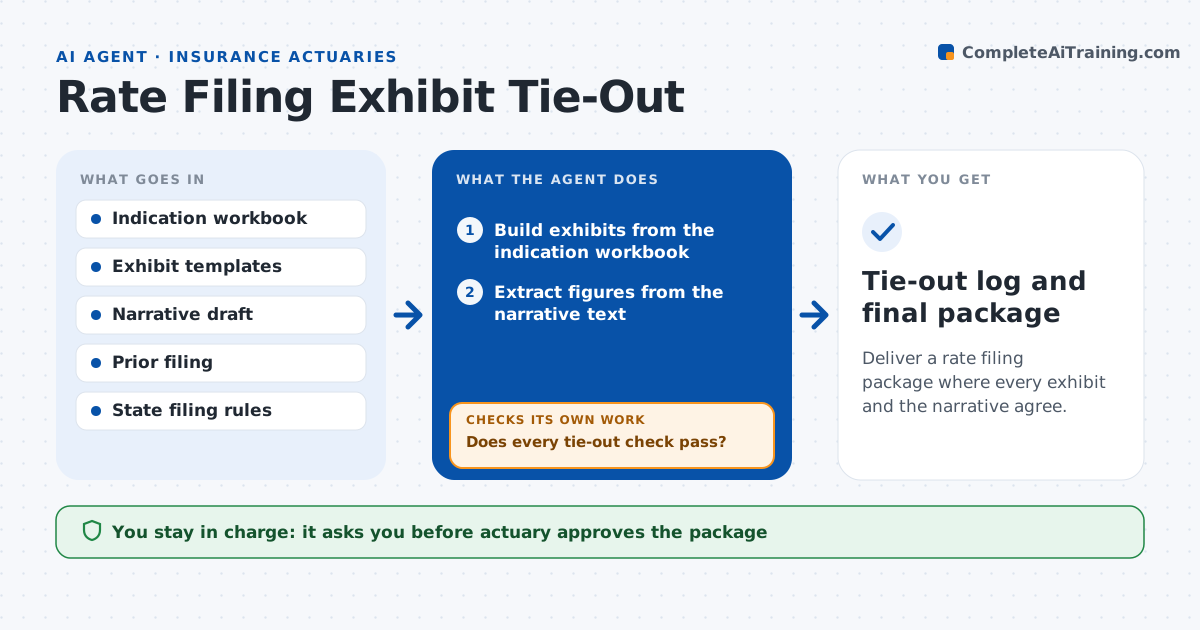
Deliver a rate filing package where every exhibit and the narrative agree.
What it does
A rate filing includes dozens of exhibits, and a single mismatch between an exhibit and the narrative can draw a regulator objection. This agent builds the exhibits from the indication workbook and then checks that numbers tie: totals against components, one exhibit against the next, and each exhibit against the narrative text. It lists every error with the page and location, fixes what it can in the working copy, and reruns the whole tie-out until no check fails. Judgment items, such as a change in method, go back to the actuary. Edge case: rounding differences below one unit are accepted. The actuary approves the package before filing.
How it works
Follow the arrows from top to bottom. The orange dashed arrow is the loop: when a check fails, the agent goes back and tries again.
Read the steps as a list
- Indication is final
- Build exhibits from the indication workbook
- Extract figures from the narrative text
- Check totals, subtotals and cross exhibit links
- Check narrative figures against the exhibits
- List each failure with page and location
- Fix mechanical errors in the working copy
- Does every tie-out check pass?If not: rerun the checks on the corrected copy and list what remains. Back to step 3.
- Compare with the prior filing for unexplained changes
- Actuary approves the package before filingThe agent waits here for your OK.
- Tie-out log and final package
How it decides
It treats a difference beyond rounding as an error, fixes mechanical ones itself and leaves any judgment items to the actuary.
- Accept differences below one rounding unit
- Fix mechanical errors such as stale links and sums automatically
- Send method changes and judgment items to the actuary
- Flag any year over year change over 10 percent without a note
Make it yours
Every agent is a starting point. You choose these settings for your own situation.
- Rounding tolerance
- Exhibit list for each state
- Change flag level (default 10 percent)
- Narrative template
What keeps you in control
It always asks you first
- Actuary approves the package
- Actuary approves any change to method or selections
Hard limits
- Never files anything with a regulator
- Never alters selections or methods
It stops when
- Done: all checks pass and the actuary approves
- Stop: workbook and narrative are based on different indications
Set it up
We guide you through the set-up, step by step
Members get the full set-up guide for this agent. No technical skills needed: you copy, paste and upload.
- One set of instructions to paste into your AI, with the clicks for ChatGPT, Claude, Microsoft 365 Copilot, Gemini and Grok
- The agent then walks you through connecting your own data, one source at a time
- A downloadable copy with the flow chart, the rules and the full guide