AI agent for change managers
Adoption Progress Monitoring Agent
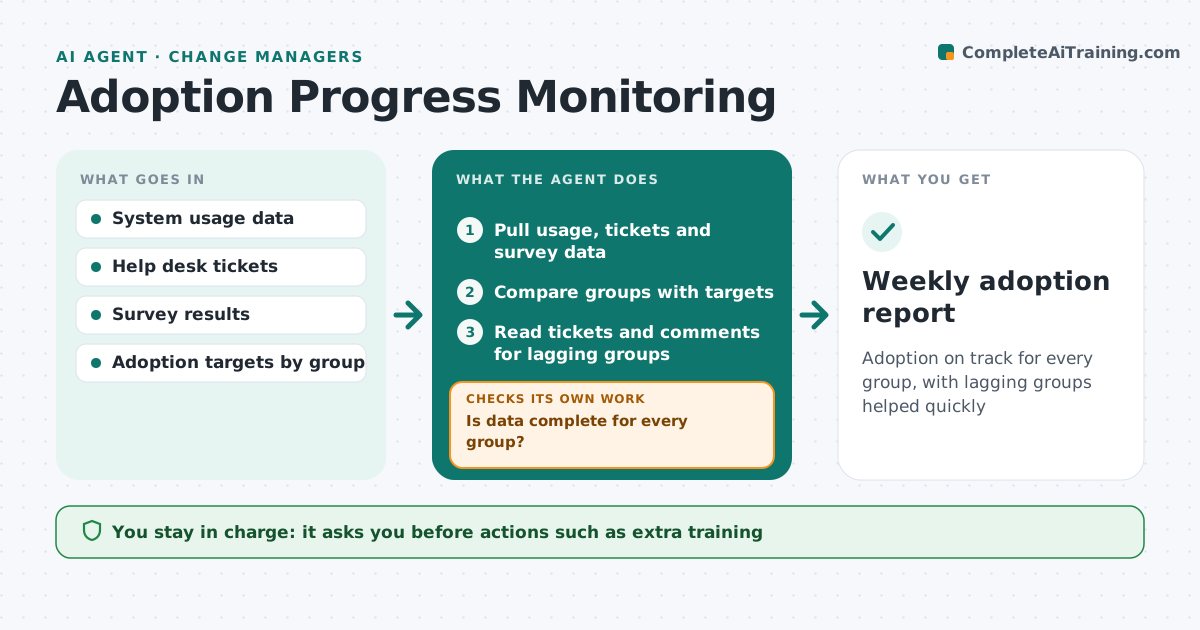
Adoption on track for every group, with lagging groups helped quickly
What it does
A change only works if people use it, but go-live is often treated as the finish line. After go-live this agent tracks adoption by group each week: logins, use of key features, workarounds to the old process, help desk tickets and survey answers. It first checks the data is complete for each group before drawing conclusions. It compares each group with that week's adoption target. If a group is behind, it reads tickets and comments to find why, such as missing access or unclear steps. High ticket counts can mean people are trying, so it reads them with usage. It drafts a weekly report with groups at risk and suggested actions. The change manager approves actions.
How it works
Follow the arrows from top to bottom. The orange dashed arrow is the loop: when a check fails, the agent goes back and tries again.
Read the steps as a list
- Weekly adoption review
- Pull usage, tickets and survey data
- Is data complete for every group?If not: ask system owners for missing data. Back to step 2.
- Compare groups with targets
- Read tickets and comments for lagging groups
- Draft report with causes and actions
- Change manager approves actionsThe agent waits here for your OK.
- Weekly adoption report
How it decides
It flags groups below their weekly target and looks for causes before suggesting actions.
- Below target two weeks running means at risk
- Read tickets with usage
- Workarounds count against adoption
Make it yours
Every agent is a starting point. You choose these settings for your own situation.
- Measures
- Targets per week
- Tracking period
- Report audience
What keeps you in control
It always asks you first
- Actions such as extra training
Hard limits
- Never reports individuals by name
It stops when
- Done: targets met for all groups
- Stop: tracking period ends
Set it up
We guide you through the set-up, step by step
Members get the full set-up guide for this agent. No technical skills needed: you copy, paste and upload.
- One set of instructions to paste into your AI, with the clicks for ChatGPT, Claude, Microsoft 365 Copilot, Gemini and Grok
- The agent then walks you through connecting your own data, one source at a time
- A downloadable copy with the flow chart, the rules and the full guide