AI agent for affiliate marketing managers
Affiliate Application Screening Agent
Approve good affiliates fast and keep risky ones out
What it does
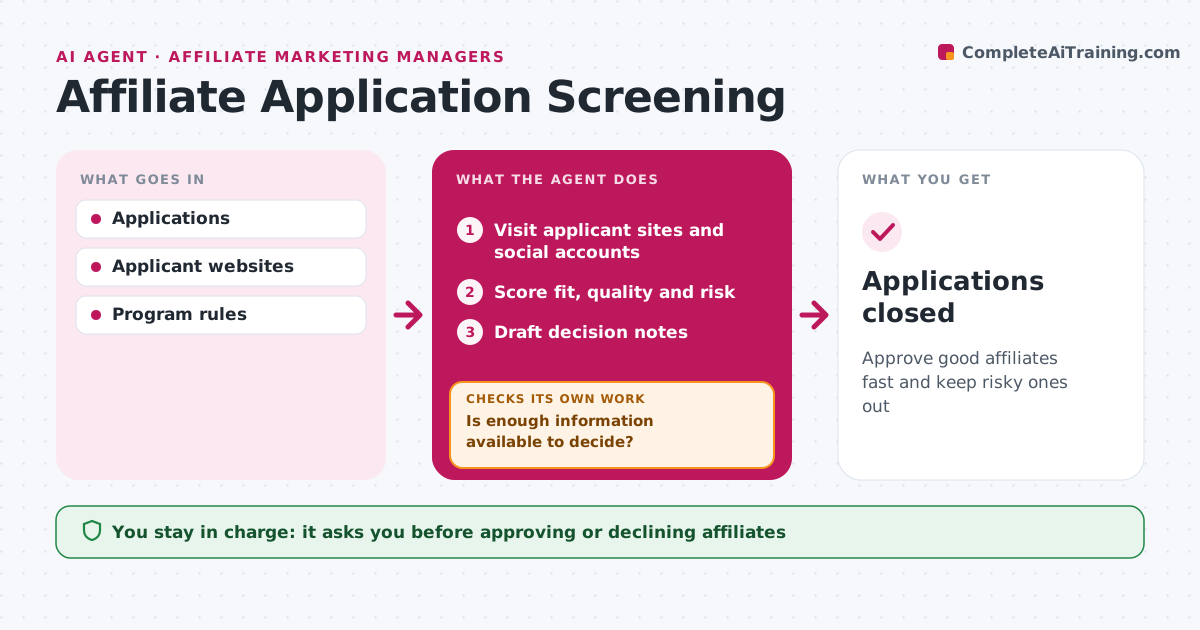
Affiliate programs get many applications, and some come from coupon spam sites or fraud. For each new application, this agent visits the applicant's website and social accounts and checks traffic signals, content quality, audience fit and program rules such as no brand bidding. It looks for warning signs like copied content, fake reviews or a history of bidding on brand terms. It scores each applicant on fit, quality and risk. If key information is missing, such as traffic sources, it requests it and reviews again once the reply arrives. It then drafts an approve, decline or ask-more note with the reasons. The affiliate manager approves every decision; the agent never accepts or rejects anyone on its own. Edge case: an applicant with a new site and little traffic but a strong niche fit is held for a trial tier instead of being declined.
How it works
Follow the arrows from top to bottom. The orange dashed arrow is the loop: when a check fails, the agent goes back and tries again.
Read the steps as a list
- New applications
- Visit applicant sites and social accounts
- Score fit, quality and risk
- Is enough information available to decide?If not: request more details and review again. Back to step 2.
- Draft decision notes
- Manager approves each decisionThe agent waits here for your OK.
- Applications closed
How it decides
Applicants are scored on fit, quality and risk. Any fraud sign leads to decline unless the manager overrides.
- Copied content or fake reviews lead to decline
- New sites with strong niche fit get a trial tier
- Brand bidding history means decline
Make it yours
Every agent is a starting point. You choose these settings for your own situation.
- Scoring weights
- Trial tier rules
- Review frequency
What keeps you in control
It always asks you first
- Approving or declining affiliates
Hard limits
- Never approves on its own
- Never shares program terms publicly
It stops when
- Done: all applications decided
- Stop: network access fails
Set it up
We guide you through the set-up, step by step
Members get the full set-up guide for this agent. No technical skills needed: you copy, paste and upload.
- One set of instructions to paste into your AI, with the clicks for ChatGPT, Claude, Microsoft 365 Copilot, Gemini and Grok
- The agent then walks you through connecting your own data, one source at a time
- A downloadable copy with the flow chart, the rules and the full guide