AI agent for affiliate marketing managers
Affiliate Offer Landing Page Match Agent
Make affiliate pages show the same offer as the live landing pages
What it does
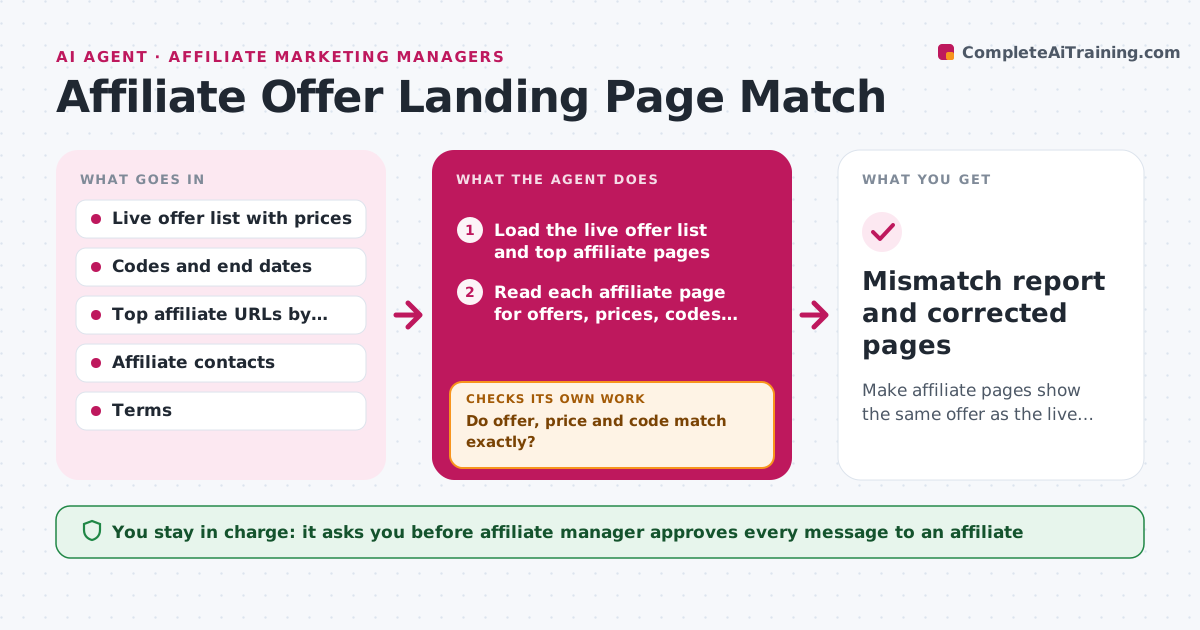
An affiliate's top page still says 30 percent off while the landing page shows 20, so visitors feel tricked, refunds rise and the brand faces complaints. This agent checks the match. It scans the top affiliate pages by traffic for offers, prices, codes and claims, compares them with the live offer and landing page, and flags mismatches with screenshots and the right text. It drafts a polite correction request for the affiliate and tracks the reply. After the affiliate changes the page, it rechecks it. The manager approves contact with affiliates. Edge case: an affiliate page cites an old price in a cached search snippet. The agent logs it but cannot fix it, and asks the affiliate to refresh.
How it works
Follow the arrows from top to bottom. The orange dashed arrow is the loop: when a check fails, the agent goes back and tries again.
Read the steps as a list
- Weekly scan or offer change
- Load the live offer list and top affiliate pages
- Read each affiliate page for offers, prices, codes and claims
- Compare with the live offer and landing page
- Do offer, price and code match exactly?If not: Record the mismatch with evidence and rank by traffic. Back to step 4.
- Draft a correction request with the right text
- Affiliate manager approves contactThe agent waits here for your OK.
- Send the request and set a recheck date
- Recheck the page after the deadline
- Is the page corrected?If not: Remind once, then propose pausing the affiliate link. Back to step 8.
- Mismatch report and corrected pages
How it decides
A mismatch is any difference in price, discount, code or end date. Mismatches on high-traffic pages or large gaps are urgent.
- Any difference in price, code or end date is a mismatch
- Pages with over 1,000 weekly clicks are urgent
- Two uncorrected reminders lead to a pause proposal
- Expired offers still shown are urgent
Make it yours
Every agent is a starting point. You choose these settings for your own situation.
- Number of pages scanned (default top 80)
- Traffic threshold for urgent (default 1,000 clicks)
- Reminder timing
- Tone of the message
- Offers to include
What keeps you in control
It always asks you first
- Affiliate manager approves every message to an affiliate
- Affiliate manager approves pausing a link
Hard limits
- Never edits an affiliate's page
- Never pauses a link without approval
It stops when
- Done: all flagged pages corrected
- Stop: affiliate unreachable, hand to the manager
Set it up
We guide you through the set-up, step by step
Members get the full set-up guide for this agent. No technical skills needed: you copy, paste and upload.
- One set of instructions to paste into your AI, with the clicks for ChatGPT, Claude, Microsoft 365 Copilot, Gemini and Grok
- The agent then walks you through connecting your own data, one source at a time
- A downloadable copy with the flow chart, the rules and the full guide