AI agent for computer science students
Algorithm Practice Coach Agent
Real understanding of algorithm patterns through graded practice and feedback
What it does
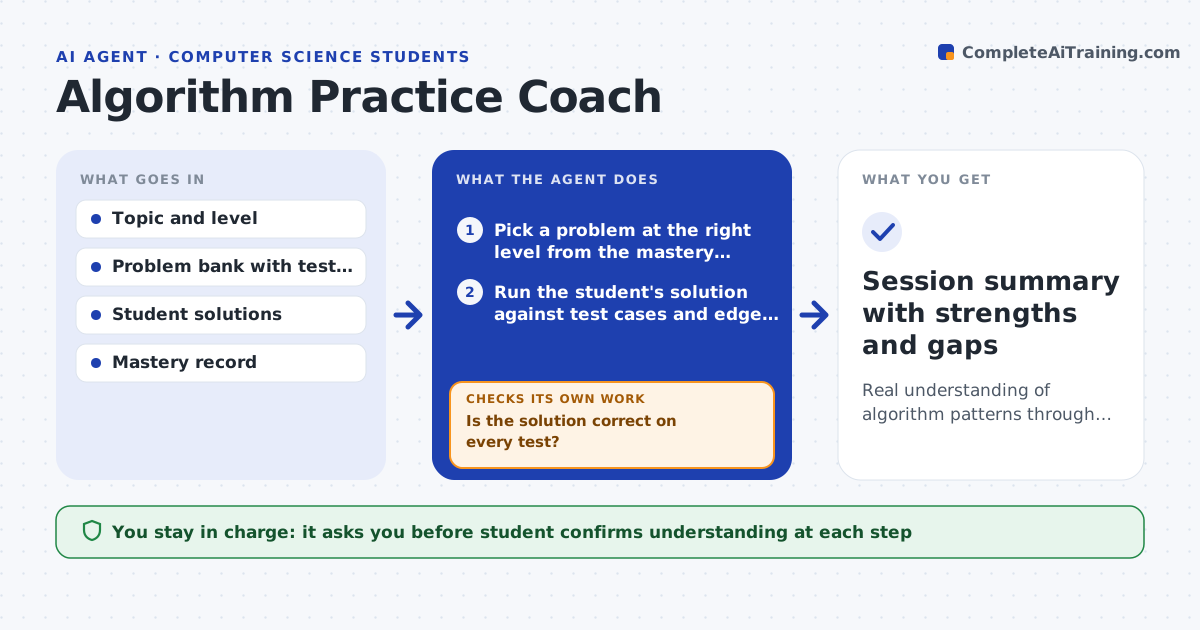
Students who memorize specific solutions freeze when a problem is slightly different in an exam or interview. This agent gives practice problems on a chosen topic, from easier to harder. After each attempt it runs the student's solution against test cases, including edge cases, and checks efficiency. Instead of just marking it wrong, it asks the student to explain the approach and gives a hint on the specific weakness, such as a missed edge case or a slow loop. If the student still struggles after two hints, it steps back to a simpler version of the problem. It tracks which patterns the student has mastered and which need more work. The student writes all code. Edge case: a solution that passes tests but is inefficient counts as correct but is flagged for a complexity discussion.
How it works
Follow the arrows from top to bottom. The orange dashed arrow is the loop: when a check fails, the agent goes back and tries again.
Read the steps as a list
- Student picks a topic to practice
- Pick a problem at the right level from the mastery record
- Run the student's solution against test cases and edge cases
- Is the solution correct on every test?If not: ask the student to explain the approach and give a targeted hint. Back to step 3.
- Is the solution efficient enough for the problem?If not: flag the complexity and hint at a faster approach. Back to step 3.
- Update the mastery record and pick the next problem
- Student confirms understanding before advancingThe agent waits here for your OK.
- Session summary with strengths and gaps
How it decides
It judges a solution on correctness and efficiency, and moves up in difficulty only after the student shows understanding, not just a passing run.
- Judge on correctness and efficiency
- Advance only after understanding is shown
- Flag passing but inefficient solutions for discussion
Make it yours
Every agent is a starting point. You choose these settings for your own situation.
- Topics and difficulty curve
- Problem sources
- How fast to escalate hints
- Mastery criteria
What keeps you in control
It always asks you first
- Student confirms understanding at each step
Hard limits
- Never writes the student's solution
- Does not help with work being graded live
It stops when
- Done: topic practiced and gaps recorded
- Stop: the student asks only for the answer
Set it up
We guide you through the set-up, step by step
Members get the full set-up guide for this agent. No technical skills needed: you copy, paste and upload.
- One set of instructions to paste into your AI, with the clicks for ChatGPT, Claude, Microsoft 365 Copilot, Gemini and Grok
- The agent then walks you through connecting your own data, one source at a time
- A downloadable copy with the flow chart, the rules and the full guide