AI agent for food scientists
Allergen Changeover Review Agent
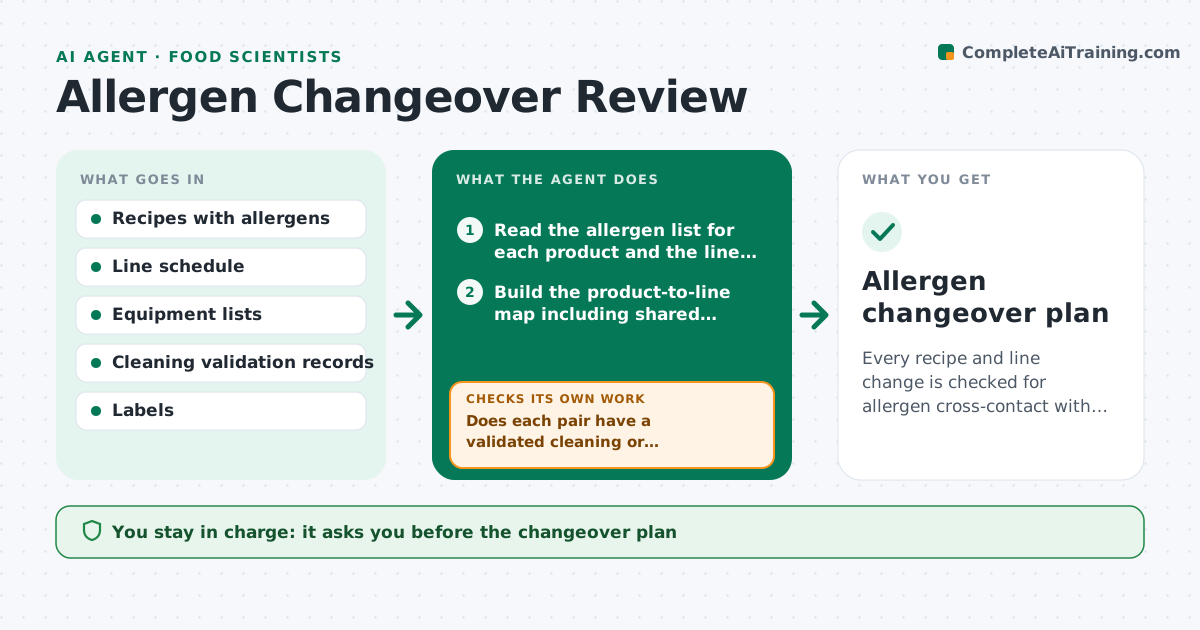
Every recipe and line change is checked for allergen cross-contact with a documented control before production.
What it does
A new recipe adds sesame and the next day it runs on a line that also makes a sesame-free product, with no changeover step. This agent triggers when a recipe or a line schedule changes. It compares allergens in each product that runs on each line, checks the cleaning and changeover records, and flags cross-contact risks that have no control, such as a missing validated clean, a missing label statement or a wrong scheduling order. It proposes controls, like sequencing or a validated clean with a swab check. After fixes, it rechecks. The food safety lead approves the plan. Edge case: shared equipment such as an oven belt is included, not only the mixing line.
How it works
Follow the arrows from top to bottom. The orange dashed arrow is the loop: when a check fails, the agent goes back and tries again.
Read the steps as a list
- Recipe or schedule change entered
- Read the allergen list for each product and the line assignments
- Build the product-to-line map including shared equipment
- Find pairs where an allergen could carry into an allergen-free product
- Does each pair have a validated cleaning or scheduling control on record?If not: list the uncontrolled pairs and propose sequencing or a validated clean. Back to step 3.
- Do the labels match the allergens, including advisory statements?If not: flag the label mismatch for correction. Back to step 3.
- Food safety lead approves the planThe agent waits here for your OK.
- Recheck records after fixes
- Is every pair now controlled?If not: return the open pairs with the missing evidence. Back to step 4.
- Allergen changeover plan
How it decides
For each product pair on shared equipment it asks whether an allergen of the first is absent from the second. If so, it requires a validated control.
- Allergen-free product follows an allergen product on the same line: control needed
- Cleaning validated only for another allergen: not accepted
- Shared equipment not on the line list: add it to the map
- Label lacks an allergen in the recipe: block production
Make it yours
Every agent is a starting point. You choose these settings for your own situation.
- Allergens covered
- Control types allowed
- Equipment lists
- Label rules
- Review triggers
What keeps you in control
It always asks you first
- The changeover plan
- Any change to schedules or labels
Hard limits
- Never approve a production run
- Never accept an unvalidated clean as a control
It stops when
- Done: all pairs controlled
- Stop: change cancelled
Set it up
We guide you through the set-up, step by step
Members get the full set-up guide for this agent. No technical skills needed: you copy, paste and upload.
- One set of instructions to paste into your AI, with the clicks for ChatGPT, Claude, Microsoft 365 Copilot, Gemini and Grok
- The agent then walks you through connecting your own data, one source at a time
- A downloadable copy with the flow chart, the rules and the full guide