AI agent for process development scientists
Raw Material Variability Study Agent
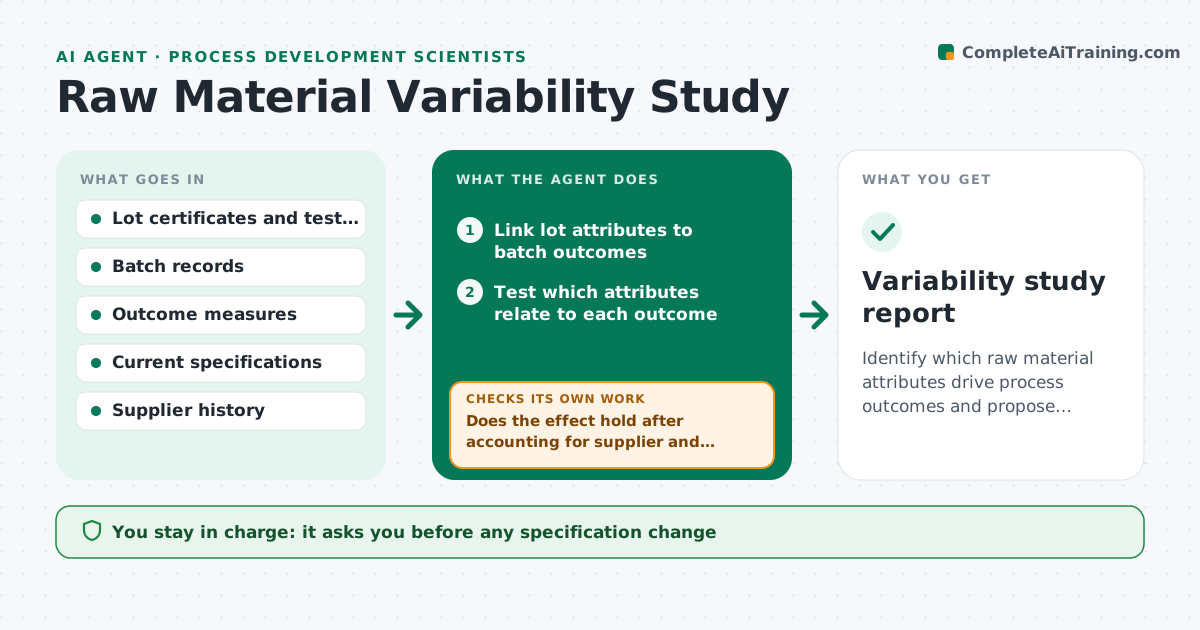
Identify which raw material attributes drive process outcomes and propose tighter specifications backed by data.
What it does
A process that runs well with one lot of raw material can drift with the next, and the link is hard to see in a pile of certificates and batch records. This agent joins each raw material lot's certificate data and test results with the batch outcomes that used it: yield, purity, cycle time and deviations. It uses statistics to find which lot attributes relate to the outcomes, checking that the effect is real and not due to a supplier or season. It proposes tighter specifications or incoming tests for the attributes that matter, and estimates how many past lots would have failed. As new lots arrive, it rechecks the relationship against the new batch results. It never changes a specification. The scientist approves changes. Edge case: attributes that are correlated with each other are treated together, not one by one.
How it works
Follow the arrows from top to bottom. The orange dashed arrow is the loop: when a check fails, the agent goes back and tries again.
Read the steps as a list
- New lot used or quarterly review
- Link lot attributes to batch outcomes
- Test which attributes relate to each outcome
- Does the effect hold after accounting for supplier and season?If not: drop the attribute or model it with the confounder included. Back to step 3.
- Propose a tighter specification or incoming test
- Simulate the proposal on past lots
- Would the proposal reject lots that caused problems without rejecting too many good ones?If not: adjust the limit and simulate again. Back to step 5.
- Scientist approves the proposed specificationThe agent waits here for your OK.
- Check new lots against the relationship
- Variability study report
How it decides
It treats an attribute as important when it explains a meaningful part of the outcome variation after other factors are accounted for and the effect holds on held-back lots.
- Require the effect to hold on lots not used to build the model
- Treat correlated attributes as a group
- Reject a proposed limit that would fail more than 10% of good lots
- Review the relationship each quarter or after 10 new lots
Make it yours
Every agent is a starting point. You choose these settings for your own situation.
- Attributes and outcomes
- False rejection limit (default 10%)
- Review schedule
- Confounders to control
- Specification format
What keeps you in control
It always asks you first
- Any specification change
- Requests to suppliers
Hard limits
- Never change a specification or contact a supplier
- Report the uncertainty of every effect
It stops when
- Done: specification approved and monitored
- Stop: too few lots to estimate effects
Set it up
We guide you through the set-up, step by step
Members get the full set-up guide for this agent. No technical skills needed: you copy, paste and upload.
- One set of instructions to paste into your AI, with the clicks for ChatGPT, Claude, Microsoft 365 Copilot, Gemini and Grok
- The agent then walks you through connecting your own data, one source at a time
- A downloadable copy with the flow chart, the rules and the full guide