AI agent for process development scientists
Cleaning Validation Review Agent
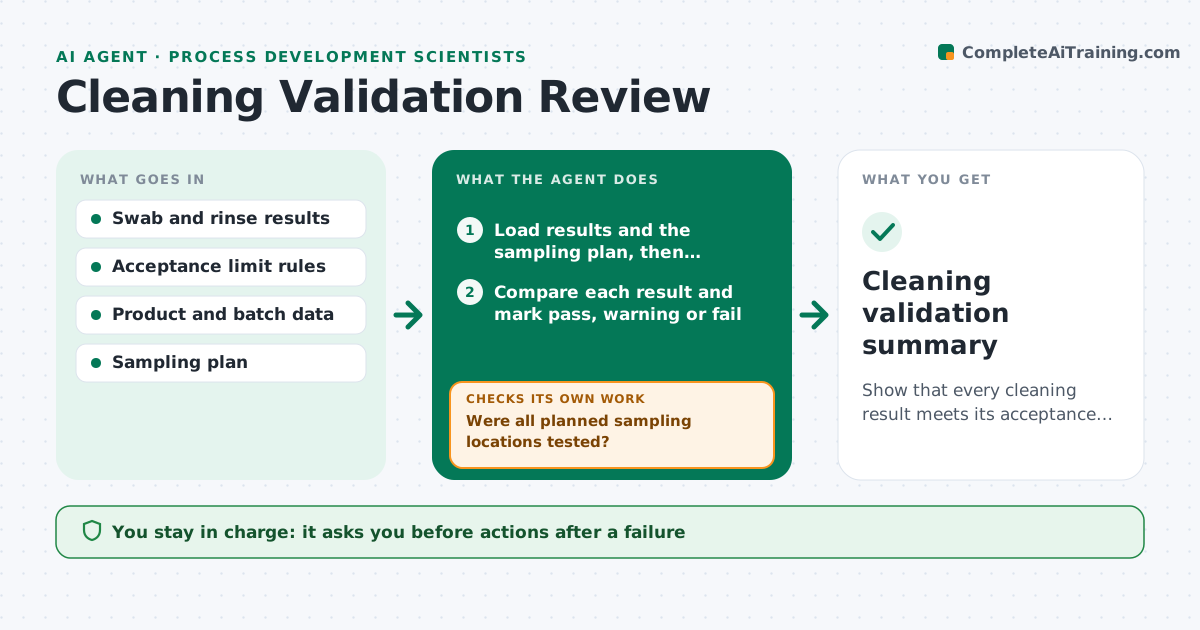
Show that every cleaning result meets its acceptance limit or has a documented corrective action.
What it does
After equipment is cleaned, swab and rinse samples are tested for residue, and the results need to be checked against limits that depend on the product, the batch size and the shared surface area. This agent reads the swab and rinse results, recalculates the acceptance limits from the current product data, and compares each result. It flags failures and near misses, and checks that sampling locations and the number of samples meet the protocol. For failures, it proposes a retest, a change to the cleaning method or a longer rinse, and checks the new results the same way. It builds the validation summary with each result and decision. It never closes a validation. The scientist approves the summary. Edge case: a result below the detection limit is recorded as such and checked against the method's limit.
How it works
Follow the arrows from top to bottom. The orange dashed arrow is the loop: when a check fails, the agent goes back and tries again.
Read the steps as a list
- Cleaning results received
- Load results and the sampling plan, then recalculate acceptance limits from product and batch data
- Compare each result and mark pass, warning or fail
- Were all planned sampling locations tested?If not: list the missing locations and request samples. Back to step 2.
- Propose retests or cleaning changes for failures
- Scientist approves the proposed actionsThe agent waits here for your OK.
- Read the new results after the actions
- Do the new results pass at every location?If not: reconsider the cleaning method and repeat the comparison. Back to step 3.
- Write the validation summary
- Scientist approves the summaryThe agent waits here for your OK.
- Cleaning validation summary
How it decides
It compares each result with the recalculated limit and treats any result above the limit as a failure. It treats results above 80% of the limit as a warning.
- Fail any result above the calculated limit
- Warn when a result exceeds 80% of the limit
- Recalculate limits when the next product or batch size changes
- Treat missing locations as not validated
Make it yours
Every agent is a starting point. You choose these settings for your own situation.
- Limit rules and safety factor
- Warning level (default 80%)
- Sampling locations
- Summary format
- Retest policy
What keeps you in control
It always asks you first
- Actions after a failure
- The validation summary
Hard limits
- Never close a validation
- Never adjust a result
It stops when
- Done: all locations pass and the summary is approved
- Stop: cleaning cannot meet limits with available methods
Set it up
We guide you through the set-up, step by step
Members get the full set-up guide for this agent. No technical skills needed: you copy, paste and upload.
- One set of instructions to paste into your AI, with the clicks for ChatGPT, Claude, Microsoft 365 Copilot, Gemini and Grok
- The agent then walks you through connecting your own data, one source at a time
- A downloadable copy with the flow chart, the rules and the full guide