AI agent for sales engineers
API and Integration Question Verification Agent
Send technical answers that match both the documentation and real behavior
What it does
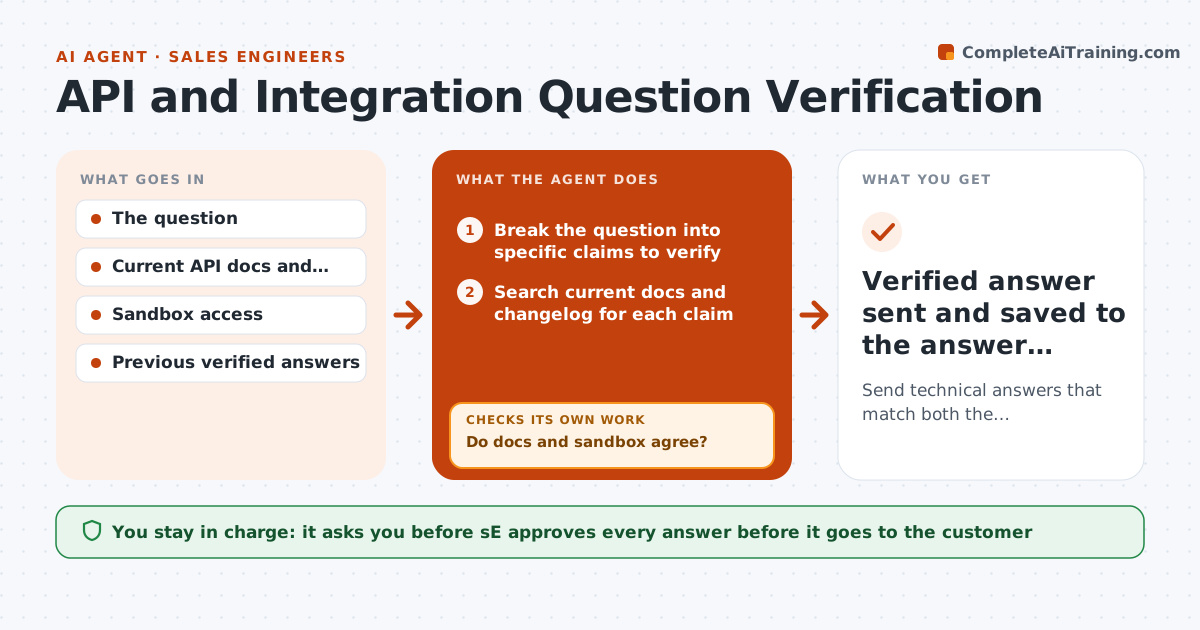
A prospect asks whether the API supports bulk updates and what the rate limit is. The SE answers from memory, and it turns out the limit changed last quarter. This agent verifies each answer before it is sent. For every question it checks the current documentation, runs a test call against a sandbox where it can, compares what the docs say with what the sandbox does and flags any difference. It then drafts an answer that cites the doc and shows the test result. If docs and behavior disagree, it escalates to engineering and holds the answer. The SE approves the final reply. Edge case: a limit differs by plan. The agent states both with the plan names.
How it works
Follow the arrows from top to bottom. The orange dashed arrow is the loop: when a check fails, the agent goes back and tries again.
Read the steps as a list
- Technical question received
- Break the question into specific claims to verify
- Search current docs and changelog for each claim
- Run a sandbox call to test each claim where possible
- Do docs and sandbox agree?If not: Escalate to engineering with both results and hold the answer. Back to step 3.
- Check limits and behavior for the customer's plan
- Draft the answer with doc links and the test result
- Does the draft cover every part of the question with evidence?If not: Add the missing claims, verify them and redraft. Back to step 2.
- SE approves the answerThe agent waits here for your OK.
- Verified answer sent and saved to the answer library
How it decides
An answer is confident only when docs and the sandbox agree. If they differ, the sandbox result is reported to engineering and no firm answer is given.
- Docs and sandbox must agree before a firm answer
- Limits are stated per plan
- Answers older than 90 days are re-verified
- Anything unverified is labeled and not promised
Make it yours
Every agent is a starting point. You choose these settings for your own situation.
- Sandbox account and limits
- Answer age before re-verification (default 90 days)
- Who in engineering receives escalations
- Answer format
- Plans to compare
What keeps you in control
It always asks you first
- SE approves every answer before it goes to the customer
Hard limits
- Never tests with real customer data
- Never promises unreleased features
It stops when
- Done: answer verified, sent and saved
- Stop: engineering confirms a bug or gap, update the customer with a plan
Set it up
We guide you through the set-up, step by step
Members get the full set-up guide for this agent. No technical skills needed: you copy, paste and upload.
- One set of instructions to paste into your AI, with the clicks for ChatGPT, Claude, Microsoft 365 Copilot, Gemini and Grok
- The agent then walks you through connecting your own data, one source at a time
- A downloadable copy with the flow chart, the rules and the full guide