AI agent for sales engineers
Sales Demo Environment Preparation Agent
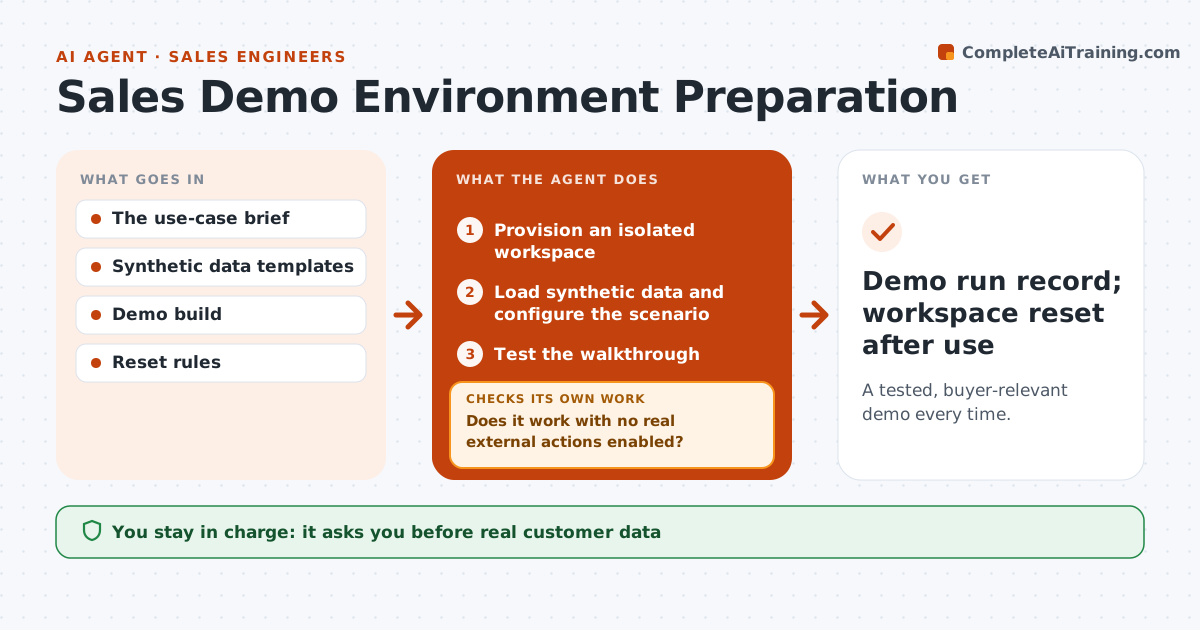
A tested, buyer-relevant demo every time.
What it does
Setting up a sales demo is repetitive, and broken sample data or a live integration can ruin the meeting. This agent starts when a demo is scheduled. It provisions an isolated demo workspace, loads synthetic data, and configures the scenario the buyer asked to see. It then runs the full walkthrough as a test and checks two things: does every step work, and is every real external action, such as sending email or calling a customer system, disabled or pointed at a sandbox. If either fails, it repairs or reprovisions and tests again. It writes a short presenter brief and resets the workspace after the demo. The salesperson decides what to show. Edge case: a scenario that needs real customer data is refused and replaced with synthetic records.
How it works
Follow the arrows from top to bottom. The orange dashed arrow is the loop: when a check fails, the agent goes back and tries again.
Read the steps as a list
- Demo scheduled
- Provision an isolated workspace
- Load synthetic data and configure the scenario
- Test the walkthrough
- Does it work with no real external actions enabled?If not: repair or reprovision. Back to step 3.
- Write the presenter brief
- Demo run record; workspace reset after use
How it decides
It repairs failed steps or reprovisions on contamination.
- Demos never use real customer data.
- Every external action must be disabled or sandboxed before the demo.
- A failed walkthrough is repaired and fully retested.
- Workspaces are reset after use.
Make it yours
Every agent is a starting point. You choose these settings for your own situation.
- Demo scenarios per industry
- Synthetic data set size (default 500 records)
- Integrations that must be disabled or sandboxed
- When to reset the workspace (default: 2 hours after the demo)
- Who approves the scenario (default: account executive)
What keeps you in control
It always asks you first
- Real customer data
- Purchases
- Public access
Hard limits
- Isolated workspace.
It stops when
- Done: demo ready.
Set it up
We guide you through the set-up, step by step
Members get the full set-up guide for this agent. No technical skills needed: you copy, paste and upload.
- One set of instructions to paste into your AI, with the clicks for ChatGPT, Claude, Microsoft 365 Copilot, Gemini and Grok
- The agent then walks you through connecting your own data, one source at a time
- A downloadable copy with the flow chart, the rules and the full guide