AI agent for backend developers
API Contract Drift Repair Agent
Schema, clients and implementation agree, without surprise breaking changes.
What it does
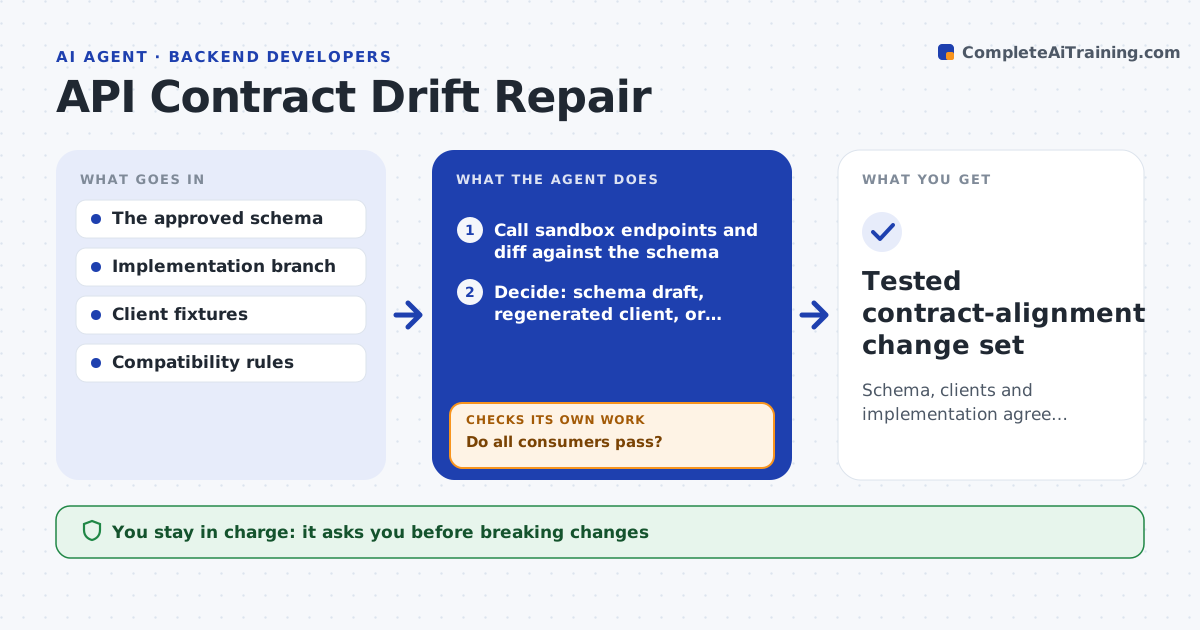
API schemas and generated clients drift away from what the implementation actually returns, and consumers break without warning. After a merge, or when a consumer reports a mismatch, this agent calls the sandbox endpoints and compares real responses with the published schema. For each mismatch it decides whether to update the draft schema, regenerate the client or ask the API owner, based on the behavior the owner approved. It applies the change on a branch and runs the consumer contract tests. If any consumer fails, it refines or reverts the change. Breaking changes always go to the owner. Edge case: a field documented as required is missing in real responses, which could be a bug or intended, so the agent asks the owner.
How it works
Follow the arrows from top to bottom. The orange dashed arrow is the loop: when a check fails, the agent goes back and tries again.
Read the steps as a list
- Implementation change or consumer report
- Call sandbox endpoints and diff against the schema
- Decide: schema draft, regenerated client, or owner question
- Apply the change on a branch
- Run consumer contract tests
- Do all consumers pass?If not: refine or revert the change. Back to step 3.
- API owner approves any breaking change and publicationThe agent waits here for your OK.
- Tested contract-alignment change set
How it decides
It classifies each mismatch by approved intent and runs consumer tests; a still-failing consumer means refine or revert.
- The owner-approved behavior wins over the current implementation.
- Breaking changes always go to review.
- Revert any change that fails a consumer contract test twice.
Make it yours
Every agent is a starting point. You choose these settings for your own situation.
- Endpoints and environments tested
- Consumers whose contract tests must pass
- What counts as a breaking change (default removed fields and new required values)
- Who approves publication
What keeps you in control
It always asks you first
- Breaking changes
- Publication
- Deployment
Hard limits
- Branch only.
It stops when
- Done: consumers pass.
Set it up
We guide you through the set-up, step by step
Members get the full set-up guide for this agent. No technical skills needed: you copy, paste and upload.
- One set of instructions to paste into your AI, with the clicks for ChatGPT, Claude, Microsoft 365 Copilot, Gemini and Grok
- The agent then walks you through connecting your own data, one source at a time
- A downloadable copy with the flow chart, the rules and the full guide