AI agent for software engineers
API Pagination Recovery Agent
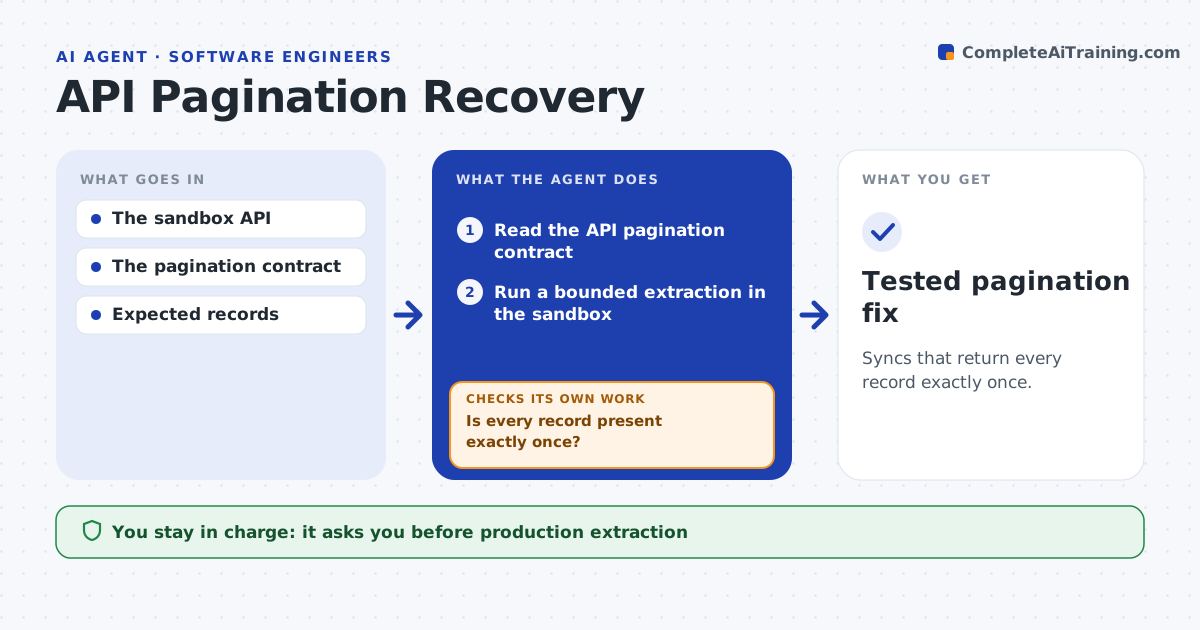
Syncs that return every record exactly once.
What it does
Data syncs over paginated APIs can silently miss or duplicate records, for example when items are added while a sync is running. When counts do not match or a new integration starts, this agent runs bounded extractions against a sandbox API. It checks record IDs, cursors and totals against the source count. If records are missing or duplicated, it revises the pagination client, for example switching from offset to cursor paging or making retries safe to repeat, and runs the extraction again. A developer approves deployment. Production extraction stays with people. Edge case: inserting records during the run shifts offsets and causes 3 duplicates, so the agent switches to cursor paging.
How it works
Follow the arrows from top to bottom. The orange dashed arrow is the loop: when a check fails, the agent goes back and tries again.
Read the steps as a list
- Count mismatch or new integration
- Read the API pagination contract
- Run a bounded extraction in the sandbox
- Check IDs, cursors and counts
- Is every record present exactly once?If not: revise the pagination client and rerun. Back to step 3.
- Prepare the fix and test results
- Developer approves deploymentThe agent waits here for your OK.
- Tested pagination fix
How it decides
It chooses the pagination strategy from the contract and investigates cursors on any duplicate or gap.
- Choose the strategy from the API contract (cursor over offset when available).
- Retries must be safe to repeat.
- Pass only when counts and unique IDs both match the source.
Make it yours
Every agent is a starting point. You choose these settings for your own situation.
- Sandbox API and test data volume
- Paging strategy allowed by the API contract
- Retry limits (default 3 per page)
- Who approves deployment
What keeps you in control
It always asks you first
- Production extraction
- Deployment
Hard limits
- Sandbox only.
It stops when
- Done: counts match.
Set it up
We guide you through the set-up, step by step
Members get the full set-up guide for this agent. No technical skills needed: you copy, paste and upload.
- One set of instructions to paste into your AI, with the clicks for ChatGPT, Claude, Microsoft 365 Copilot, Gemini and Grok
- The agent then walks you through connecting your own data, one source at a time
- A downloadable copy with the flow chart, the rules and the full guide