AI agent for backend developers
Product Supportability Review Agent
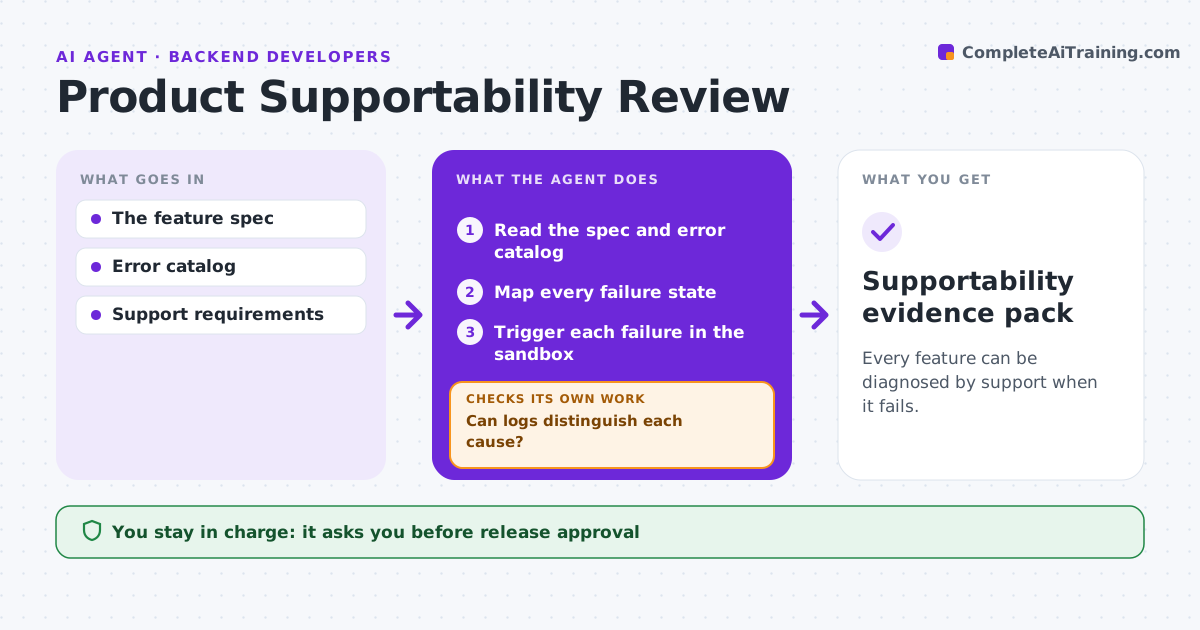
Every feature can be diagnosed by support when it fails.
What it does
New features often ship before anyone checks whether support can tell why they fail. When a customer reports a problem, the logs show the same vague message for very different causes. This agent takes the feature spec and error catalog, lists every way the feature can fail, and triggers each failure on purpose in a sandbox. It then reads the logs and asks one question: can a support person tell these causes apart? If two failures look identical, it writes an instrumentation requirement for engineering and retests once the fix lands. It then drafts diagnostic guidance for support. The release decision and any change to production logging stay with people. Edge case: a timeout and a permission error that both log 'request failed' are treated as one blind spot, not two passes.
How it works
Follow the arrows from top to bottom. The orange dashed arrow is the loop: when a check fails, the agent goes back and tries again.
Read the steps as a list
- Feature nears release
- Read the spec and error catalog
- Map every failure state
- Trigger each failure in the sandbox
- Read the resulting logs
- Can logs distinguish each cause?If not: create an instrumentation requirement, wait for the fix and retest. Back to step 4.
- Draft diagnostic guidance for support
- Support lead approves the guidance before releaseThe agent waits here for your OK.
- Supportability evidence pack
How it decides
It requires logs that distinguish causes.
- Two failure states with identical log output count as a gap, even if each logs something.
- Probes run only in the sandbox with test accounts, never against production.
- Guidance is drafted only for causes the logs can actually distinguish.
- A requirement is closed only after a retest shows the new log output.
Make it yours
Every agent is a starting point. You choose these settings for your own situation.
- Which failure states count as in scope (default: every state in the error catalog plus spec edge cases)
- Sandbox environment and test accounts to use
- Minimum log detail support needs (default: unique error code plus user-facing message)
- Who receives instrumentation requirements (default: feature engineering lead)
- Release gate: block release or only warn when gaps remain (default: warn)
What keeps you in control
It always asks you first
- Release approval
- Production instrumentation
Hard limits
- Sandbox only.
It stops when
- Done: pack complete.
Set it up
We guide you through the set-up, step by step
Members get the full set-up guide for this agent. No technical skills needed: you copy, paste and upload.
- One set of instructions to paste into your AI, with the clicks for ChatGPT, Claude, Microsoft 365 Copilot, Gemini and Grok
- The agent then walks you through connecting your own data, one source at a time
- A downloadable copy with the flow chart, the rules and the full guide