AI agent for judges
Appeal Record Certification Agent
Send a complete, correctly paginated appeal record with no missing or unresolved items.
What it does
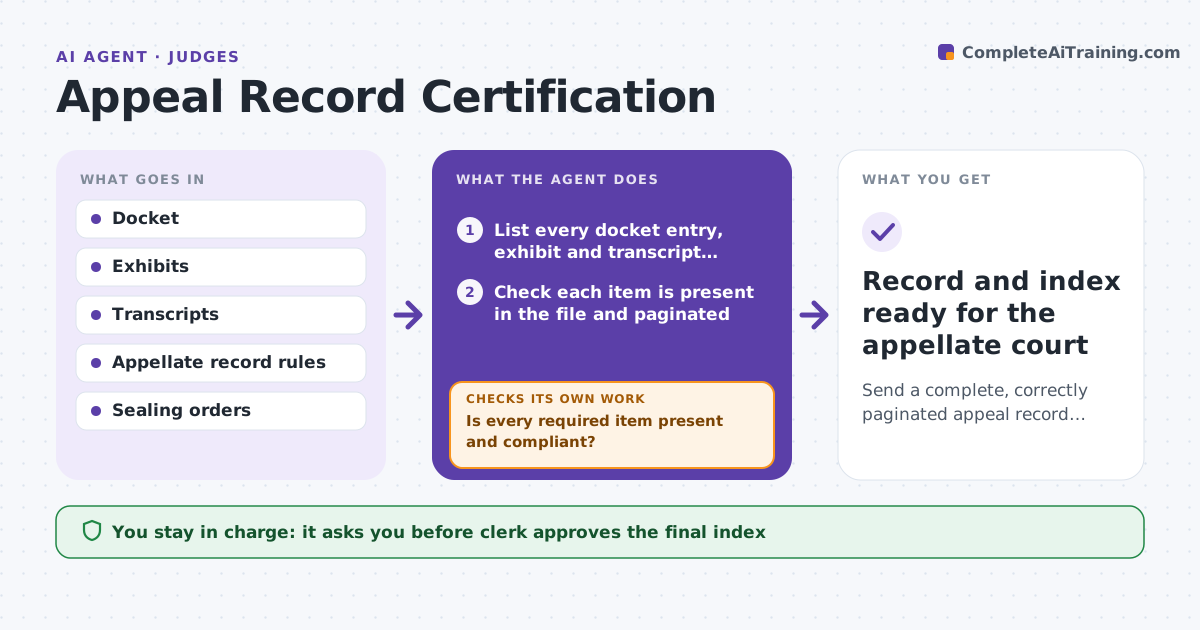
After a notice of appeal, the clerk's office has to send up a record that is complete, paginated and compliant with the appellate rules. Records go up with missing exhibits, wrong page counts or unresolved sealing orders, and they get bounced back. The agent lists every docket entry, exhibit and transcript required under the rules, checks each is present, numbered and in order, and flags items under seal or still missing. It requests missing items from the clerk's office and re-runs the check when they arrive. It builds the index and a deficiency list. A clerk approves the final index before transmission. Edge case: a transcript is ordered but not yet filed, so the agent holds the record and sets a follow-up date.
How it works
Follow the arrows from top to bottom. The orange dashed arrow is the loop: when a check fails, the agent goes back and tries again.
Read the steps as a list
- Notice of appeal filed
- List every docket entry, exhibit and transcript required by the rules
- Check each item is present in the file and paginated
- Check sealed items against sealing orders
- Is every required item present and compliant?If not: Request each missing item from the clerk's office and re-check on a set date. Back to step 3.
- Build the record index with page ranges
- Do the index page counts match the assembled record?If not: Find the mismatch, correct pagination and rebuild the index. Back to step 3.
- Clerk approves the final indexThe agent waits here for your OK.
- Prepare the record for transmission
- Record and index ready for the appellate court
How it decides
A record is complete only when every required entry, exhibit and transcript is present, paginated and any sealed items are handled as the order directs. Anything else goes on a deficiency list.
- Missing items are requested within 1 business day
- Sealed items stay sealed and are transmitted as the order directs
- Index page counts must equal the assembled record pages
- A pending transcript holds transmission and sets a follow-up
Make it yours
Every agent is a starting point. You choose these settings for your own situation.
- Appellate rules set used
- Days before a follow-up on missing items
- Pagination format
- Which clerk approves
What keeps you in control
It always asks you first
- Clerk approves the final index
- Clerk approves transmission
Hard limits
- Never alters the content of a filed document
- Never transmits a record without clerk approval
It stops when
- Done: complete record index approved and sent
- Stop: transcript or sealed item unresolved at deadline, so the clerk decides
Set it up
We guide you through the set-up, step by step
Members get the full set-up guide for this agent. No technical skills needed: you copy, paste and upload.
- One set of instructions to paste into your AI, with the clicks for ChatGPT, Claude, Microsoft 365 Copilot, Gemini and Grok
- The agent then walks you through connecting your own data, one source at a time
- A downloadable copy with the flow chart, the rules and the full guide