AI agent for judges
Motion Calendar Preparation Agent
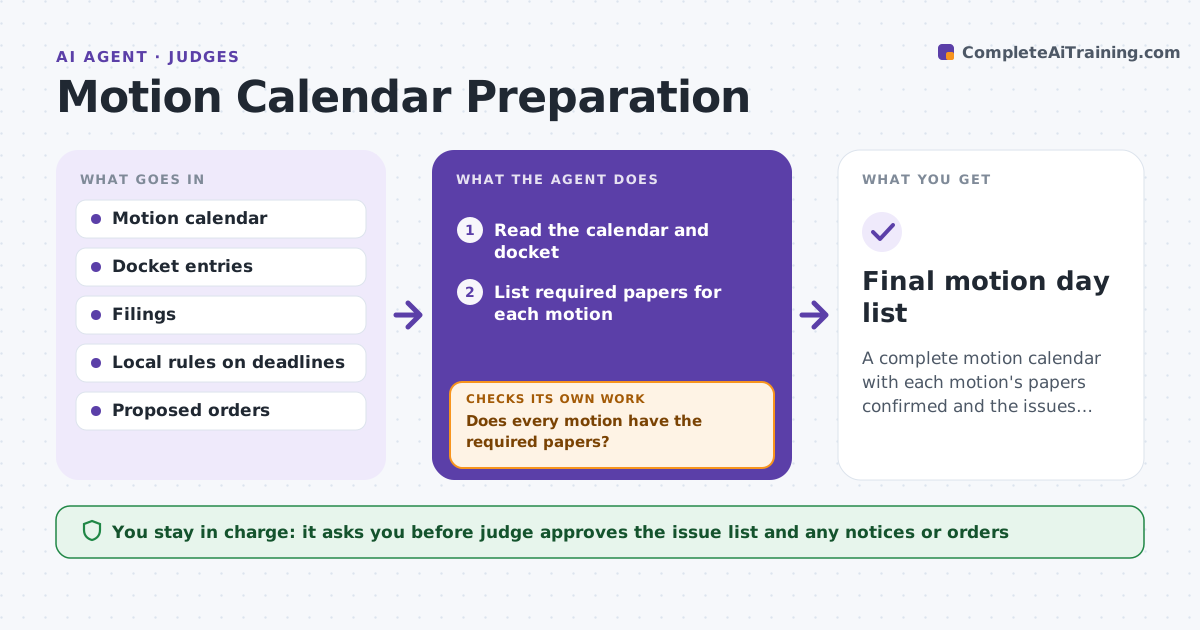
A complete motion calendar with each motion's papers confirmed and the issues listed.
What it does
Motion day starts with a stack of papers and unclear issues. Missing responses, absent proposed orders and late filings waste court time. This agent reads the calendar and checks that each motion has its moving papers, response, reply and proposed order. It notes missing papers and drafts a one-page issue list for each motion. It rechecks as late filings come in. The judge decides what is used and what is heard. Edge case: a motion is on the calendar but the response was filed late by two days, so the agent flags it with the filing date.
How it works
Follow the arrows from top to bottom. The orange dashed arrow is the loop: when a check fails, the agent goes back and tries again.
Read the steps as a list
- Motion day is two days away
- Read the calendar and docket
- List required papers for each motion
- Check which papers are on file and when they were filed
- Flag missing or late papers
- Does every motion have the required papers?If not: recheck the docket after late filings and flag the remaining gaps. Back to step 4.
- Draft a one-page issue list per motion
- Judge approves the list and any orders to show causeThe agent waits here for your OK.
- Recheck the docket the morning of motion day
- Final motion day list
How it decides
It checks each motion against the local rule deadlines for response and reply. It marks it incomplete if any required paper is missing or late.
- Flag a response filed after the local deadline
- Flag a motion without a proposed order
- Flag a motion with a reply and no response
- List the legal issue in one sentence
Make it yours
Every agent is a starting point. You choose these settings for your own situation.
- Local deadlines
- Papers required per motion type
- Time of recheck
- Issue list format
- Calendar source
What keeps you in control
It always asks you first
- Judge approves the issue list and any notices or orders
Hard limits
- Never decide whether a late paper is accepted
- Never contact parties
It stops when
- Done: all motions checked and the list is approved
- Stop: the docket cannot be read
Set it up
We guide you through the set-up, step by step
Members get the full set-up guide for this agent. No technical skills needed: you copy, paste and upload.
- One set of instructions to paste into your AI, with the clicks for ChatGPT, Claude, Microsoft 365 Copilot, Gemini and Grok
- The agent then walks you through connecting your own data, one source at a time
- A downloadable copy with the flow chart, the rules and the full guide