AI agent for immigration consultants
Application Package Consistency Agent
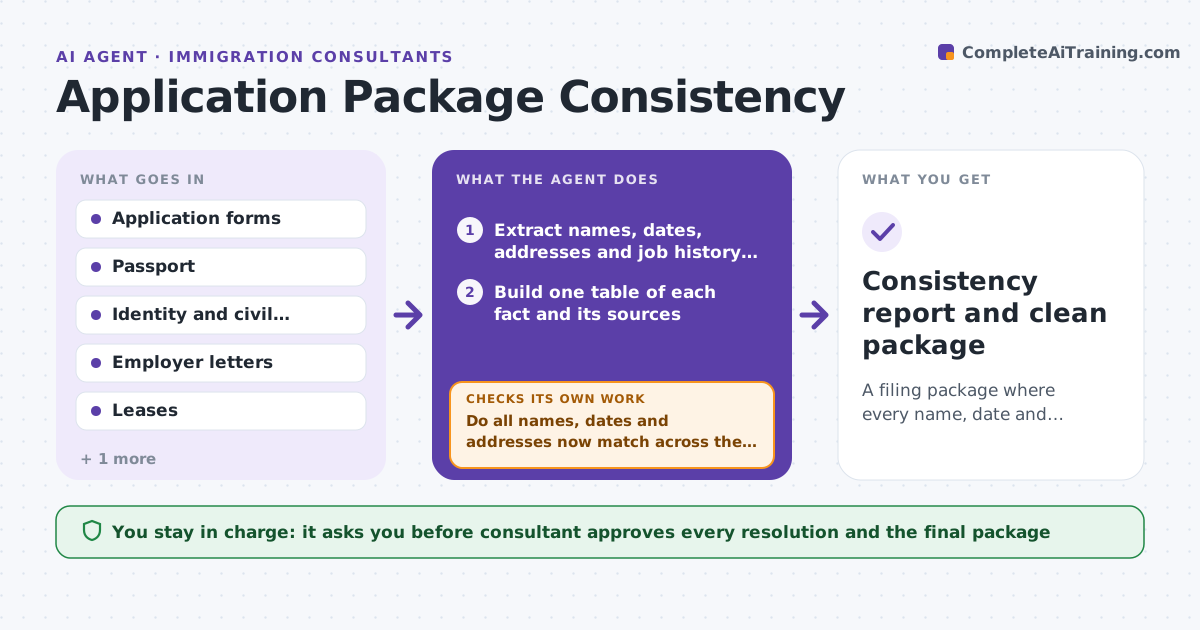
A filing package where every name, date and address matches across forms and documents.
What it does
Immigration applications are refused for small inconsistencies: a birth date written two ways, an address that differs from the lease, work history that does not match the reference letter. This agent extracts names, dates, addresses and employment history from every form and supporting document and compares them. It lists each conflict with the file it came from. When the client or consultant resolves one, the agent rechecks the whole package, not just that item, because a fix on one form can cause a new difference elsewhere. It never files. Edge case: a client's name appears with and without a middle name on the passport and the diploma, so the agent flags the pattern and asks which spelling the application should use.
How it works
Follow the arrows from top to bottom. The orange dashed arrow is the loop: when a check fails, the agent goes back and tries again.
Read the steps as a list
- Package is assembled
- Extract names, dates, addresses and job history from every document
- Build one table of each fact and its sources
- Compare entries and list conflicts with sources
- Rank conflicts by risk
- Draft questions for the client or consultant
- Consultant decides how each conflict is resolvedThe agent waits here for your OK.
- Reextract the changed documents and rebuild the table
- Do all names, dates and addresses now match across the package?If not: list the remaining or new conflicts and ask again. Back to step 4.
- Consistency report and clean package
How it decides
It marks a field conflicting when any two sources disagree on name spelling, date or address. It ranks conflicts by risk: identity first, history second, contact details third.
- Rank identity conflicts first
- Treat a name spelling difference as a conflict even if minor
- Compare dates in one standard format
- Flag a gap or overlap of over 30 days in job history
Make it yours
Every agent is a starting point. You choose these settings for your own situation.
- Formats for dates and names
- Risk ranking
- Documents in scope
- Gap threshold in days (default 30)
- Question wording
What keeps you in control
It always asks you first
- Consultant approves every resolution and the final package
Hard limits
- Never submit or alter a form
- Never choose which spelling is correct without the consultant
It stops when
- Done: no conflicts left on the full recheck
- Stop: a conflict needs the client or an authority to decide
Set it up
We guide you through the set-up, step by step
Members get the full set-up guide for this agent. No technical skills needed: you copy, paste and upload.
- One set of instructions to paste into your AI, with the clicks for ChatGPT, Claude, Microsoft 365 Copilot, Gemini and Grok
- The agent then walks you through connecting your own data, one source at a time
- A downloadable copy with the flow chart, the rules and the full guide