AI agent for legal assistants
Fee and Form Version Check Agent
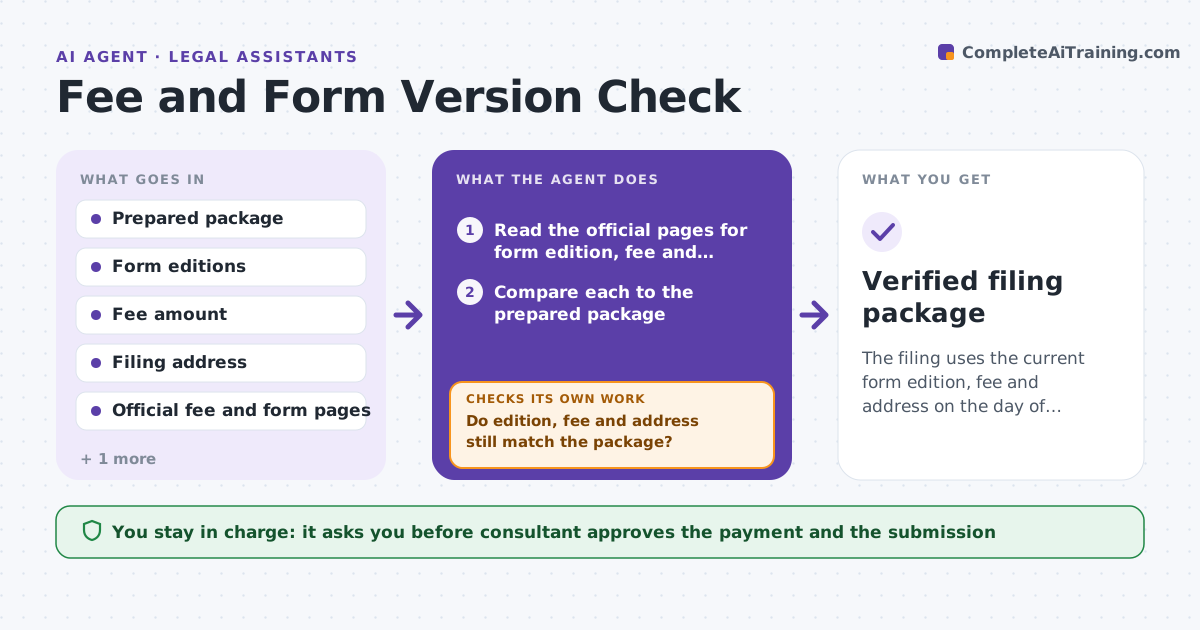
The filing uses the current form edition, fee and address on the day of filing.
What it does
Authorities change fees, form editions and filing addresses with little notice, and old editions are rejected. This agent checks the authority's pages before each filing. It finds the current form edition, fee and filing address and compares them to the prepared package. Any difference is listed with the page where the change appears. After the package is updated, it rechecks. It also compares payment amounts and methods to the current fee table. It never pays or submits. Edge case: the fee table says $85 but a notice from last week says it rises to $110 for filings after the 1st, so the agent flags the date sensitivity.
How it works
Follow the arrows from top to bottom. The orange dashed arrow is the loop: when a check fails, the agent goes back and tries again.
Read the steps as a list
- Filing is scheduled
- Read the official pages for form edition, fee and address
- Compare each to the prepared package
- List differences and effective dates
- Draft the update steps for the package
- Consultant approves the updates and correct payment amountThe agent waits here for your OK.
- Recheck the official pages on the filing day
- Do edition, fee and address still match the package?If not: update the package list and return it for approval. Back to step 3.
- Prepare the filing summary
- Verified filing package
How it decides
It treats any difference in edition, fee or address as a blocker. It treats a fee change with a future effective date as a warning that depends on the filing date.
- Block filing with an old form edition
- Block filing when the fee differs from the current table
- Warn when a new fee takes effect within 14 days
- Verify the address for the filing type
Make it yours
Every agent is a starting point. You choose these settings for your own situation.
- Official pages to monitor
- Warning period for changes (default 14 days)
- Filing types
- Fee currency
- Day-of recheck time
What keeps you in control
It always asks you first
- Consultant approves the payment and the submission
Hard limits
- Never pay fees or submit filings itself
- Never use unofficial sources
It stops when
- Done: package matches current official data
- Stop: official pages conflict or are unavailable
Set it up
We guide you through the set-up, step by step
Members get the full set-up guide for this agent. No technical skills needed: you copy, paste and upload.
- One set of instructions to paste into your AI, with the clicks for ChatGPT, Claude, Microsoft 365 Copilot, Gemini and Grok
- The agent then walks you through connecting your own data, one source at a time
- A downloadable copy with the flow chart, the rules and the full guide