AI agent for immigration consultants
Refusal Reasons Analysis Agent
A clear route and plan after a refusal, based on what the file supports, before the deadline.
What it does
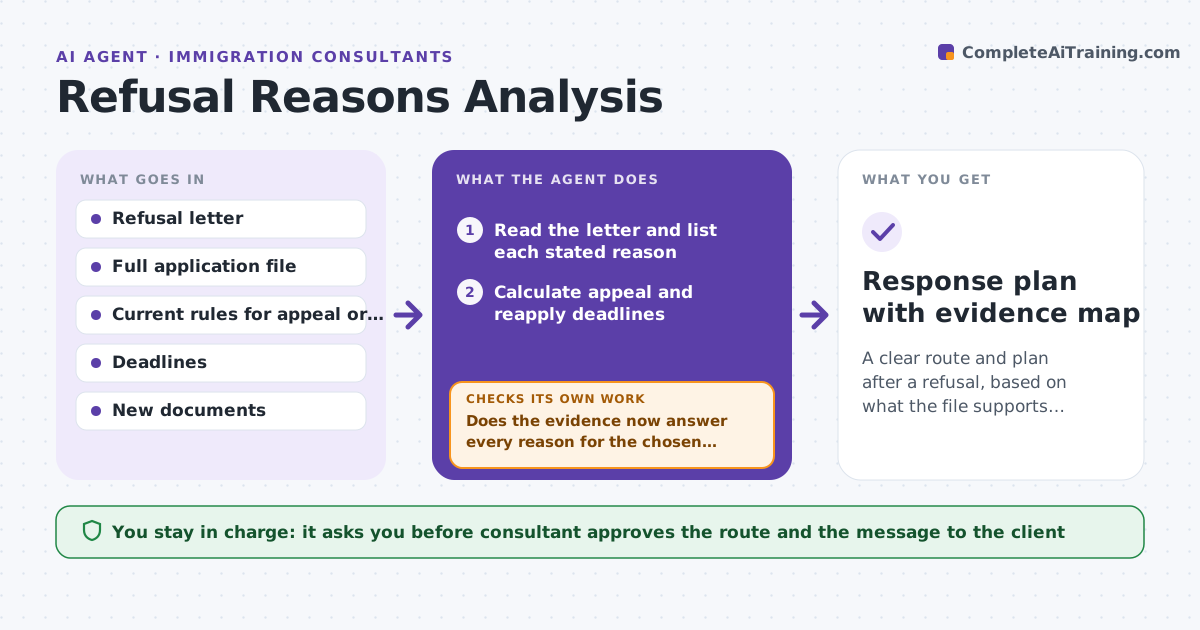
A refusal letter is long, formal and easy to misread. The client wants to know what to do next, and the deadline is short. This agent reads the refusal, lists each reason stated, and matches each to the evidence in the file. It checks appeal and reapply deadlines and compares the routes: appeal, review, reapply or a different category. It updates the evidence map as new documents come in and recompares the routes. The consultant approves the plan and what is said to the client. Edge case: the letter gives two reasons, one resting on a missing document that exists in the file, so the agent marks it as the strongest ground for review.
How it works
Follow the arrows from top to bottom. The orange dashed arrow is the loop: when a check fails, the agent goes back and tries again.
Read the steps as a list
- Refusal letter arrives
- Read the letter and list each stated reason
- Calculate appeal and reapply deadlines
- Match each reason to evidence in the file
- Compare routes against deadlines and evidence
- Draft the plan and the client message
- Consultant approves the plan and client messageThe agent waits here for your OK.
- Update the evidence map as new documents come in
- Does the evidence now answer every reason for the chosen route?If not: rebuild the route comparison and list what is still missing. Back to step 5.
- Response plan with evidence map
How it decides
It scores each reason by whether the file contains evidence that answers it. It prefers a route whose deadline can be met and whose reasons can be answered by evidence.
- Calculate the deadline from the date on the letter, not the date received
- Rank a route by how many reasons the file already answers
- Flag a route with a deadline under 7 days
- Note reasons with no evidence as gaps
Make it yours
Every agent is a starting point. You choose these settings for your own situation.
- Routes to compare
- Deadline warning days (default 7)
- Evidence types
- Client message tone
- Review schedule
What keeps you in control
It always asks you first
- Consultant approves the route and the message to the client
Hard limits
- Never contact the client or authority itself
- Never miss or hide a deadline in the plan
It stops when
- Done: a route is chosen and every reason has evidence or a plan
- Stop: no available route can be met in time
Set it up
We guide you through the set-up, step by step
Members get the full set-up guide for this agent. No technical skills needed: you copy, paste and upload.
- One set of instructions to paste into your AI, with the clicks for ChatGPT, Claude, Microsoft 365 Copilot, Gemini and Grok
- The agent then walks you through connecting your own data, one source at a time
- A downloadable copy with the flow chart, the rules and the full guide