AI agent for geologists
Assay Batch QAQC Review Agent
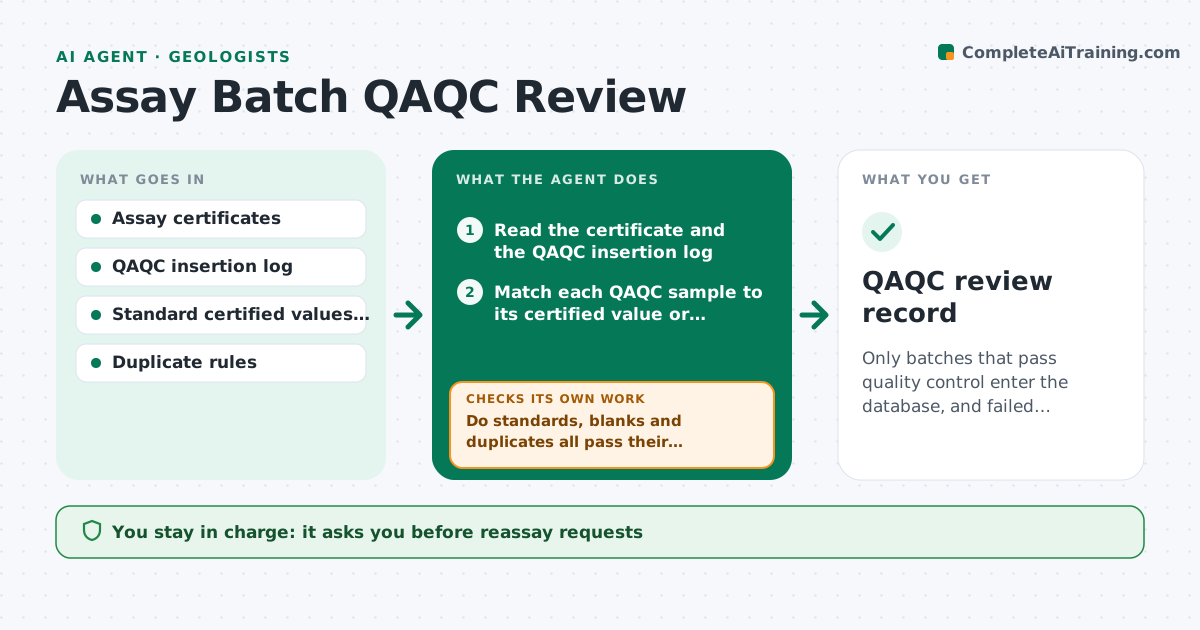
Only batches that pass quality control enter the database, and failed batches are reassayed and rechecked.
What it does
Assay results from the lab are used in a plot or a model, and later someone notices that a standard in the batch failed. This agent reviews each batch when it arrives. It checks standards, blanks and duplicates against limits, such as standards within three standard deviations, blanks below a set grade and duplicate agreement. It flags failing batches and drafts a reassay request for the lab, listing the failing batches and the samples on each side of the failure. After new results come back, it checks again. It keeps the batch out of the database until you approve. Edge case: a single failing standard that is a known mislabeled insert is reviewed against the sample log before triggering a full reassay.
How it works
Follow the arrows from top to bottom. The orange dashed arrow is the loop: when a check fails, the agent goes back and tries again.
Read the steps as a list
- Assay batch arrives
- Read the certificate and the QAQC insertion log
- Match each QAQC sample to its certified value or limit
- Do standards, blanks and duplicates all pass their limits?If not: flag failing samples and select the affected batch and neighbors. Back to step 3.
- Check whether a failure could be a labeling error in the log
- Draft a reassay request listing the affected samples
- Geologist approves the request to the labThe agent waits here for your OK.
- Read the reassay results
- Does the reassay pass all QAQC limits?If not: escalate to the lab manager and keep the batch out of the database. Back to step 3.
- Geologist approves which batches enter the databaseThe agent waits here for your OK.
- QAQC review record
How it decides
A batch passes if its standards, blanks and duplicates fall within the limits. A failure sends the batch and its neighbors to reassay.
- Standard outside 3 standard deviations: batch fails
- Blank above 5 times detection limit: batch fails
- Duplicate relative difference over 20 percent for more than 10 percent of pairs: flag
- Two consecutive standards beyond 2 standard deviations on the same side: bias warning
Make it yours
Every agent is a starting point. You choose these settings for your own situation.
- Standard limits (default 3 standard deviations)
- Blank limit
- Duplicate rules
- Neighbor samples to reassay (default 5)
- Lab contact
What keeps you in control
It always asks you first
- Reassay requests
- Entry of results into the database
Hard limits
- Never load failing results into the database
- Never contact the lab without approval
It stops when
- Done: all batches pass and are approved
- Stop: lab cannot reassay, geologist decides
Set it up
We guide you through the set-up, step by step
Members get the full set-up guide for this agent. No technical skills needed: you copy, paste and upload.
- One set of instructions to paste into your AI, with the clicks for ChatGPT, Claude, Microsoft 365 Copilot, Gemini and Grok
- The agent then walks you through connecting your own data, one source at a time
- A downloadable copy with the flow chart, the rules and the full guide