AI agent for geologists
Pumping Test Analysis Agent
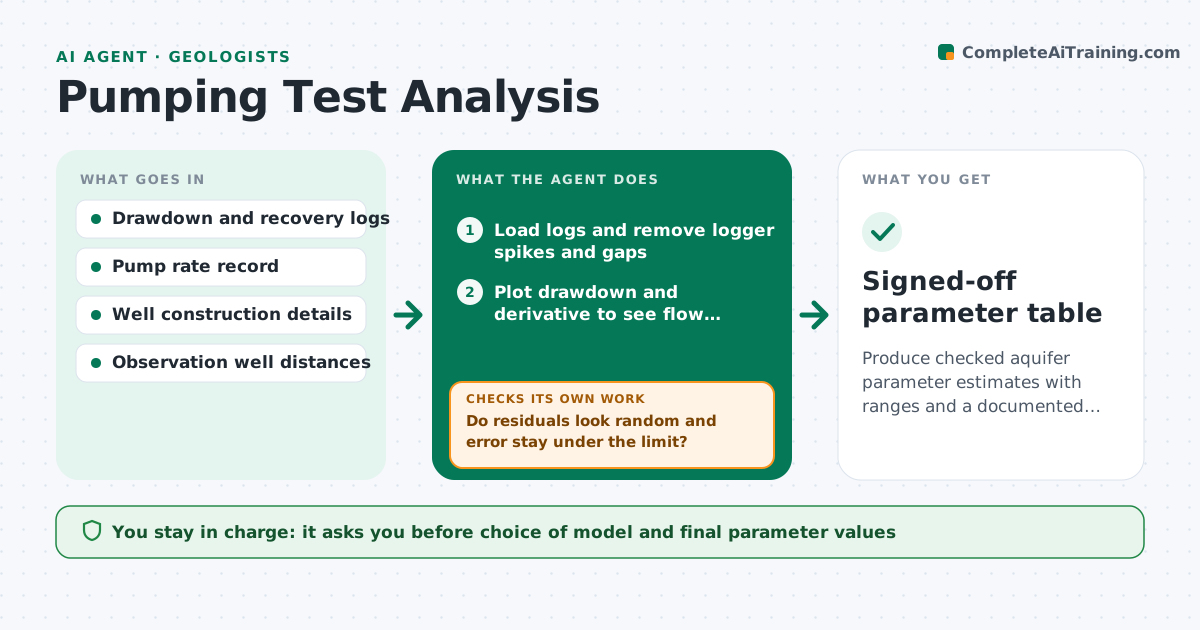
Produce checked aquifer parameter estimates with ranges and a documented model choice for each pumping test.
What it does
After a pumping test, a hydrogeologist often fits one curve in a spreadsheet, accepts it, and moves on. This agent reads the drawdown and recovery data, cleans obvious logger spikes, and fits the standard curves, starting with Theis and Cooper-Jacob. It then checks the result: residual pattern, fit error and whether the late-time data sit on the line. If the fit is poor, it tries other models such as leaky aquifer or boundary effects and compares them on the same data. It reports transmissivity and storativity as ranges with the model it chose and why. It never picks a model silently. The geologist reviews every fit and approves the numbers. Edge case: if the pump rate changed mid-test, the agent splits the test into steps instead of forcing one curve.
How it works
Follow the arrows from top to bottom. The orange dashed arrow is the loop: when a check fails, the agent goes back and tries again.
Read the steps as a list
- Test data file arrives
- Load logs and remove logger spikes and gaps
- Plot drawdown and derivative to see flow regimes
- Fit Theis and Cooper-Jacob curves
- Do residuals look random and error stay under the limit?If not: try leaky, boundary and double-porosity models and compare them. Back to step 4.
- Compute parameter ranges from the fit uncertainty
- Is the pump rate steady and do ranges agree with nearby tests?If not: split the test into rate steps and refit each step. Back to step 3.
- Write the analysis note with model comparison
- Hydrogeologist approves the model and valuesThe agent waits here for your OK.
- Signed-off parameter table
How it decides
It prefers the simplest model whose residuals show no pattern and whose error is within the set limit. It moves to a more complex model only when the simple one fails the residual check.
- Accept a model only if the residuals show no trend and the fit error is below 5% of maximum drawdown
- Move to a more complex model only after the simpler one fails
- Report the range, not a single value, when two models both pass
- Flag a test for repeat if the pump rate varied by more than 10%
Make it yours
Every agent is a starting point. You choose these settings for your own situation.
- Fit error limit (default 5% of maximum drawdown)
- Models to try, in order
- Pump rate variation that triggers a split (default 10%)
- Units and report template
- Minimum data points per flow regime (default 20)
What keeps you in control
It always asks you first
- Choice of model and final parameter values
- Any decision to exclude data points
Hard limits
- Never delete raw data, only mark points as excluded
- Always show the rejected models next to the chosen one
It stops when
- Done: a model passes the residual check and the note is approved
- Stop: no model fits and the test needs repeating
Set it up
We guide you through the set-up, step by step
Members get the full set-up guide for this agent. No technical skills needed: you copy, paste and upload.
- One set of instructions to paste into your AI, with the clicks for ChatGPT, Claude, Microsoft 365 Copilot, Gemini and Grok
- The agent then walks you through connecting your own data, one source at a time
- A downloadable copy with the flow chart, the rules and the full guide