AI agent for geologists
Mineral Tenure Tracking Agent
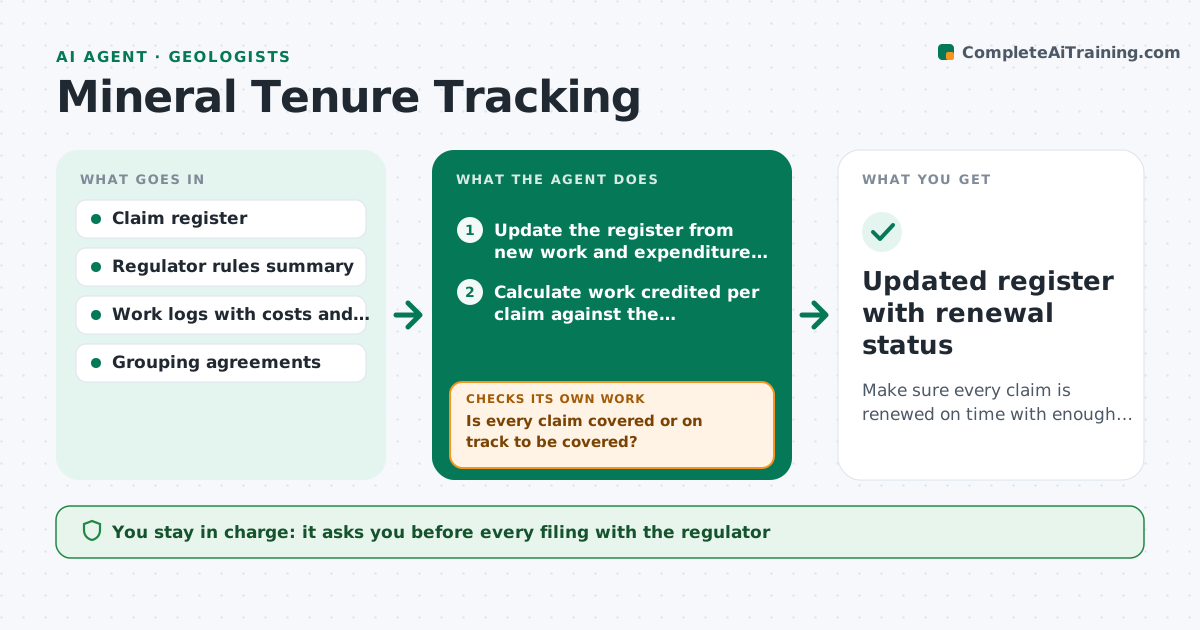
Make sure every claim is renewed on time with enough documented work.
What it does
An exploration team may hold dozens of claims, each with its own renewal date and required work. Missed dates can mean losing the ground. This agent keeps a register of every claim with its holder, expiry date, required work value and the work logged so far from drilling, sampling and survey records. Each week it compares logged work to the requirement and projects whether the claim will be covered by the due date. If work falls short, it drafts options: more work, a payment in lieu where the rules allow, or a grouping of claims. It drafts reminders and filing forms and checks again as dates approach. It never files anything. The manager approves every filing and payment. Edge case: work done on a neighboring claim may count only if grouped, so it checks the grouping rule first.
How it works
Follow the arrows from top to bottom. The orange dashed arrow is the loop: when a check fails, the agent goes back and tries again.
Read the steps as a list
- Weekly run or approaching due date
- Update the register from new work and expenditure logs
- Calculate work credited per claim against the requirement
- Is every claim covered or on track to be covered?If not: draft options such as more work, payment in lieu or grouping and recalculate. Back to step 3.
- Draft reminders to the field team and the filing forms
- Manager approves the plan and any paymentThe agent waits here for your OK.
- Wait for filing, then log the confirmation
- Has the regulator confirmation arrived within the usual window?If not: draft a follow-up and flag the claim as at risk. Back to step 5.
- Updated register with renewal status
How it decides
It ranks claims by days left and by gap between logged and required work. A claim with a gap and under 60 days left goes to the top and triggers a drafted plan.
- Mark a claim at risk when under 60 days remain and credited work is below 100% of the requirement
- Count work from neighboring claims only if a grouping is on file
- Prefer extra work over payment in lieu when field time is available
- Escalate any claim with under 14 days left and no approved plan
Make it yours
Every agent is a starting point. You choose these settings for your own situation.
- At-risk window (default 60 days)
- Reminder recipients
- Rules file for each jurisdiction
- Weekly run day
- Currency and cost categories counted as work
What keeps you in control
It always asks you first
- Every filing with the regulator
- Any payment in lieu
- Grouping of claims
Hard limits
- Never submit a filing or payment
- Always cite the rule used for each calculation
It stops when
- Done: all claims renewed and confirmed
- Stop: rules unclear for a claim and a legal check is needed
Set it up
We guide you through the set-up, step by step
Members get the full set-up guide for this agent. No technical skills needed: you copy, paste and upload.
- One set of instructions to paste into your AI, with the clicks for ChatGPT, Claude, Microsoft 365 Copilot, Gemini and Grok
- The agent then walks you through connecting your own data, one source at a time
- A downloadable copy with the flow chart, the rules and the full guide