AI agent for psychologists
Assessment Report Scoring Check Agent
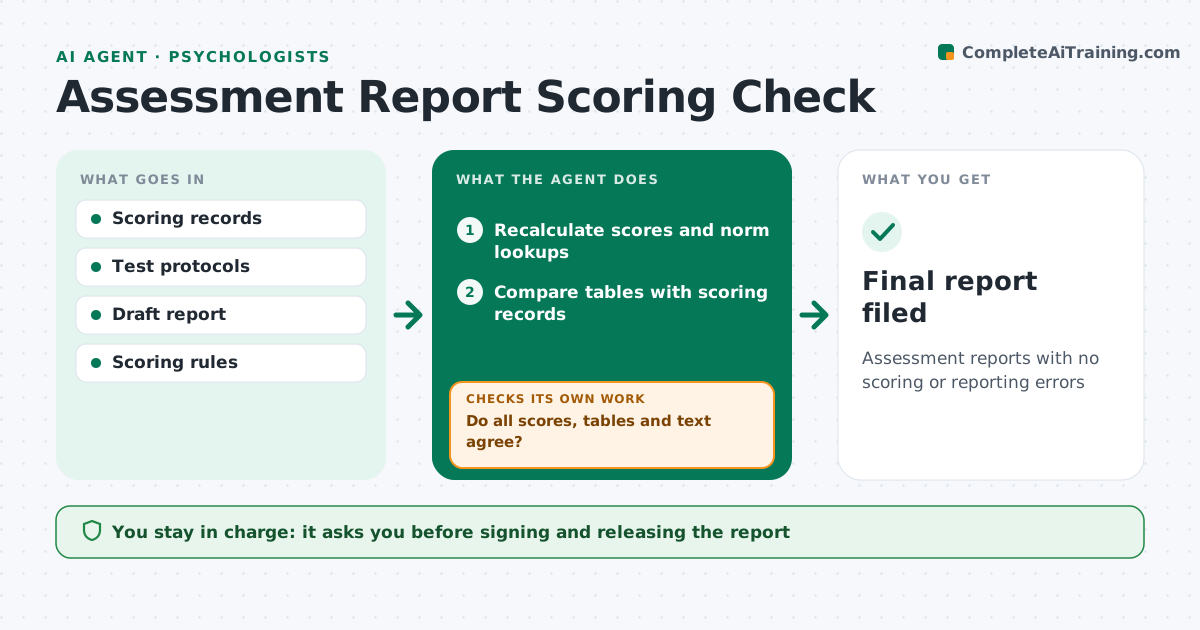
Assessment reports with no scoring or reporting errors
What it does
Assessment reports combine many test scores, norm lookups and written interpretation, and one wrong norm table or copied score can change a conclusion. When a draft report is ready, this agent recalculates raw score totals, checks the age used for norms and redoes standard score conversions and percentiles against the publisher's scoring rules. It compares every score in the report tables with the scoring record, then every number in the text with the tables. It checks that labels such as 'below average' match the stated ranges. Mismatches are listed with page references for the psychologist to correct. After corrections, it reruns all checks, then checks that the summary and recommendations still fit the corrected scores. The psychologist signs the report. Edge case: if the client's age crosses a norm boundary between testing days, it flags which age was used.
How it works
Follow the arrows from top to bottom. The orange dashed arrow is the loop: when a check fails, the agent goes back and tries again.
Read the steps as a list
- Draft report ready
- Recalculate scores and norm lookups
- Compare tables with scoring records
- Compare text with tables and range labels
- Do all scores, tables and text agree?If not: list mismatches for the psychologist to correct. Back to step 2.
- Compare the summary and recommendations with corrected scores
- Does the summary still fit the scores?If not: flag sentences that no longer match. Back to step 6.
- Psychologist signs the reportThe agent waits here for your OK.
- Final report filed
How it decides
It flags any difference between recalculated scores, tables and text, and any label that does not fit the score range.
- Flag age near norm boundaries
- Flag labels that do not match score ranges
- Recalculate every converted score
Make it yours
Every agent is a starting point. You choose these settings for your own situation.
- Tests covered
- Range label scheme
- Report template
- Check depth
What keeps you in control
It always asks you first
- Signing and releasing the report
Hard limits
- Never changes interpretation
- Never releases reports
It stops when
- Done: report signed
- Stop: scoring records missing
Set it up
We guide you through the set-up, step by step
Members get the full set-up guide for this agent. No technical skills needed: you copy, paste and upload.
- One set of instructions to paste into your AI, with the clicks for ChatGPT, Claude, Microsoft 365 Copilot, Gemini and Grok
- The agent then walks you through connecting your own data, one source at a time
- A downloadable copy with the flow chart, the rules and the full guide