AI agent for psychologists
Client Dropout Risk Outreach Agent
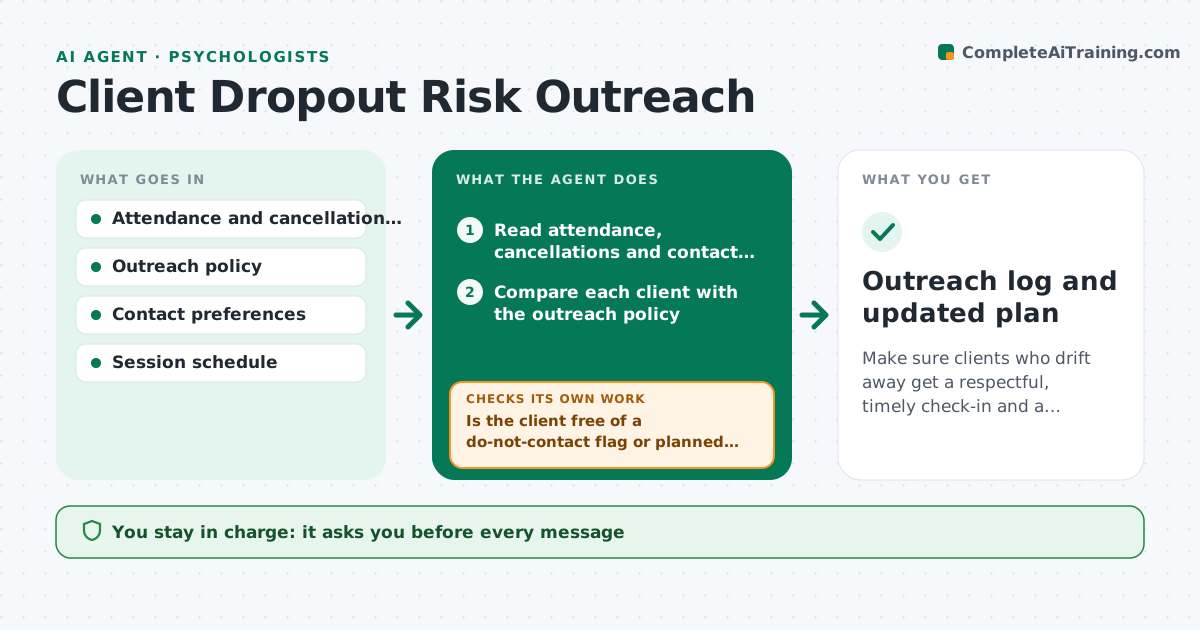
Make sure clients who drift away get a respectful, timely check-in and a recorded outcome.
What it does
Some clients quietly drop out after a few missed or cancelled sessions, and nobody notices until the file is reviewed months later. This agent reads attendance and cancellation records, and compares them with the practice's own outreach policy, for example two no-shows in a row or three cancellations in a month. It lists clients who meet the policy, and for each drafts a short, warm check-in message that mentions no clinical details. It logs replies, checks whether the client rebooked, and updates the plan or closes the file if the client has ended care. It never contacts anyone. The psychologist approves each message and decides on outreach, including whether any outreach is appropriate for that client. Edge case: clients who asked not to be contacted are excluded.
How it works
Follow the arrows from top to bottom. The orange dashed arrow is the loop: when a check fails, the agent goes back and tries again.
Read the steps as a list
- Weekly attendance update
- Read attendance, cancellations and contact preferences
- Compare each client with the outreach policy
- Is the client free of a do-not-contact flag or planned break?If not: remove the client from the list and note the reason. Back to step 3.
- Rank the flagged clients by days since last attendance
- Draft a short check-in message with no clinical content
- Psychologist approves each message and decides who to contactThe agent waits here for your OK.
- Log replies and check the booking calendar
- Did the client reply or rebook within 10 days?If not: propose a second attempt or file closure for the psychologist's decision. Back to step 6.
- Outreach log and updated plan
How it decides
It flags a client only when the pattern matches the practice's written policy. It excludes anyone with a do-not-contact flag or a recent planned break.
- Flag after two consecutive no-shows or three cancellations in 30 days
- Exclude clients with a do-not-contact flag
- Allow at most 2 outreach attempts per episode
- Propose closure only after the second attempt and the psychologist's review
Make it yours
Every agent is a starting point. You choose these settings for your own situation.
- Outreach policy thresholds
- Message tone and channel
- Maximum attempts (default 2)
- Reply wait (default 10 days)
- Excluded client flags
What keeps you in control
It always asks you first
- Every message
- The decision whether to reach out
- Closing a file
Hard limits
- Never send messages or mention clinical content
- Respect every contact preference
It stops when
- Done: client rebooks or file is closed with a note
- Stop: client asks to stop contact
Set it up
We guide you through the set-up, step by step
Members get the full set-up guide for this agent. No technical skills needed: you copy, paste and upload.
- One set of instructions to paste into your AI, with the clicks for ChatGPT, Claude, Microsoft 365 Copilot, Gemini and Grok
- The agent then walks you through connecting your own data, one source at a time
- A downloadable copy with the flow chart, the rules and the full guide