AI agent for category managers
Assortment Range Review Agent
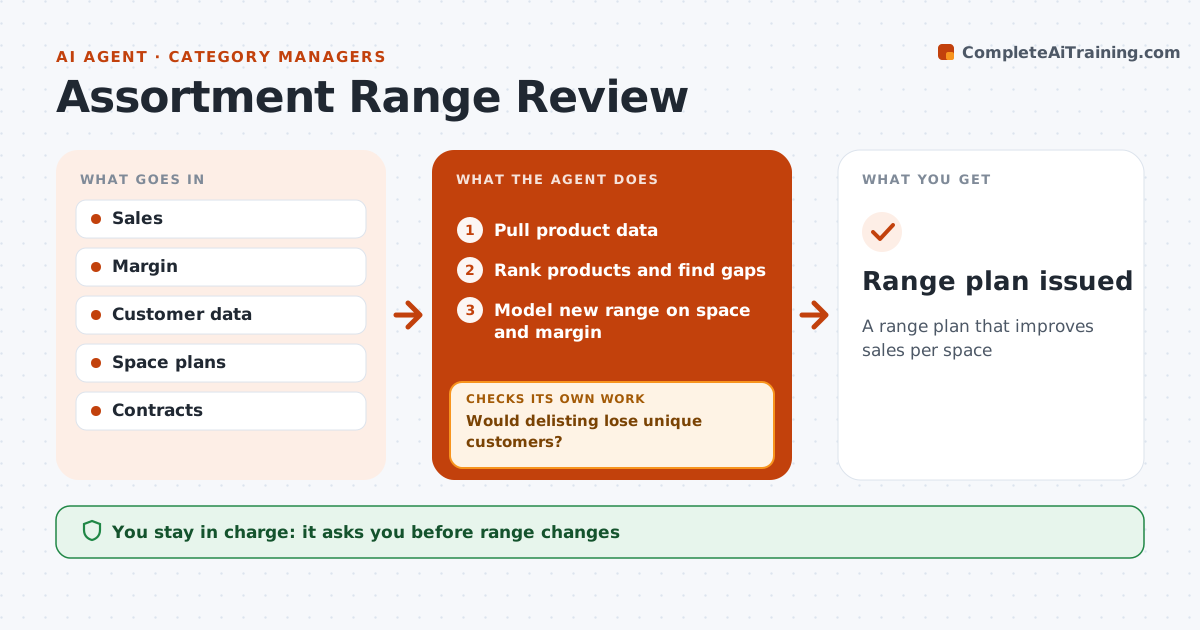
A range plan that improves sales per space
What it does
Range reviews decide which products to keep, add or delist, and cutting the wrong item loses loyal customers. When the review cycle starts, this agent pulls product data and ranks every product by sales, margin and how often customers would switch to another product if it were removed. It flags the bottom 10 percent for review and finds gaps where demand is not met. Before suggesting a delisting, it checks whether the product is unique for a customer group. If removing it would lose those customers, it keeps the product and looks at the next candidate. It then models the new range against shelf space and category margin. The category manager approves all range changes and any talks with suppliers. Edge case: a slow product required by a supplier contract is marked as fixed and stays in the range until the contract allows a change.
How it works
Follow the arrows from top to bottom. The orange dashed arrow is the loop: when a check fails, the agent goes back and tries again.
Read the steps as a list
- Review cycle starts
- Pull product data
- Rank products and find gaps
- Would delisting lose unique customers?If not: keep the product and re-rank. Back to step 3.
- Model new range on space and margin
- Category manager approves changesThe agent waits here for your OK.
- Range plan issued
How it decides
It ranks products and protects unique items.
- Bottom 10% reviewed
- Unique items protected
- Contracts respected
Make it yours
Every agent is a starting point. You choose these settings for your own situation.
- Delist threshold
- Uniqueness rule
- Space rules
- Review cycle
What keeps you in control
It always asks you first
- Range changes
- Supplier talks
Hard limits
- No supplier contact
- No contract changes
It stops when
- Done: plan issued
- Stop: data missing
Set it up
We guide you through the set-up, step by step
Members get the full set-up guide for this agent. No technical skills needed: you copy, paste and upload.
- One set of instructions to paste into your AI, with the clicks for ChatGPT, Claude, Microsoft 365 Copilot, Gemini and Grok
- The agent then walks you through connecting your own data, one source at a time
- A downloadable copy with the flow chart, the rules and the full guide