AI agent for purchasing managers
Supplier Delivery Scorecard Agent
Supplier performance measured and improved
What it does
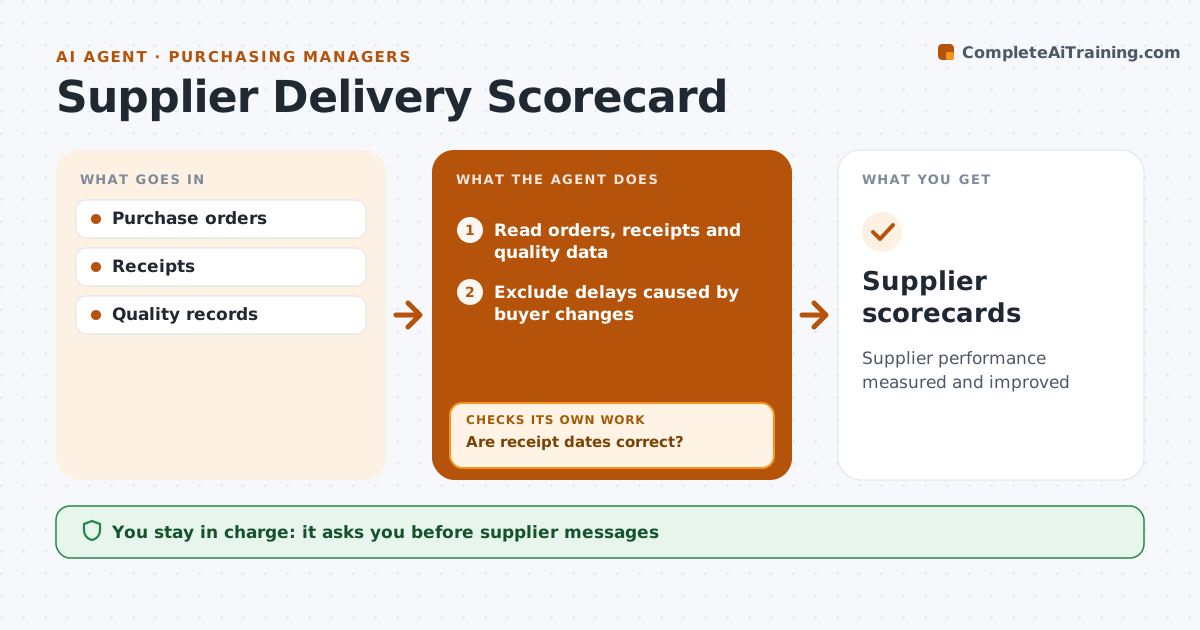
Supplier problems cause stockouts and force teams to carry extra safety stock, yet late or short deliveries are rarely measured. Each month this agent reads purchase orders, receipts and quality data. It first checks receipt dates, because late postings by the warehouse make suppliers look worse than they are, and fixes them. Deliveries delayed by the buyer's own changes are excluded. It builds a scorecard per supplier: on time means within the agreed window, and in full means within 2 percent of quantity. Suppliers below target for two months in a row get a drafted summary for a review call. Next month it checks whether results improved and escalates if not. The inventory manager approves anything sent to suppliers. Edge case: a split delivery agreed in advance counts as in full when all parts arrive on time.
How it works
Follow the arrows from top to bottom. The orange dashed arrow is the loop: when a check fails, the agent goes back and tries again.
Read the steps as a list
- Monthly run
- Read orders, receipts and quality data
- Are receipt dates correct?If not: fix late postings and reload. Back to step 2.
- Exclude delays caused by buyer changes
- Build scorecards for on time, in full and quality
- Draft summaries for suppliers below target two months running
- Inventory manager approves supplier messagesThe agent waits here for your OK.
- Did reviewed suppliers improve the next month?If not: draft an escalation with the trend. Back to step 6.
- Supplier scorecards
How it decides
On-time means within the agreed window; in-full means within 2 percent of quantity.
- Buyer-caused delays excluded
- 2 percent in-full tolerance
- Two months below target triggers a review
Make it yours
Every agent is a starting point. You choose these settings for your own situation.
- Targets
- Tolerance
- Suppliers
- Format
What keeps you in control
It always asks you first
- Supplier messages
Hard limits
- Never changes orders
- Never contacts suppliers
It stops when
- Done: scorecards issued
- Stop: receipt data missing
Set it up
We guide you through the set-up, step by step
Members get the full set-up guide for this agent. No technical skills needed: you copy, paste and upload.
- One set of instructions to paste into your AI, with the clicks for ChatGPT, Claude, Microsoft 365 Copilot, Gemini and Grok
- The agent then walks you through connecting your own data, one source at a time
- A downloadable copy with the flow chart, the rules and the full guide