AI agent for auditors
Assumption Governance Log Agent
Every assumption change has evidence, a tested impact and the right sign-offs in one log
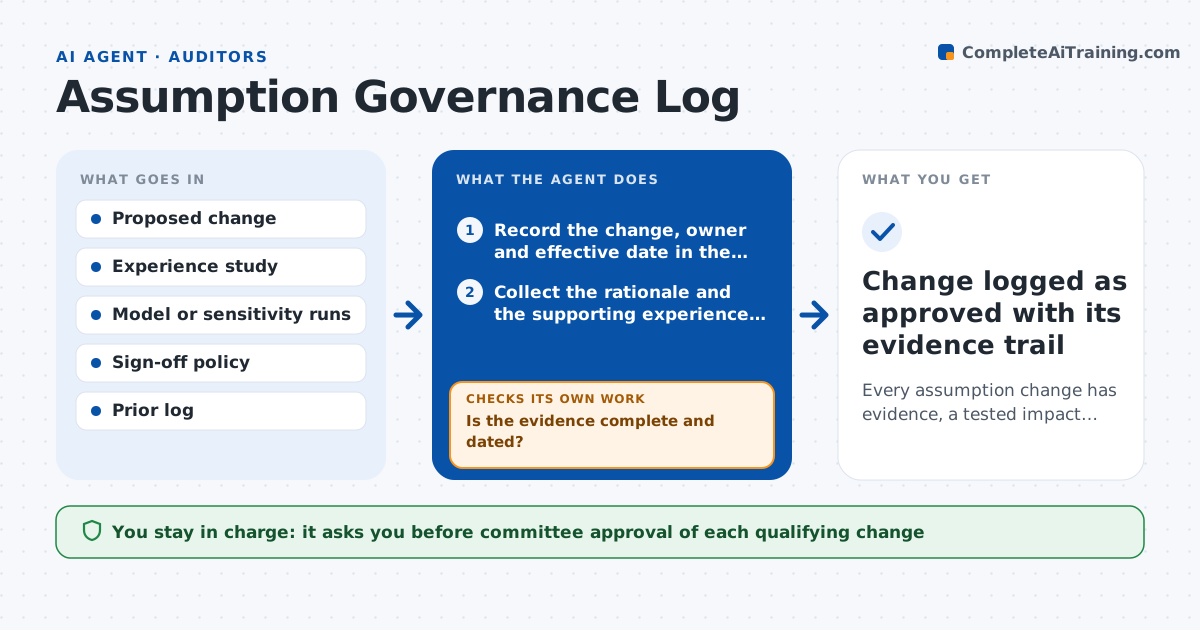
What it does
Mortality, lapse, expense and trend assumptions change over the year, and auditors ask for the evidence and the approval trail. In many teams that trail lives in emails. This agent keeps one log. When someone proposes an assumption change, it collects the rationale, the supporting experience study and the owner. It reruns the model or uses saved sensitivities to show the impact on reserves and profit. It then checks that the required sign-offs exist for the size of the change, such as peer review for a small move and the committee for a large one. If evidence or a sign-off is missing, it asks the owner and rechecks. Edge case: two small changes made in different weeks together cross the committee threshold, and the agent adds them up and routes both to the committee.
How it works
Follow the arrows from top to bottom. The orange dashed arrow is the loop: when a check fails, the agent goes back and tries again.
Read the steps as a list
- An assumption change is proposed
- Record the change, owner and effective date in the log
- Collect the rationale and the supporting experience study
- Is the evidence complete and dated?If not: ask the owner for the missing study or rationale and wait for it. Back to step 3.
- Run the model or sensitivity to measure the impact on reserves
- Add the impact to the year to date total of changes
- Determine the approval level from the policy
- Are all required sign-offs on file?If not: request the missing sign-off from the named approver and recheck weekly. Back to step 7.
- Prepare the committee paper for changes above threshold
- Actuarial committee approves the changeThe agent waits here for your OK.
- Change logged as approved with its evidence trail
How it decides
It routes a change to the approval level set by its impact and cumulative impact over the year, and refuses to mark it complete until evidence and signatures are present.
- Send to the committee when one change moves reserves by 1% or more
- Add changes over the year and route when the total reaches 1.5%
- Require a peer review for any change below the committee level
- Do not mark complete while evidence is older than the data period
Make it yours
Every agent is a starting point. You choose these settings for your own situation.
- Impact threshold for committee review (default 1% of reserves)
- Cumulative threshold (default 1.5%)
- Assumption types covered
- Chase frequency (default weekly)
What keeps you in control
It always asks you first
- Committee approval of each qualifying change
- Implementation date in the live model
Hard limits
- Never changes the live model
- Does not allow a change to be marked approved without signatures
- Keeps edits to the log visible
It stops when
- Done: change is approved with full evidence
- Stop: the owner cannot supply evidence or approval is refused
Set it up
We guide you through the set-up, step by step
Members get the full set-up guide for this agent. No technical skills needed: you copy, paste and upload.
- One set of instructions to paste into your AI, with the clicks for ChatGPT, Claude, Microsoft 365 Copilot, Gemini and Grok
- The agent then walks you through connecting your own data, one source at a time
- A downloadable copy with the flow chart, the rules and the full guide