AI agent for accountants
Revenue Recognition Evidence Agent
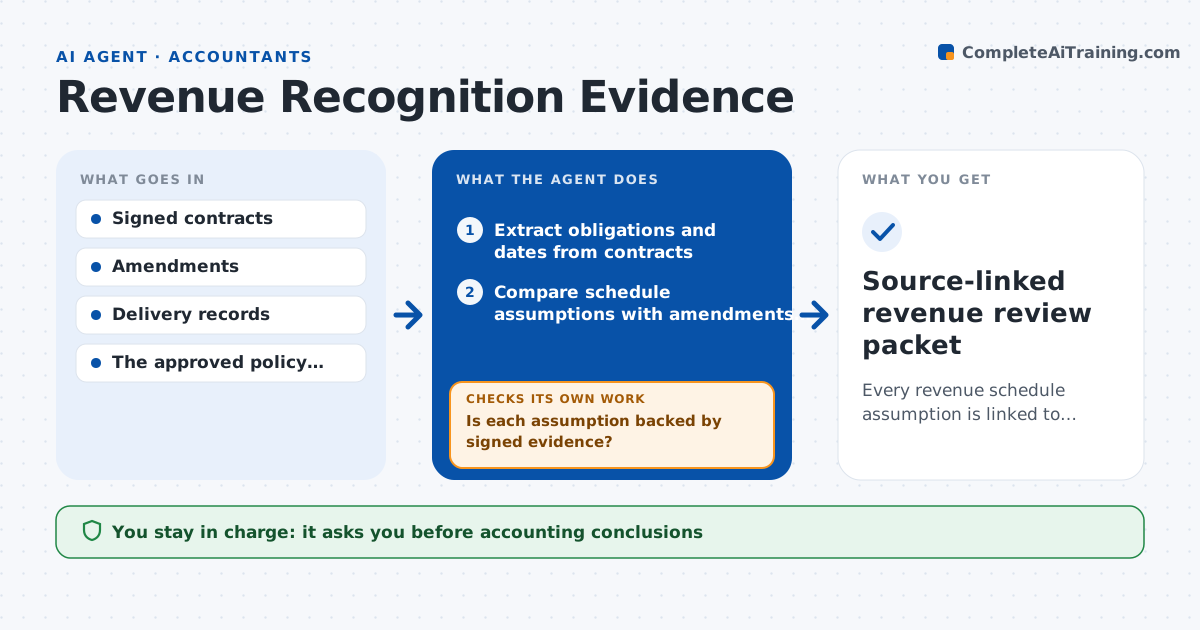
Every revenue schedule assumption is linked to signed, dated evidence.
What it does
Revenue schedules for subscription businesses often rest on assumptions that nobody can trace back to a signed contract clause, amendment or delivery record. This agent runs when a contract changes or at quarter-end. It extracts dated obligations from the contracts, then compares every schedule assumption with the amendments and delivery evidence on file. It only accepts signed and dated documents. When an assumption has no support, it creates a missing-evidence task or a question for the accountant, then checks again once new documents arrive. Finally it prepares a review workpaper that links each line to its source. The revenue accountant draws the accounting conclusions; the agent never changes schedules or posts to the ledger. Edge case: an amendment exists only as an unsigned draft, so the old price stays in the review.
How it works
Follow the arrows from top to bottom. The orange dashed arrow is the loop: when a check fails, the agent goes back and tries again.
Read the steps as a list
- Contract change or quarter-end
- Extract obligations and dates from contracts
- Compare schedule assumptions with amendments and deliveries
- Is each assumption backed by signed evidence?If not: create a missing-evidence task or accountant question. Back to step 3.
- Prepare the review workpaper
- Revenue accountant draws conclusionsThe agent waits here for your OK.
- Source-linked revenue review packet
How it decides
It looks for the clause or record that resolves each unsupported assumption, only accepts signed documents, and routes ambiguous obligations to the accountant.
- Accept evidence only when it is signed and dated.
- Escalate ambiguous performance obligations to the accountant instead of choosing a treatment.
- An unsupported assumption keeps the last supported value in the review.
- Recheck an item each time new documents arrive for that contract.
Make it yours
Every agent is a starting point. You choose these settings for your own situation.
- Which contract repository and folders to read
- Events that start a run (new contract, amendment, quarter-end)
- Who receives missing-evidence tasks (sales ops, legal, account owner)
- Policy checklist the workpaper follows
- Workpaper format (spreadsheet with source links or PDF packet)
What keeps you in control
It always asks you first
- Accounting conclusions
- Revenue schedules
- Ledger postings
Hard limits
- Workpaper only.
It stops when
- Done: all assumptions linked or queued.
Set it up
We guide you through the set-up, step by step
Members get the full set-up guide for this agent. No technical skills needed: you copy, paste and upload.
- One set of instructions to paste into your AI, with the clicks for ChatGPT, Claude, Microsoft 365 Copilot, Gemini and Grok
- The agent then walks you through connecting your own data, one source at a time
- A downloadable copy with the flow chart, the rules and the full guide