AI agent for auditors
Insurance Audit Evidence Coordinator Agent
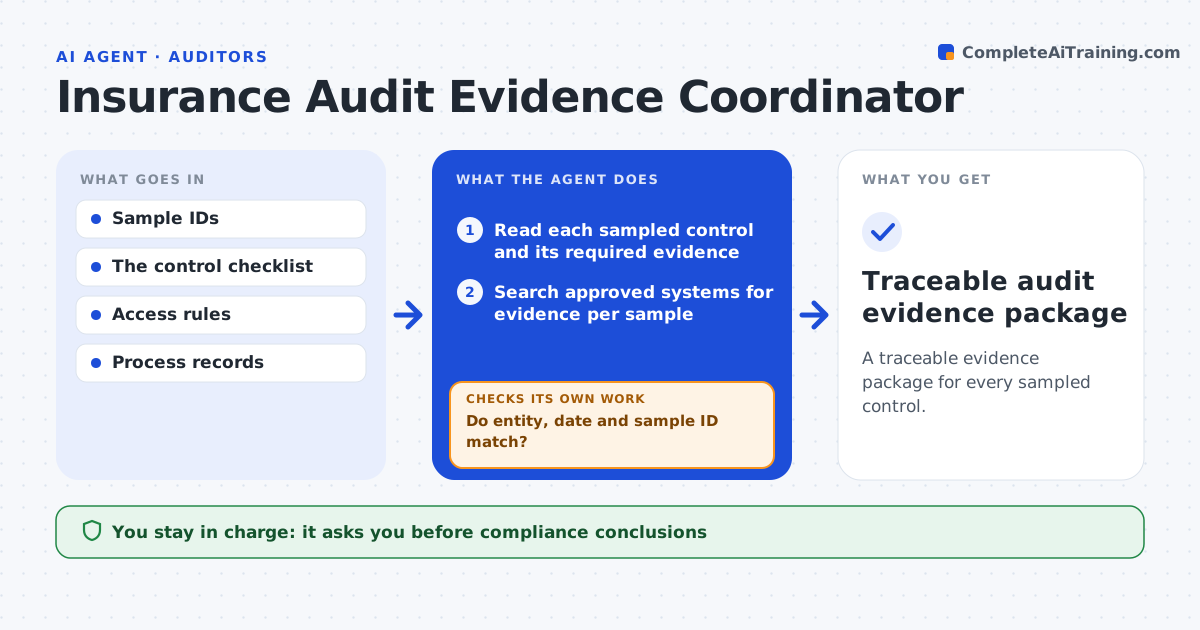
A traceable evidence package for every sampled control.
What it does
Audit samples force compliance staff to pull process evidence record by record, and the wrong record often slips in. For each sampled control, this agent searches the approved systems for the record most likely to satisfy it. It checks that the record's entity, date and sample ID all match the sample. Mismatches are rejected, and the agent searches another source. When nothing fits, it creates a precise missing-evidence task naming the owner and the exact item, rather than substituting a similar record. It then assembles a reviewer package that links every item to its source. The compliance lead reviews. Edge case: an approval email has the right sample ID but is dated one month outside the audit period, so it is rejected.
How it works
Follow the arrows from top to bottom. The orange dashed arrow is the loop: when a check fails, the agent goes back and tries again.
Read the steps as a list
- Sample list received
- Read each sampled control and its required evidence
- Search approved systems for evidence per sample
- Do entity, date and sample ID match?If not: search another record or create a missing-evidence task. Back to step 3.
- Link each item to its source and sample
- Assemble the evidence package
- Compliance lead reviewsThe agent waits here for your OK.
- Traceable audit evidence package
How it decides
It checks each candidate record's entity, period and ID, and searches again when they don't match.
- A match needs entity, period and sample ID.
- Missing evidence becomes a precise task, never a substitute.
- Search at most three sources per sample before creating a task.
Make it yours
Every agent is a starting point. You choose these settings for your own situation.
- Systems the agent may search
- Audit period and match fields (default entity, date, sample ID)
- Owner list for missing-evidence tasks
- Package format required by the auditor
What keeps you in control
It always asks you first
- Compliance conclusions
- Regulator submissions
- Expanding access
Hard limits
- Access stays within the sample.
It stops when
- Done: all samples evidenced or tasked.
Set it up
We guide you through the set-up, step by step
Members get the full set-up guide for this agent. No technical skills needed: you copy, paste and upload.
- One set of instructions to paste into your AI, with the clicks for ChatGPT, Claude, Microsoft 365 Copilot, Gemini and Grok
- The agent then walks you through connecting your own data, one source at a time
- A downloadable copy with the flow chart, the rules and the full guide