AI agent for school counselors
Attendance and Grades Early Warning Agent
Catch struggling students early and check that support works
What it does
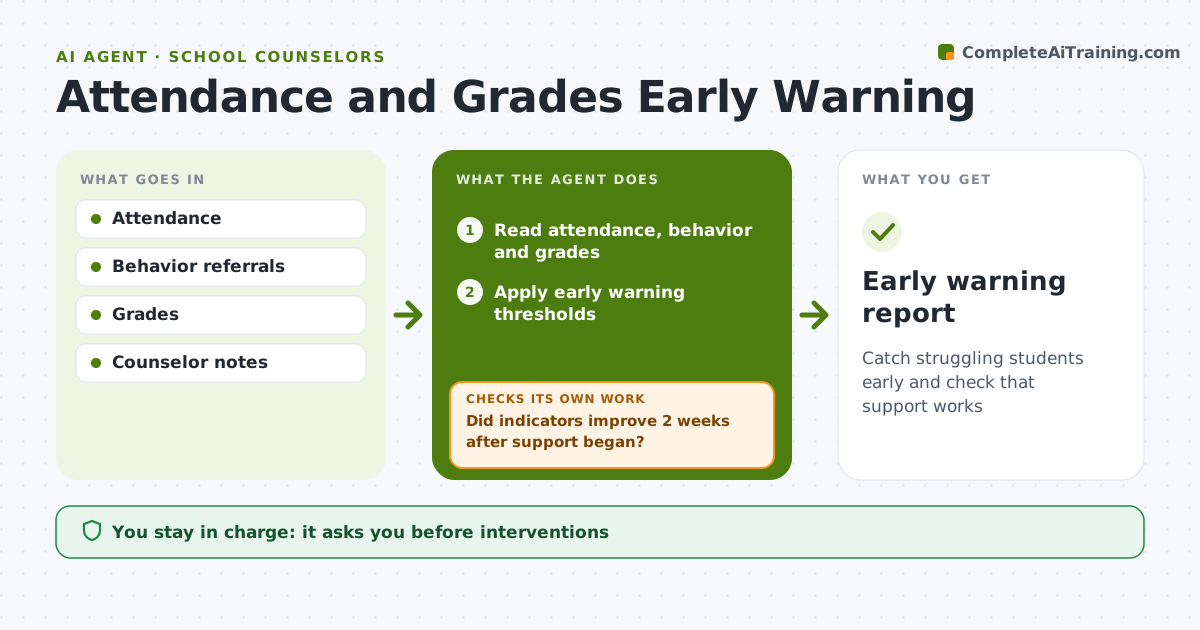
Attendance, behavior referrals and course grades together show which students are starting to struggle, but counselors rarely have time to look at all three side by side. Every two weeks this agent reads those three data sources, applies the school's early warning thresholds, and lists students newly flagged or getting worse. Students flagged on two indicators come first. For each one it adds context from counselor notes, such as recent family changes or prior support, and drafts a short plan suggestion and a check-in request. The counselor approves every contact and intervention. Two weeks after support starts, the agent checks whether the indicators improved. If not, it suggests the next tier of support for the counselor to consider. Edge case: absences already explained by a documented medical condition are shown separately so they do not trigger the same response.
How it works
Follow the arrows from top to bottom. The orange dashed arrow is the loop: when a check fails, the agent goes back and tries again.
Read the steps as a list
- Two-week data refresh
- Read attendance, behavior and grades
- Apply early warning thresholds
- Add context and draft plan suggestions
- Counselor approves check-ins and interventionsThe agent waits here for your OK.
- Did indicators improve 2 weeks after support began?If not: suggest the next tier of support or a team meeting. Back to step 3.
- Early warning report
How it decides
Students crossing thresholds on one or more indicators are flagged, ranked by how many indicators and how fast they are falling.
- Attendance under 90% is a flag
- Two or more failing grades is a flag
- Students on two indicators come first
Make it yours
Every agent is a starting point. You choose these settings for your own situation.
- Thresholds
- Data refresh cadence
- Tiers of support
- Who sees the report
What keeps you in control
It always asks you first
- Interventions
- Family contact
Hard limits
- Data used only for student support
- No labels in reports to teachers
It stops when
- Done: indicators back in range
- Stop: student moves to a specialist team
Set it up
We guide you through the set-up, step by step
Members get the full set-up guide for this agent. No technical skills needed: you copy, paste and upload.
- One set of instructions to paste into your AI, with the clicks for ChatGPT, Claude, Microsoft 365 Copilot, Gemini and Grok
- The agent then walks you through connecting your own data, one source at a time
- A downloadable copy with the flow chart, the rules and the full guide