
Learning path
Learning AI as an Academic Advisor
This path helps academic advisors use AI to explain degree rules, plan schedules, and support students without extra stress. You will set up your AI, learn job skills, and practice with real advising prompts.

Your path
Everything in the Academic Advisor AI kit, in the order that makes sense. Members tick off each step and see their progress.
Set up your AI
We guide you through each click.
Let skills do your everyday tasks
Connect your apps and pick your AI apps
Hand whole tasks to AI agents
Build your own tools
Keep growing
Everything for academic advisors
All the courses, certifications, AI tools, MCP servers and apps for academic advisors, most relevant first. Open any list to see more.
Take the prompt courses
A short framework course to learn how to ask, then 8 lessons with ready-to-use prompts for academic advisors.
Start with this framework: how to talk to AI
CARE suits academic advising because each student case needs context, action, result, and a model example, such as a probation recovery plan.
Then your prompt course for academic advisorsWatch the video courses or add them to your Favorites for later
98 video courses our AI picked for academic advisors, most useful first. Save the ones you want to watch later with the heart.
Favorites are saved to your account: sign in or get your AI kit first.
Show all 98 video courses
Get certified, or add certifications to your Favorites
Every course ends in an exam and a certificate you can add to LinkedIn. Save the certifications you are aiming for with the heart.
Favorites are saved to your account: sign in or get your AI kit first.
More certifications for academic advisorsShow all 24 certifications
Try the AI tools for academic advisors
19 AI tools our AI matched to the work of academic advisors, best fit first. Each review shows what it does, its alternatives and the jobs it suits.
Favorites are saved to your account: sign in or get your AI kit first.
Show all 19 AI tools
Connect your AI to the apps academic advisors use
MCP servers let ChatGPT, Claude or Copilot look things up and get work done in other apps, like your email, calendar or bookkeeping software. These 12 fit the work of academic advisors best, well-known apps first.

Ragie MCP server
by ragieaiLet your AI search your Ragie knowledge base and pull back the right passages when you ask a question.

Pinecone Assistant MCP server
by pinecone-ioLet your AI search your Pinecone Assistant knowledge base and bring back answers with sources.
Notes Official
Hindsight MCP server
by vectorize-ioGive your AI a long-term memory so it remembers facts and past chats and answers with that context.
NotesNo install
Moodle MCP server
by csmediaproAsk your AI about your Moodle site and get back courses, users, assignments and site info.

MCP Emails server
by AlbretsenLet your AI read, search, send and organize email in your own mailbox.
EmailNo install
TabPilot MCP server
by hunglp97Let your AI control the Chrome you're already signed into: read pages cheaply, click buttons, and fill tricky web forms.
Show all 12 MCP servers

Mail MCP server
by tecnologicachileLets your AI read, search, send, reply to and forward email across several accounts for you.

Ossian document search and memory server
by dockndevaiLet your AI answer questions from your team's own documents with real sources, and keep notes across chats.

UseCortex MCP server
by darktwLet your AI save notes to an online knowledge base and look them up later whenever you ask.
NotesNo install
Infino MCP server
by infino-aiLets your AI search your own files and data by meaning, exact words, or SQL.
Analytics Official
BaseMouse MCP server
by basemouseLet your AI search your team's notes and save new ones, with sources and full history.
NotesProductivityNo install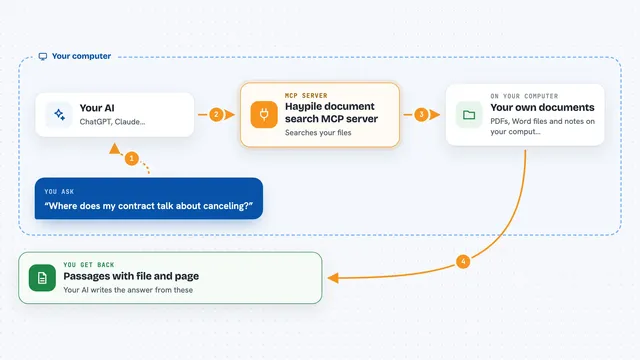
Haypile document search MCP server
by BenyDLets your AI search your own PDFs, Word files and notes by meaning, with file and page citations.
Build your own AI apps for academic advisors
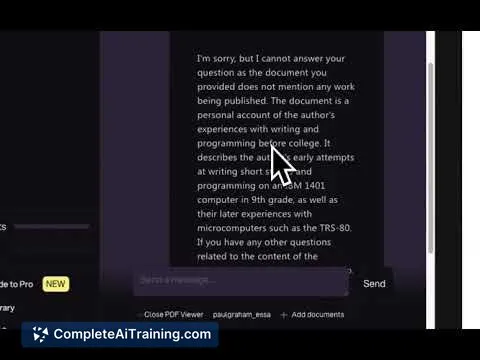
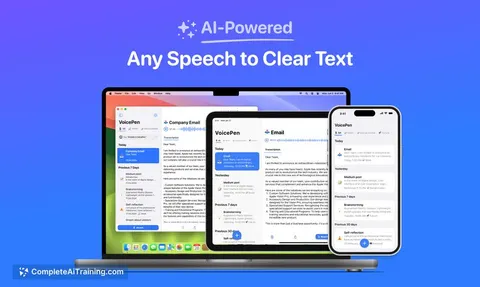
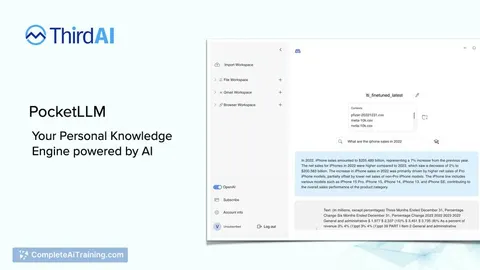
Apps you build yourself with your own AI, no coding needed and no monthly fee. Our AI picked the one that fits the work of academic advisors.

































































































About this learning path
6 topicsA practical AI path for academic advisors
Academic advisors juggle degree audits, policy questions, and student meetings. AI can help you turn dense rules into clear answers and free up time for the conversations that matter.
This learning path starts with simple setup questions, then shows you how to connect your AI and use it inside your advising work. It includes this prompt course and video courses chosen for advisors, with certificates you can share.
Why AI matters for advisors
Students ask questions all day about courses, rules, and deadlines. AI can help you draft clear explanations and checklists in minutes, so you spend more time on the human parts of advising.
It is not about replacing your judgment. It is about handling the repetitive writing and sorting so you can focus on students.
What this path includes
You start with setup questions that get your AI ready for advising work. Then you learn how to connect your AI to the tools you already use and how to give it the right context about your students.
The path includes this prompt course, where you practice eight advising tasks, and video courses picked for academic advisors. Each video course comes with a certificate you can add to your record.
How it saves you time
You will use AI to turn degree audits into student-friendly checklists, draft semester plans, and write follow-up messages. These are tasks that usually take hours and can be started in minutes.
The time you win back goes to the students who need you most. You also get consistent records and FAQs, so you answer the same question once and reuse it.
How it protects your career
Advisors who can use AI well are better prepared for changing roles. You will learn to check AI output for accuracy, keep student data safe, and add the right caveats to policy answers.
This path helps you stay valuable without becoming a tech expert. You build a skill set that supports your professional judgment instead of replacing it.
How to start
Begin with the setup questions and connect your AI. Then take the prompt course lessons in order, trying each prompt with a real student scenario from your week.
After that, choose one video course that matches your biggest need, like degree planning or student communication. Finish it, collect your certificate, and keep the prompts you like best.
Frequently asked questions
Do I need to be technical to use this path?
No. The setup questions and lessons are written for advisors who are new to AI. You only need a ChatGPT, Claude, or Gemini account and a willingness to try small steps.Will AI make my advising less personal?
No. The prompts help you handle paperwork and repetitive writing faster. That gives you more time for the one-on-one conversations that students remember.How do the video courses and certificates work?
The video courses are chosen for academic advisors and cover job-specific skills. Each one comes with a certificate you can share with your supervisor or keep in your file.What about student privacy?
The course teaches you to avoid putting private student details into AI tools. You will learn how to use general examples and keep sensitive information out of your prompts.