AI agent for event planners
Attendee Accessibility and Special Request Agent
Every request has a confirmed answer before the event, and attendees know what to expect.
What it does
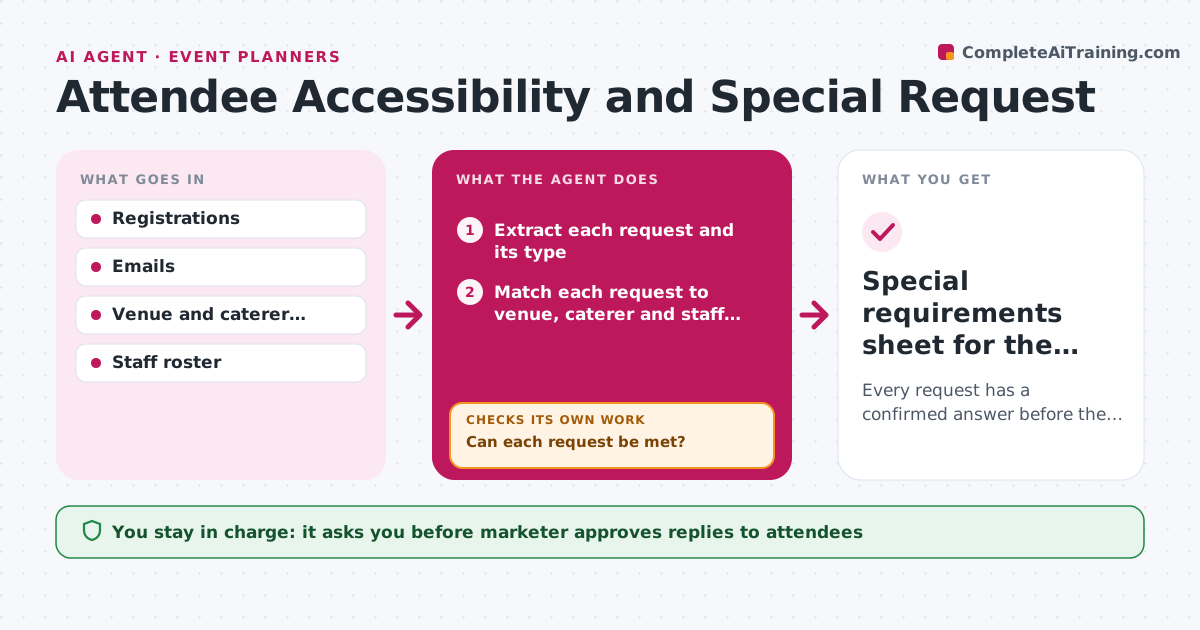
An attendee writes needs a wheelchair route in a free text box, and the note is never read. This agent extracts accessibility, dietary and language requests from registrations and emails and matches each one to what the venue, caterer and staff can provide. It flags anything that cannot be met and drafts options. Open items are chased with the vendor and rechecked a week out, then again two days out. For each request it confirms the final answer is recorded and replies to the attendee after the marketer approves. Edge case: a request for a sign language interpreter needs notice, so it is escalated first.
How it works
Follow the arrows from top to bottom. The orange dashed arrow is the loop: when a check fails, the agent goes back and tries again.
Read the steps as a list
- New registration or email with a request
- Extract each request and its type
- Match each request to venue, caterer and staff capabilities
- Can each request be met?If not: draft alternatives and flag the item for the marketer. Back to step 3.
- Send questions to vendors for items that need confirmation
- Log each answer and its source
- Does every request have a confirmed answer from the vendor?If not: chase the vendor again and rank the item by lead time. Back to step 5.
- Draft replies to attendees with what is confirmed
- Marketer approves replies to attendeesThe agent waits here for your OK.
- Recheck open items 7 days and 2 days before the event
- Special requirements sheet for the event team
How it decides
It ranks requests by lead time needed and marks anything without a confirmed vendor answer as open.
- Treat interpreter and mobility requests as high lead time.
- Mark an item open until a vendor confirms in writing.
- Chase unanswered vendor questions after 2 days.
- Never share health details beyond the event team.
Make it yours
Every agent is a starting point. You choose these settings for your own situation.
- Request types covered
- Vendor chase delay (default 2 days)
- Recheck days before the event
- Who sees the requirements sheet
What keeps you in control
It always asks you first
- Marketer approves replies to attendees
Hard limits
- Treat health information as private
- Never promise something the vendor has not confirmed
It stops when
- Done: all requests have confirmed answers.
- Stop: a request cannot be met and the marketer chooses an alternative.
Set it up
We guide you through the set-up, step by step
Members get the full set-up guide for this agent. No technical skills needed: you copy, paste and upload.
- One set of instructions to paste into your AI, with the clicks for ChatGPT, Claude, Microsoft 365 Copilot, Gemini and Grok
- The agent then walks you through connecting your own data, one source at a time
- A downloadable copy with the flow chart, the rules and the full guide