AI agent for court reporters
Audio Backup Reconciliation Agent
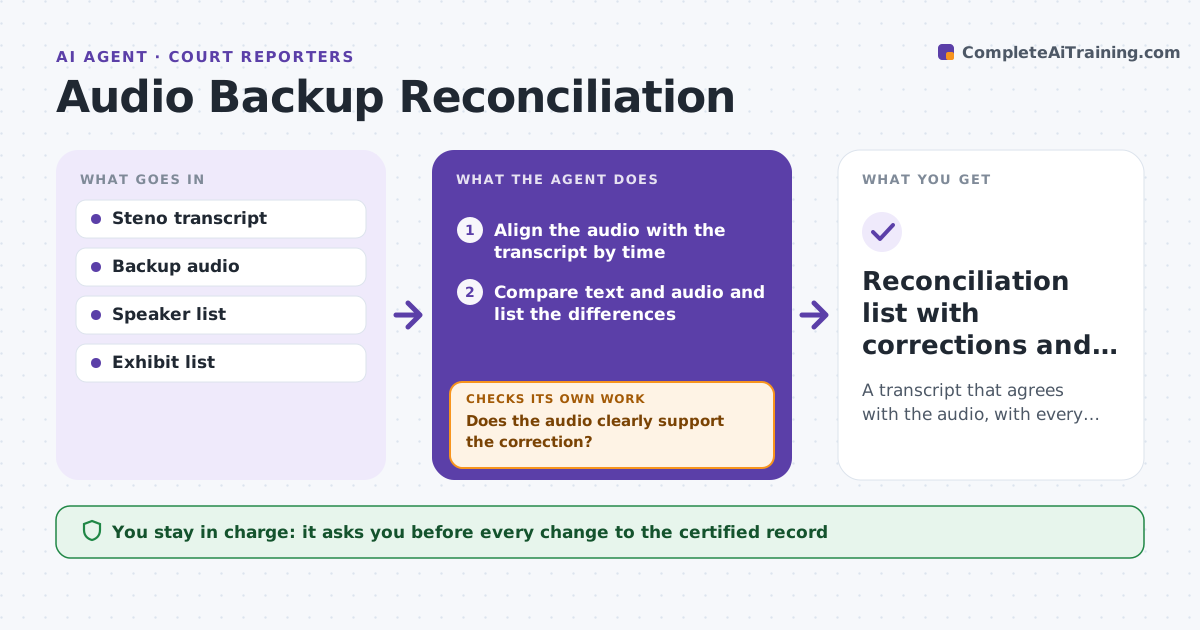
A transcript that agrees with the audio, with every change listed and approved
What it does
When a transcript and the backup audio differ, the reporter must find every difference by listening, which takes hours. After a proceeding, this agent aligns the audio with the transcript using timestamps and speech. It finds places where the text and audio disagree, such as a missing word, a mishear, a wrong speaker or a number. It checks each one against the recording and writes the likely correction with the audio time. It then rereads the revised passages against the audio to confirm the difference is gone and that no new one was created. It repeats until none remain or the rest are marked for the reporter's listening. The reporter approves every change to the certified record. Edge case: crosstalk, where the audio cannot settle which words belong to which speaker.
How it works
Follow the arrows from top to bottom. The orange dashed arrow is the loop: when a check fails, the agent goes back and tries again.
Read the steps as a list
- Proceeding ends and audio and transcript are available
- Align the audio with the transcript by time
- Compare text and audio and list the differences
- Check each difference against the recording and propose a correction
- Does the audio clearly support the correction?If not: mark the passage as unclear for the reporter to listen. Back to step 4.
- Reporter approves each correction to the recordThe agent waits here for your OK.
- Apply the approved changes to a draft
- Recheck the revised passages against the audio
- Do the revised passages match the audio with no new differences?If not: propose a new reading or mark the passage unclear. Back to step 3.
- Reconciliation list with corrections and unclear marks
How it decides
A difference is accepted as an error only when the audio clearly supports another reading. Unclear passages stay marked for the reporter.
- Treat numbers, names and negatives as high priority
- Mark crosstalk passages as unclear
- Do not correct where audio is below a clear level
- List every change with audio time
Make it yours
Every agent is a starting point. You choose these settings for your own situation.
- High priority terms
- Clarity level required
- Alignment tool
- Output format
What keeps you in control
It always asks you first
- Every change to the certified record
Hard limits
- Never changes the certified record without approval
- Does not store audio outside the case file
It stops when
- Done: all differences resolved or marked and approved
- Stop: audio is missing or corrupted over a long stretch
Set it up
We guide you through the set-up, step by step
Members get the full set-up guide for this agent. No technical skills needed: you copy, paste and upload.
- One set of instructions to paste into your AI, with the clicks for ChatGPT, Claude, Microsoft 365 Copilot, Gemini and Grok
- The agent then walks you through connecting your own data, one source at a time
- A downloadable copy with the flow chart, the rules and the full guide