AI agent for court reporters
Speaker Identification Reconciliation Agent
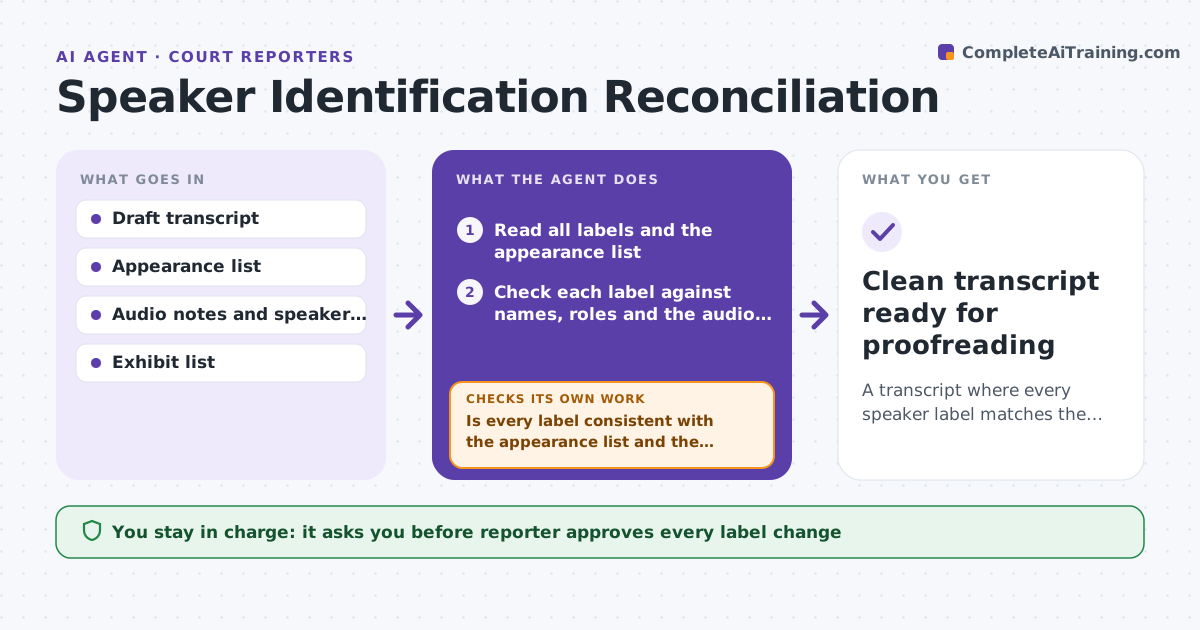
A transcript where every speaker label matches the appearance list and the record of who spoke.
What it does
In a long deposition or hearing, speaker labels slip. A witness becomes Q or A halfway, a new attorney appears without a label, and the reporter fixes it by hand late at night. This agent compares speaker labels with the appearance list, the audio notes and the voice markers the reporter set. It flags every place where a label changes with no reason, such as a different name for the same position or an answer attributed to counsel. It proposes a correction with the evidence for each. After the reporter accepts changes, it rechecks the full transcript, because fixing one label can reveal another conflict upstream. It never edits the certified transcript. Edge case: a Mr. Davis appears after lunch who is not on the appearance list, so the agent asks for the correct name instead of guessing.
How it works
Follow the arrows from top to bottom. The orange dashed arrow is the loop: when a check fails, the agent goes back and tries again.
Read the steps as a list
- Draft transcript is ready
- Read all labels and the appearance list
- Check each label against names, roles and the audio notes
- Flag unexplained changes, unknown names and misplaced Q and A labels
- Propose a correction with the evidence for each
- Reporter accepts or rejects each correctionThe agent waits here for your OK.
- Reread the full transcript after changes
- Is every label consistent with the appearance list and the notes?If not: list the new conflicts and send them back to the reporter. Back to step 3.
- Prepare the final speaker list
- Clean transcript ready for proofreading
How it decides
It flags a label when it differs from the appearance list, changes within a block without a break, or attributes an answer to a person who did not answer. It proposes a fix only when the notes support it.
- Flag any speaker not on the appearance list
- Flag a Q label followed by a witness answer inside the same block
- Do not correct a label when the notes are silent, ask the reporter instead
- Flag a name spelled two ways
Make it yours
Every agent is a starting point. You choose these settings for your own situation.
- Label style (Q/A or names)
- Appearance list source
- Which flags to show
- Page range to review
- Proofreading handoff format
What keeps you in control
It always asks you first
- Reporter approves every label change
Hard limits
- Never edit the certified record
- Never guess a name that is not in the notes
It stops when
- Done: no unexplained label differences remain
- Stop: a speaker cannot be identified from the notes
Set it up
We guide you through the set-up, step by step
Members get the full set-up guide for this agent. No technical skills needed: you copy, paste and upload.
- One set of instructions to paste into your AI, with the clicks for ChatGPT, Claude, Microsoft 365 Copilot, Gemini and Grok
- The agent then walks you through connecting your own data, one source at a time
- A downloadable copy with the flow chart, the rules and the full guide