AI agent for court reporters
Realtime Feed Delivery Check Agent
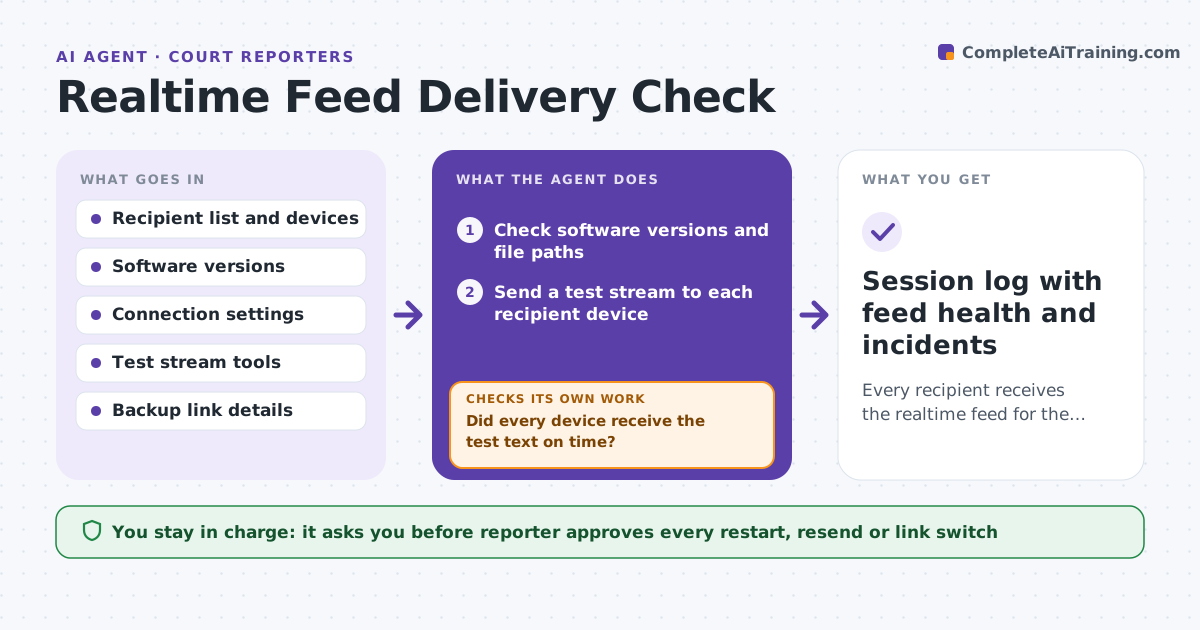
Every recipient receives the realtime feed for the whole session, and any drop is recovered fast.
What it does
A realtime feed that drops mid-hearing is discovered when an attorney complains. By then the reporter has lost minutes and the lawyers lost trust. This agent runs before each session and tests every connection, software version and file path. It sends a test stream to each recipient device and asks the recipient to confirm they see it. During the session it watches the connections and flags a dropped feed within seconds. It prepares a recovery list: reconnect, resend the last block, or switch to a backup link. It rechecks the stream after any restart. It never restarts or resends without the reporter's approval. Edge case: one attorney's tablet connects but shows text two lines late, so the agent flags the lag before the hearing starts.
How it works
Follow the arrows from top to bottom. The orange dashed arrow is the loop: when a check fails, the agent goes back and tries again.
Read the steps as a list
- Session is one hour away
- Check software versions and file paths
- Send a test stream to each recipient device
- Ask each recipient to confirm what they see
- Did every device receive the test text on time?If not: apply the fix for that device and send a new test. Back to step 3.
- Start monitoring the live feed
- Flag a dropped connection and prepare the recovery list
- Reporter approves the restart or resendThe agent waits here for your OK.
- Test the stream again after recovery
- Session log with feed health and incidents
How it decides
It marks a feed healthy when the test text arrives in under 3 seconds and matches. It flags any drop over 5 seconds and chooses the recovery step from the cause: network, software or device.
- Treat a delay over 3 seconds as a failed test
- Flag a dropped feed after 5 seconds
- Prefer reconnect, then resend, then backup link
- Warn the reporter when software versions differ from the tested set
Make it yours
Every agent is a starting point. You choose these settings for your own situation.
- Acceptable delay in seconds (default 3)
- Drop alert time (default 5 seconds)
- Recipient list
- Backup link order
- Time before session to start tests
What keeps you in control
It always asks you first
- Reporter approves every restart, resend or link switch
Hard limits
- Never restart or resend without reporter approval
- Never share the realtime feed with anyone not on the recipient list
It stops when
- Done: all feeds are healthy and logged for the session
- Stop: no working recovery step remains and the reporter must tell the room
Set it up
We guide you through the set-up, step by step
Members get the full set-up guide for this agent. No technical skills needed: you copy, paste and upload.
- One set of instructions to paste into your AI, with the clicks for ChatGPT, Claude, Microsoft 365 Copilot, Gemini and Grok
- The agent then walks you through connecting your own data, one source at a time
- A downloadable copy with the flow chart, the rules and the full guide