AI agent for auditors
Audit Finding Write-up Agent
Consistent, evidence-backed audit findings ready for the report
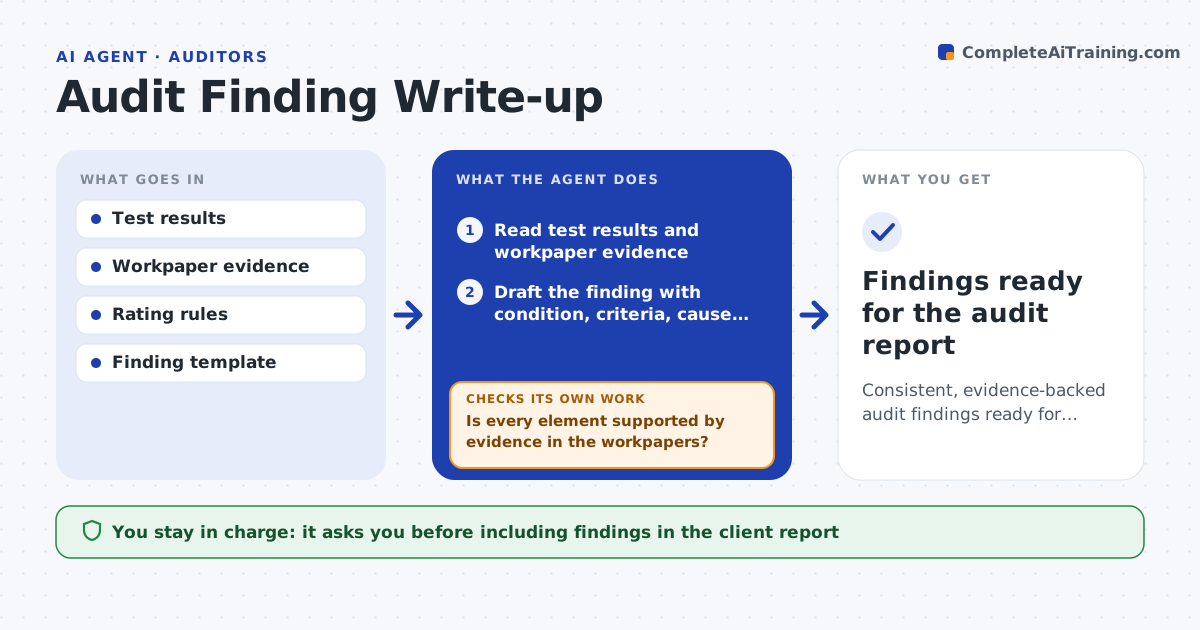
What it does
Audit findings must be clear, backed by evidence and consistent, and writing them well takes time at the end of fieldwork. This agent takes the test results and evidence for each tested control and drafts each finding in your standard structure: condition, criteria, cause, effect and recommendation. It checks that every element is supported by evidence in the workpapers. Where the cause is not established or evidence is thin, it flags the finding for more work instead of overstating it. It looks for compensating controls in the evidence and then checks the rating against your rating rules. It drafts the request for a management response. You approve findings before they go to the client. Edge case: a failed control with a working compensating control is rated on the real remaining risk, not only the failed test.
How it works
Follow the arrows from top to bottom. The orange dashed arrow is the loop: when a check fails, the agent goes back and tries again.
Read the steps as a list
- Control testing complete
- Read test results and workpaper evidence
- Draft the finding with condition, criteria, cause, effect and recommendation
- Is every element supported by evidence in the workpapers?If not: flag the unsupported element for more work before finalizing. Back to step 3.
- Look for compensating controls in the evidence
- Does the rating match the rating rules given compensating controls?If not: adjust the rating and record the reason. Back to step 5.
- Draft the management response request
- Lead auditor approves the findingsThe agent waits here for your OK.
- Findings ready for the audit report
How it decides
It drafts a finding only where evidence supports each element, and sets the rating strictly by the rating rules.
- Require evidence for every finding element
- Rate strictly by the rating rules
- Reflect compensating controls in the risk
Make it yours
Every agent is a starting point. You choose these settings for your own situation.
- Finding template
- Rating rules
- Whether to note compensating controls
- Report style
What keeps you in control
It always asks you first
- Including findings in the client report
Hard limits
- Does not overstate findings beyond evidence
- Nothing to the client without approval
It stops when
- Done: findings evidenced and approved
- Stop: workpaper evidence is missing
Set it up
We guide you through the set-up, step by step
Members get the full set-up guide for this agent. No technical skills needed: you copy, paste and upload.
- One set of instructions to paste into your AI, with the clicks for ChatGPT, Claude, Microsoft 365 Copilot, Gemini and Grok
- The agent then walks you through connecting your own data, one source at a time
- A downloadable copy with the flow chart, the rules and the full guide