AI agent for energy engineers
Battery Storage Dispatch Review Agent
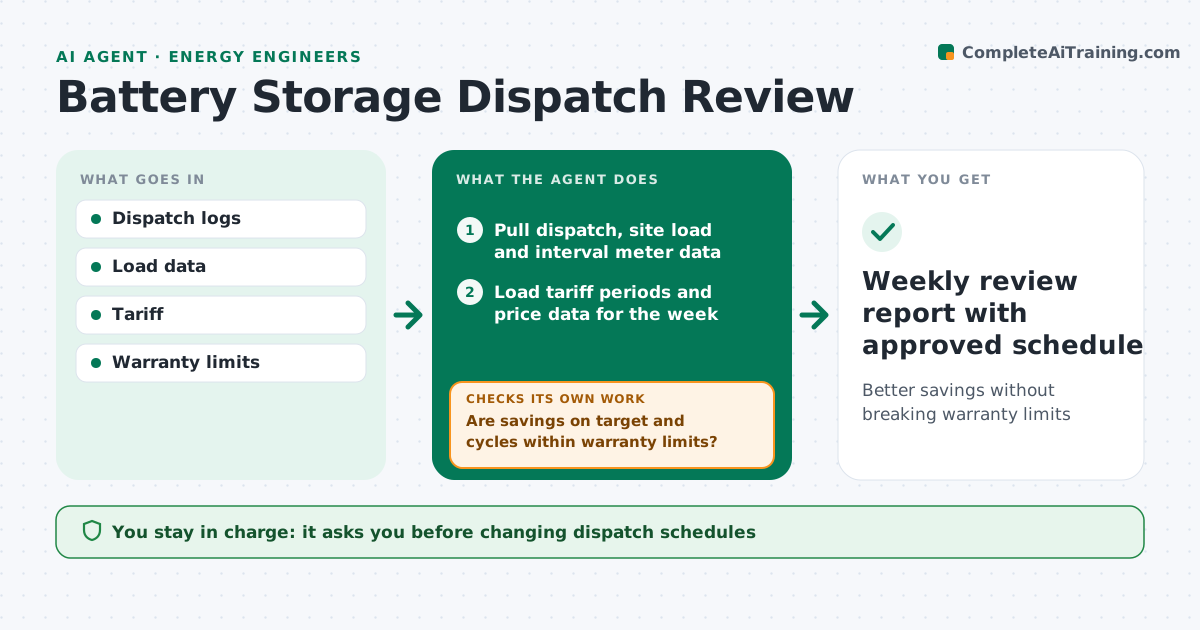
Better savings without breaking warranty limits
What it does
A battery saves money only when it discharges at the right moments, and a schedule that looks fine on paper can miss peaks or cycle the battery harder than the warranty allows. Each week this agent pulls dispatch logs, site load, interval meter data, tariff periods and prices. It calculates the savings achieved against the best possible for that week and counts full cycles. If savings fall short or cycles run high, it finds the missed peaks or extra cycles and drafts schedule changes. It then tests each change on several past weeks of data. If a change raises savings but breaks a cycle limit, it adjusts and tests again. The engineer always approves any change to the live schedule. Edge case: a missed peak caused by a communications outage is logged as an equipment issue, not a schedule fault.
How it works
Follow the arrows from top to bottom. The orange dashed arrow is the loop: when a check fails, the agent goes back and tries again.
Read the steps as a list
- Weekly dispatch review
- Pull dispatch, site load and interval meter data
- Load tariff periods and price data for the week
- Calculate savings achieved versus best possible and count cycles
- Are savings on target and cycles within warranty limits?If not: find missed peaks or extra cycles and draft schedule changes. Back to step 4.
- Test proposed schedule on past weeks of data
- Does the new schedule improve savings without exceeding cycle limits?If not: adjust the schedule and test again. Back to step 4.
- Engineer approves schedule changesThe agent waits here for your OK.
- Weekly review report with approved schedule
How it decides
It compares actual savings with best possible and checks cycles against warranty.
- Respect warranty cycles
- Log outages separately
- Test changes on past data
Make it yours
Every agent is a starting point. You choose these settings for your own situation.
- Savings target
- Warranty limits
- Tariff
- Report day
What keeps you in control
It always asks you first
- Changing dispatch schedules
Hard limits
- Never changes dispatch without approval
It stops when
- Done: report filed
- Stop: data missing
Set it up
We guide you through the set-up, step by step
Members get the full set-up guide for this agent. No technical skills needed: you copy, paste and upload.
- One set of instructions to paste into your AI, with the clicks for ChatGPT, Claude, Microsoft 365 Copilot, Gemini and Grok
- The agent then walks you through connecting your own data, one source at a time
- A downloadable copy with the flow chart, the rules and the full guide