AI agent for energy engineers
Demand Charge Peak Shaving Agent
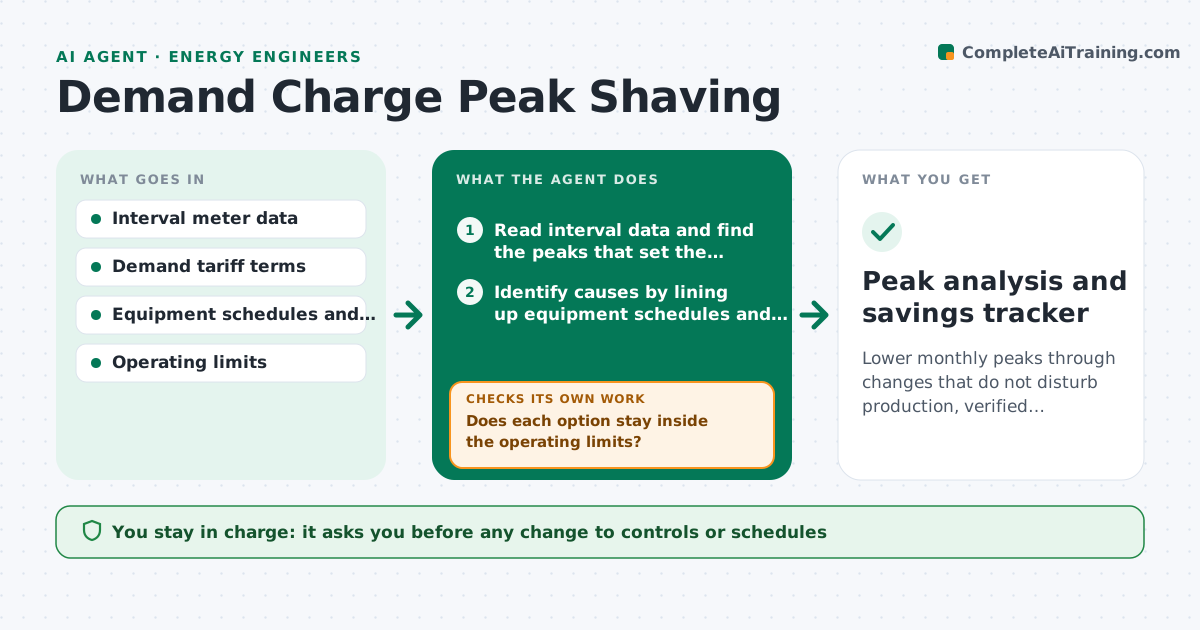
Lower monthly peaks through changes that do not disturb production, verified against the next bills.
What it does
A plant pays for its single highest 15-minute peak each month, and one start-up of three machines at once can cost thousands. This agent reads the interval data and finds the peaks that set each month's demand charge. It identifies what caused each one by lining up loads, schedules and logs. It then simulates options such as staggering starts, shifting a batch, pre-cooling or adding storage, and checks the savings against operating limits such as production schedules, comfort and equipment constraints. It rechecks the actual result after a change is made. You approve control changes. Edge case: a peak caused by a one-time test is excluded from the pattern but still listed.
How it works
Follow the arrows from top to bottom. The orange dashed arrow is the loop: when a check fails, the agent goes back and tries again.
Read the steps as a list
- Interval data available
- Read interval data and find the peaks that set the demand charge
- Identify causes by lining up equipment schedules and logs
- Simulate options: staggered starts, load shifts, pre-cooling, storage
- Does each option stay inside the operating limits?If not: adjust the option or drop it and simulate the next one. Back to step 4.
- Estimate savings per option
- Manager approves control changesThe agent waits here for your OK.
- After changes, read the next period's interval data
- Did the peak drop as simulated?If not: find the new cause and revise the plan. Back to step 3.
- Peak analysis and savings tracker
How it decides
It targets the peaks setting the charge, simulates changes that reduce them, and keeps only those that respect the operating limits and give savings above the threshold.
- Peak caused by simultaneous starts: stagger by 5 minute steps
- Option reduces output or comfort beyond the limit: reject
- Savings under 500 dollars per month: record only
- Peak from a one-time test: exclude from the pattern, list it
Make it yours
Every agent is a starting point. You choose these settings for your own situation.
- Demand interval length
- Operating limits
- Savings threshold
- Equipment included
- Storage options to model
What keeps you in control
It always asks you first
- Any change to controls or schedules
Hard limits
- Never change controls directly
- Never propose changes that violate safety interlocks
It stops when
- Done: changes verified by data
- Stop: no option fits operating limits
Set it up
We guide you through the set-up, step by step
Members get the full set-up guide for this agent. No technical skills needed: you copy, paste and upload.
- One set of instructions to paste into your AI, with the clicks for ChatGPT, Claude, Microsoft 365 Copilot, Gemini and Grok
- The agent then walks you through connecting your own data, one source at a time
- A downloadable copy with the flow chart, the rules and the full guide