AI agent for energy engineers
Utility Bill and Tariff Audit Agent
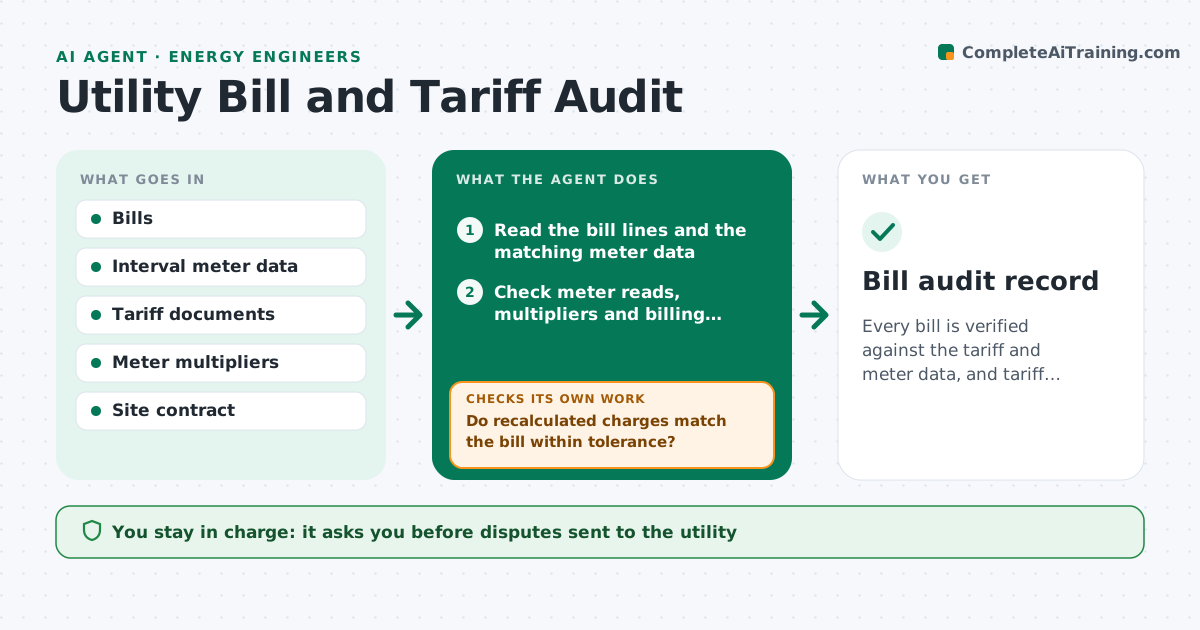
Every bill is verified against the tariff and meter data, and tariff savings are quantified.
What it does
A meter multiplier is wrong, a demand charge was applied twice or the site sits on the wrong tariff, and it goes unnoticed for a year. This agent reads each bill and the matching meter data, recalculates the charges under the contracted tariff, and flags differences in energy, demand, fixed fees, taxes and credits. It checks the meter readings and multipliers against interval data. It then tests alternative tariffs against the load profile to see if a switch would save money, with a note on lock-in terms. You approve any dispute or switch. Edge case: a bill that covers a different number of days than the meter period is checked for pro rata errors.
How it works
Follow the arrows from top to bottom. The orange dashed arrow is the loop: when a check fails, the agent goes back and tries again.
Read the steps as a list
- Utility bill received
- Read the bill lines and the matching meter data
- Check meter reads, multipliers and billing period
- Recalculate the charges under the contracted tariff
- Do recalculated charges match the bill within tolerance?If not: list each difference with the tariff clause and the amount. Back to step 3.
- Draft a dispute with evidence for each error
- Engineer approves disputesThe agent waits here for your OK.
- Test alternative tariffs against the load profile
- Does the best alternative save more than the threshold after fees?If not: try other tariff options or conclude no switch is worth it. Back to step 8.
- Engineer approves any tariff switchThe agent waits here for your OK.
- Bill audit record
How it decides
A bill passes when recalculated charges match within tolerance. Alternative tariffs are recommended only if savings exceed the threshold after fees and terms.
- Difference over 2 percent or 100 dollars: draft a dispute
- Meter multiplier differs from the site record: flag as a probable systematic error
- Savings under 5 percent: no switch
- Tariff has lock-in over 12 months: show the exit cost with the savings
Make it yours
Every agent is a starting point. You choose these settings for your own situation.
- Dispute threshold (default 2 percent or 100 dollars)
- Savings threshold for a switch
- Tariffs to compare
- Meter and site list
- Currency
What keeps you in control
It always asks you first
- Disputes sent to the utility
- Tariff switches
Hard limits
- Never sign or send a dispute or switch request
- Never change meter data
It stops when
- Done: bill verified or disputed
- Stop: tariff document missing
Set it up
We guide you through the set-up, step by step
Members get the full set-up guide for this agent. No technical skills needed: you copy, paste and upload.
- One set of instructions to paste into your AI, with the clicks for ChatGPT, Claude, Microsoft 365 Copilot, Gemini and Grok
- The agent then walks you through connecting your own data, one source at a time
- A downloadable copy with the flow chart, the rules and the full guide