AI agent for physicists
Beamtime Preparation Agent
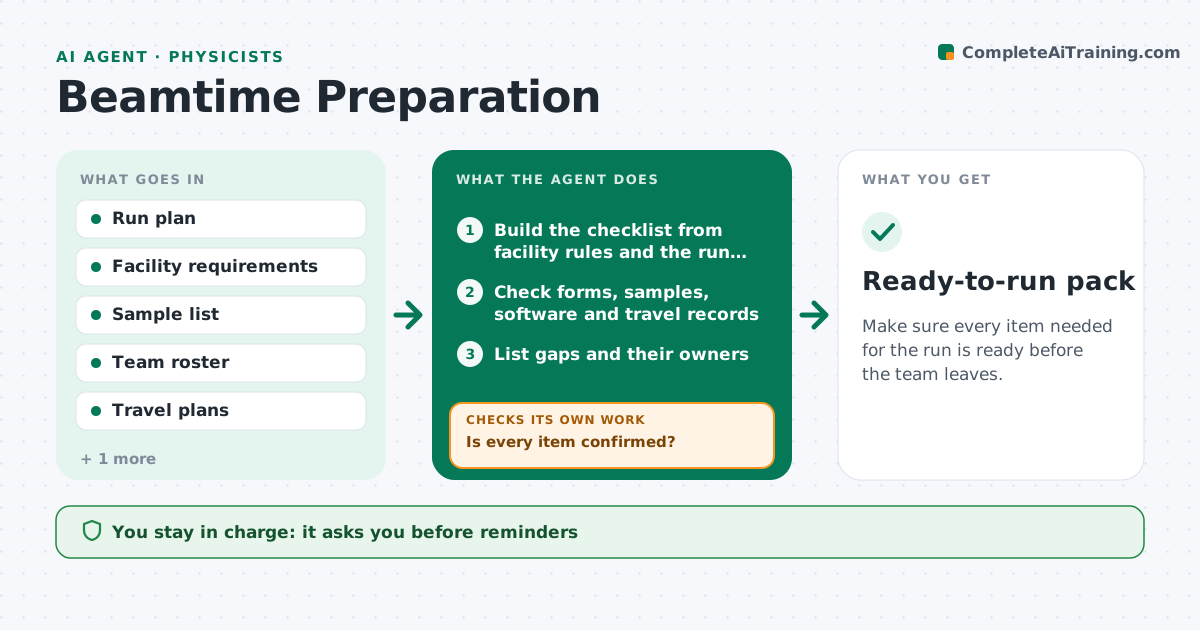
Make sure every item needed for the run is ready before the team leaves.
What it does
Beamtime at a shared facility is scarce, and a missed safety form, a sample that did not ship, or software that was never tested can waste days of it. This agent starts when a run is awarded. It builds a checklist from the facility rules and the run plan: safety and sample forms, user registrations, sample status and shipping, the analysis and control software, spare parts, travel and accommodation, and who will be on shift. It checks each against the records, flags gaps and drafts reminders to the owners. It rechecks every day as the run approaches and escalates items that fall behind. It never confirms travel or submits forms. The lead approves departure. Edge case: samples under review by the facility safety team are tracked separately from others.
How it works
Follow the arrows from top to bottom. The orange dashed arrow is the loop: when a check fails, the agent goes back and tries again.
Read the steps as a list
- Beamtime awarded
- Build the checklist from facility rules and the run plan
- Check forms, samples, software and travel records
- List gaps and their owners
- Draft reminders
- Lead approves the remindersThe agent waits here for your OK.
- Send reminders and log replies
- Is every item confirmed?If not: recheck the records daily and escalate items within 10 days of the start. Back to step 3.
- Is every shift covered by trained staff?If not: propose a shift swap or a replacement for the lead to decide. Back to step 4.
- Lead approves departureThe agent waits here for your OK.
- Ready-to-run pack
How it decides
It marks an item ready only with a confirmation, such as an approved form or a shipping receipt. It escalates anything open within 10 days of the start.
- Mark ready only with confirmation
- Escalate open items within 10 days of the start
- Track facility-reviewed samples separately
- Require trained staff on every shift
Make it yours
Every agent is a starting point. You choose these settings for your own situation.
- Facility checklist
- Escalation window (default 10 days)
- Reminder recipients
- Shift rules
- Departure checks
What keeps you in control
It always asks you first
- Reminders
- Final departure
Hard limits
- Never submit forms or book travel
- Never mark an item ready without a record
It stops when
- Done: all items confirmed
- Stop: a blocking item stays open on the last day
Set it up
We guide you through the set-up, step by step
Members get the full set-up guide for this agent. No technical skills needed: you copy, paste and upload.
- One set of instructions to paste into your AI, with the clicks for ChatGPT, Claude, Microsoft 365 Copilot, Gemini and Grok
- The agent then walks you through connecting your own data, one source at a time
- A downloadable copy with the flow chart, the rules and the full guide