AI agent for judges
Bench Memo Preparation Agent
A neutral, citation-checked bench memo before the hearing
What it does
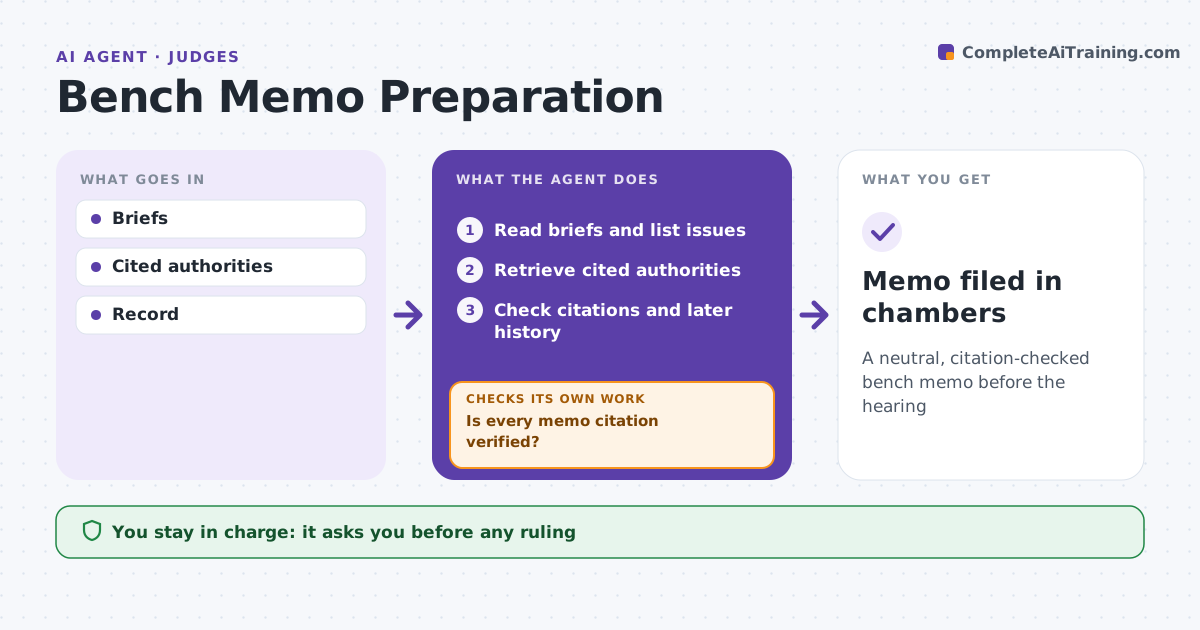
Judges and clerks face stacks of motions, and checking every cited case by hand takes days. For a pending motion, this agent reads the motion, opposition and reply and lists the issues, the standard of review and each party's main authorities. It retrieves the cited cases and checks they say what the parties claim and are still good law. Vacated or overruled authority and quotes not found in the source are flagged. It drafts a neutral bench memo with facts, issues, arguments and possible hearing questions, noting where a record cite is missing. It then checks every citation in the memo against its source; a wrong or overruled citation is flagged and corrected, then checked again. The judge and clerk review the memo and make any ruling. Edge case: a party cites an opinion later vacated, which the agent flags.
How it works
Follow the arrows from top to bottom. The orange dashed arrow is the loop: when a check fails, the agent goes back and tries again.
Read the steps as a list
- Motion fully briefed
- Read briefs and list issues
- Retrieve cited authorities
- Check citations and later history
- Draft neutral memo and questions
- Is every memo citation verified?If not: flag and correct the citation. Back to step 4.
- Judge reviewsThe agent waits here for your OK.
- Memo filed in chambers
How it decides
It summarizes neutrally and verifies each citation against the source and later history.
- Vacated or overruled authority: flag
- Quote not in source: flag
- Record cite missing: note
Make it yours
Every agent is a starting point. You choose these settings for your own situation.
- Memo template
- Citation check depth
- Question count
- Neutral summary style
What keeps you in control
It always asks you first
- Any ruling
Hard limits
- Never recommends outcomes unless the judge asks
- Never contacts parties
It stops when
- Done: memo ready
- Stop: record incomplete
Set it up
We guide you through the set-up, step by step
Members get the full set-up guide for this agent. No technical skills needed: you copy, paste and upload.
- One set of instructions to paste into your AI, with the clicks for ChatGPT, Claude, Microsoft 365 Copilot, Gemini and Grok
- The agent then walks you through connecting your own data, one source at a time
- A downloadable copy with the flow chart, the rules and the full guide