AI agent for benefits administrators
Benefits Enrollment Data Quality Agent
Consistent enrollment data before the deadline.
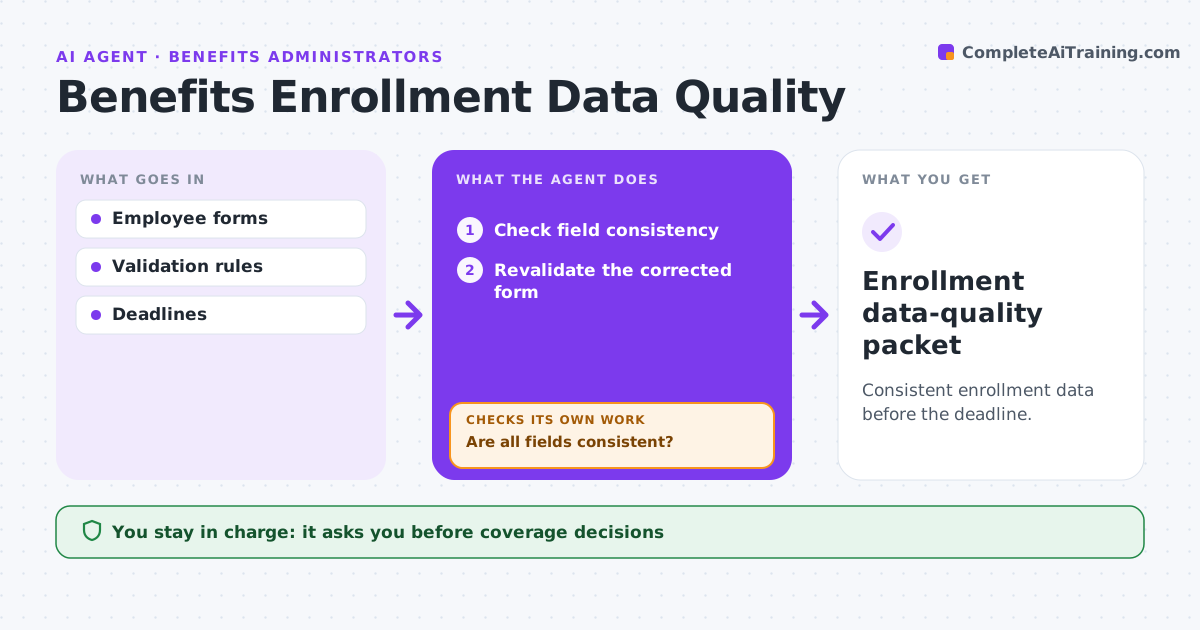
What it does
Benefits enrollment forms often contain details that contradict each other, such as a dependant's birth date that differs between forms or a plan code that does not match the chosen coverage tier. This agent checks field consistency across all forms an employee submitted. When it finds a conflict, it drafts a specific clarification question rather than a generic request. When the corrected form comes back, it revalidates everything, because a fix in one field can create a new conflict elsewhere. It works through cases in order of the closest enrollment deadline. Benefits operations submits the enrollment; the agent never decides coverage. Edge case: an employee corrects a child's birth date, which makes the child too old for the selected dependant tier, so the agent asks a new question.
How it works
Follow the arrows from top to bottom. The orange dashed arrow is the loop: when a check fails, the agent goes back and tries again.
Read the steps as a list
- Forms submitted
- Check field consistency
- Are all fields consistent?If not: draft a targeted clarification. Back to step 2.
- Revalidate the corrected form
- Did the correction create a new conflict?If not: ask a new specific question. Back to step 3.
- Benefits operations submitsThe agent waits here for your OK.
- Enrollment data-quality packet
How it decides
It checks inconsistent dates and dependent identifiers first and re-validates every correction.
- Work cases in order of the closest deadline.
- Revalidate the whole set after every correction.
- Ask one specific question per conflict, never a generic request.
- Coverage choices are never changed by the agent.
Make it yours
Every agent is a starting point. You choose these settings for your own situation.
- Fields compared across forms (default dependants, dates, plan codes)
- Enrollment deadline and how early to escalate (default 3 days before)
- Tone and channel for clarification questions
- Who submits to the carrier (default benefits operations)
What keeps you in control
It always asks you first
- Coverage decisions
- Enrollment submission
Hard limits
- No coverage decisions.
It stops when
- Done: consistent.
Set it up
We guide you through the set-up, step by step
Members get the full set-up guide for this agent. No technical skills needed: you copy, paste and upload.
- One set of instructions to paste into your AI, with the clicks for ChatGPT, Claude, Microsoft 365 Copilot, Gemini and Grok
- The agent then walks you through connecting your own data, one source at a time
- A downloadable copy with the flow chart, the rules and the full guide