AI agent for benefits administrators
Renewal Quote Comparison Agent
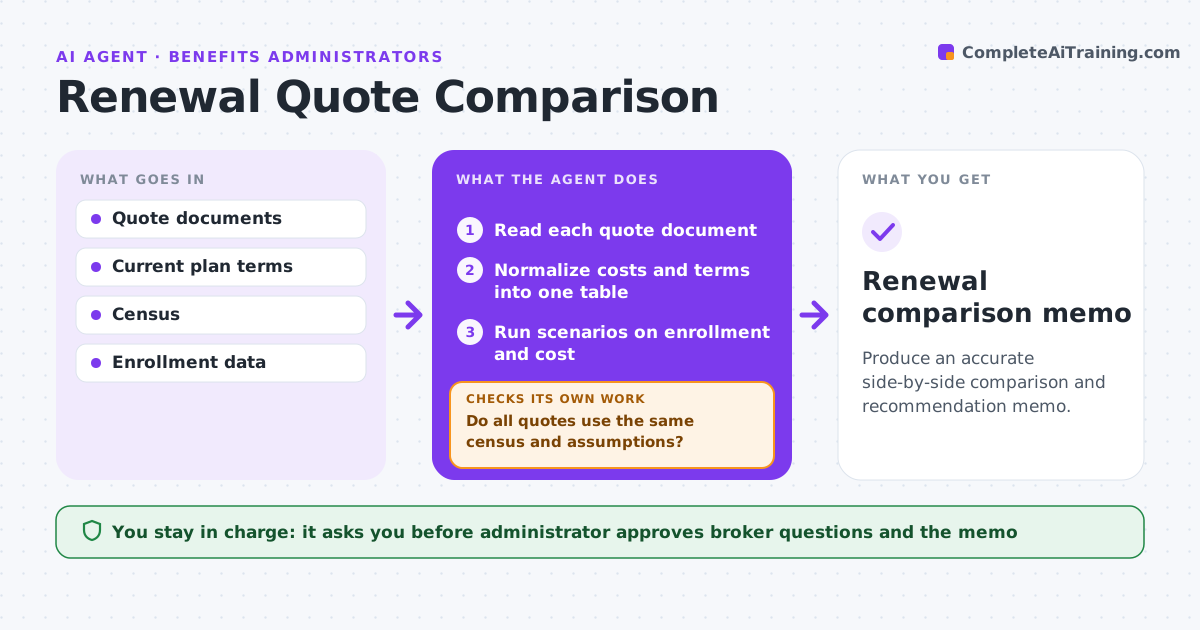
Produce an accurate side-by-side comparison and recommendation memo.
What it does
Benefit renewals arrive as long documents in different formats, and comparing them takes days. When quotes arrive, this agent reads each one and puts them into the same table: premiums by tier, deductibles, copays, network, exclusions and rate guarantees. It compares costs and terms, tests scenarios such as a 10% enrollment change, and drafts questions to brokers about unclear items. Each broker answer is added and the comparison rerun before the memo is approved. The administrator approves the questions and the final memo. Edge case: one quote assumes a different number of employees, so the agent flags it and asks for a rerate.
How it works
Follow the arrows from top to bottom. The orange dashed arrow is the loop: when a check fails, the agent goes back and tries again.
Read the steps as a list
- Renewal quotes arrive
- Read each quote document
- Normalize costs and terms into one table
- Do all quotes use the same census and assumptions?If not: ask the broker to rerate or note the difference. Back to step 3.
- Run scenarios on enrollment and cost
- Administrator approves the drafted broker questionsThe agent waits here for your OK.
- Send questions and add the answers
- Are all questions answered and the table rerun?If not: chase the broker and rerun with new data. Back to step 7.
- Draft the comparison memo
- Administrator approves the memoThe agent waits here for your OK.
- Renewal comparison memo
How it decides
It compares on the same census and flags any quote with different assumptions.
- Compare on total annual cost per tier
- Flag a premium increase over 10%
- Flag changes in network or exclusions
- Rerun after every answer
Make it yours
Every agent is a starting point. You choose these settings for your own situation.
- Scenarios to test
- Rate increase flag (default 10%)
- Memo format
- Broker contacts
What keeps you in control
It always asks you first
- Administrator approves broker questions and the memo
Hard limits
- Never accept a quote
- Never contact carriers without approval
It stops when
- Done: memo approved
- Stop: quotes missing, ask the broker
Set it up
We guide you through the set-up, step by step
Members get the full set-up guide for this agent. No technical skills needed: you copy, paste and upload.
- One set of instructions to paste into your AI, with the clicks for ChatGPT, Claude, Microsoft 365 Copilot, Gemini and Grok
- The agent then walks you through connecting your own data, one source at a time
- A downloadable copy with the flow chart, the rules and the full guide