AI agent for billing specialists
Billing Dispute Reconciliation Agent
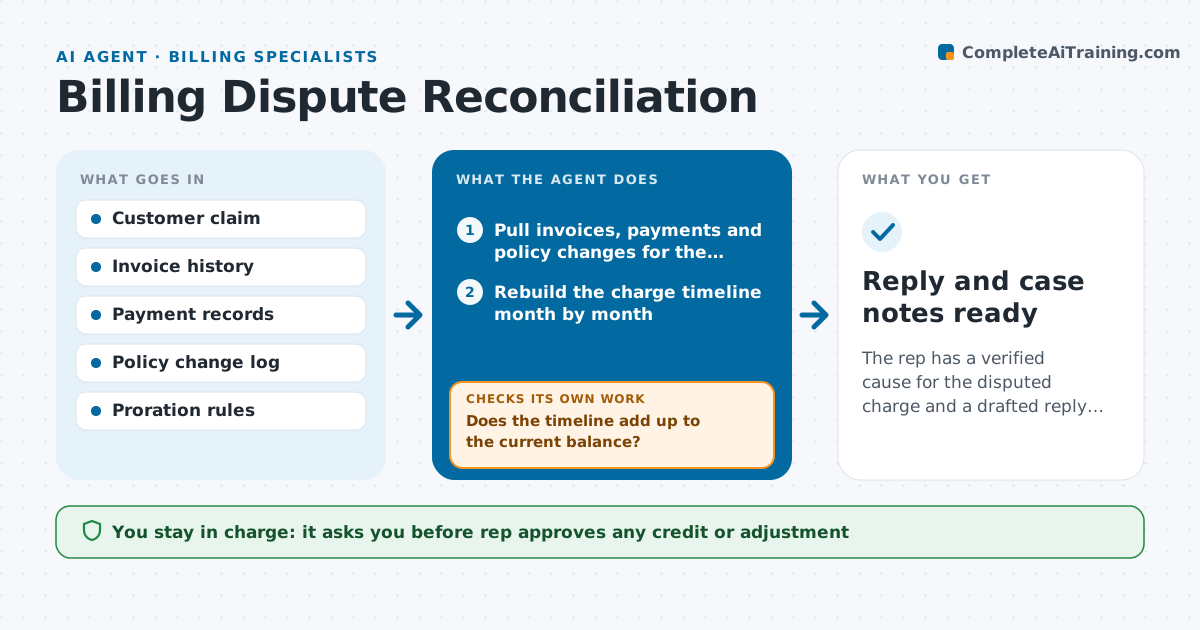
The rep has a verified cause for the disputed charge and a drafted reply, with any credit approved by a person.
What it does
A customer says a charge is wrong, and the rep has to open invoices, payments and policy changes in three screens to work out why. The agent pulls the invoice history, every payment and each mid-term policy change, then rebuilds the charge timeline month by month. It finds the cause, such as a late change that was not prorated or a payment applied to the wrong invoice. It then compares its finding with what the customer claims and rechecks edge cases like proration and refunds in flight. If the numbers do not tie out, it widens the date range and reads again. It drafts the explanation and any credit amount, but the rep always decides and approves the credit. Edge case: a coverage change backdated across a billing cycle, where two invoices each look right alone.
How it works
Follow the arrows from top to bottom. The orange dashed arrow is the loop: when a check fails, the agent goes back and tries again.
Read the steps as a list
- Billing dispute opened
- Pull invoices, payments and policy changes for the account
- Rebuild the charge timeline month by month
- Identify the likely cause of the disputed amount
- Does the timeline add up to the current balance?If not: Widen the date range, read missing records and rebuild the timeline. Back to step 3.
- Compare the cause with the customer's claim
- Recheck edge cases such as proration, backdating and pending refunds
- Does the claim match the findings, including edge cases?If not: Note the difference, rerun the checks and mark what needs the rep's judgment. Back to step 6.
- Draft the explanation and proposed credit
- Rep approves any credit before it is offeredThe agent waits here for your OK.
- Reply and case notes ready
How it decides
It trusts a timeline only when charges, payments and policy changes add up to the current balance, and treats any gap as a reason to read more records.
- Timeline must reconcile to within $0.01 of the account balance
- Credit is proposed only when the cause is a company error
- If two causes fit, list both and let the rep choose
- Disputes over $500 are marked for supervisor review
Make it yours
Every agent is a starting point. You choose these settings for your own situation.
- Credit amount that needs supervisor review (default $500)
- Billing period range to read first (default 12 months)
- Tone of the draft reply
- Which proration rules apply to each product
What keeps you in control
It always asks you first
- Rep approves any credit or adjustment
- Rep approves the reply to the customer
Hard limits
- Never issue or promise a credit
- Do not share records from other accounts
It stops when
- Done: cause found, timeline reconciles, reply drafted
- Stop: records are missing or conflict and the rep must investigate
Set it up
We guide you through the set-up, step by step
Members get the full set-up guide for this agent. No technical skills needed: you copy, paste and upload.
- One set of instructions to paste into your AI, with the clicks for ChatGPT, Claude, Microsoft 365 Copilot, Gemini and Grok
- The agent then walks you through connecting your own data, one source at a time
- A downloadable copy with the flow chart, the rules and the full guide