AI agent for database administrators
Blocking and Deadlock Investigation Agent
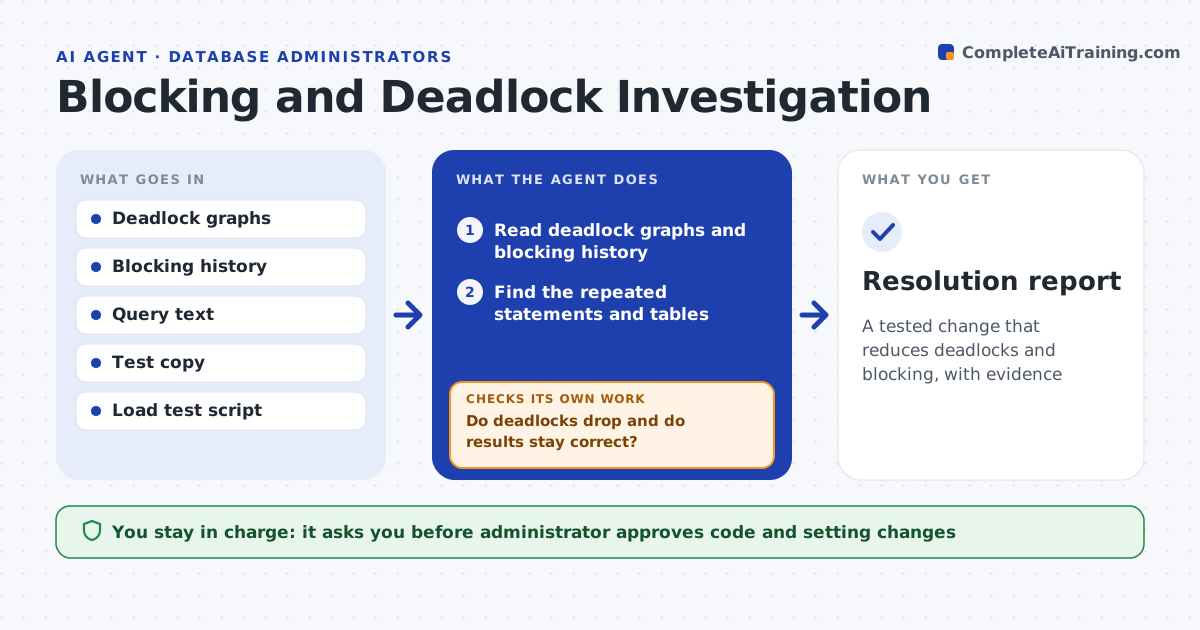
A tested change that reduces deadlocks and blocking, with evidence
What it does
Deadlocks and blocking chains disrupt users and are hard to reconstruct afterward. This agent reads deadlock graphs and blocking history and finds the statements and tables that appear again and again. It tests changes such as a consistent access order, a shorter transaction or a different isolation level in a copy of the database, and measures the number of deadlocks and the response times. Only changes that reduce blocking without hurting results are proposed. The administrator approves code or setting changes. Edge case: two jobs update the same two tables in opposite order, so the agent proposes a single order and tests it.
How it works
Follow the arrows from top to bottom. The orange dashed arrow is the loop: when a check fails, the agent goes back and tries again.
Read the steps as a list
- Deadlocks exceed the daily count
- Read deadlock graphs and blocking history
- Find the repeated statements and tables
- Propose changes such as consistent order or shorter transactions
- Test each change in a copy under load
- Do deadlocks drop and do results stay correct?If not: discard that change and test the next one. Back to step 4.
- Write the fix with before and after numbers
- Administrator approves the code or setting changeThe agent waits here for your OK.
- Apply in production in a window
- Do deadlocks stay low for a week?If not: review new graphs and test another change. Back to step 4.
- Resolution report
How it decides
A pattern is the cause when the same statements or tables appear in most events. A fix is proposed when tests cut events with no wrong results.
- Find patterns across several events, not one
- Prefer code order changes to isolation changes
- Require correct results in tests
- Recheck for a week after the change
Make it yours
Every agent is a starting point. You choose these settings for your own situation.
- Daily event count that triggers it (default: 10)
- Isolation changes allowed
- Test load size
- Observation period (default: 1 week)
What keeps you in control
It always asks you first
- Administrator approves code and setting changes
Hard limits
- Never changes production code or settings itself
- Never tests on live data
It stops when
- Done: events stay low and the change is recorded
- Stop: graphs are not captured
Set it up
We guide you through the set-up, step by step
Members get the full set-up guide for this agent. No technical skills needed: you copy, paste and upload.
- One set of instructions to paste into your AI, with the clicks for ChatGPT, Claude, Microsoft 365 Copilot, Gemini and Grok
- The agent then walks you through connecting your own data, one source at a time
- A downloadable copy with the flow chart, the rules and the full guide