AI agent for biologists
Blot and Gel Quantification Check Agent
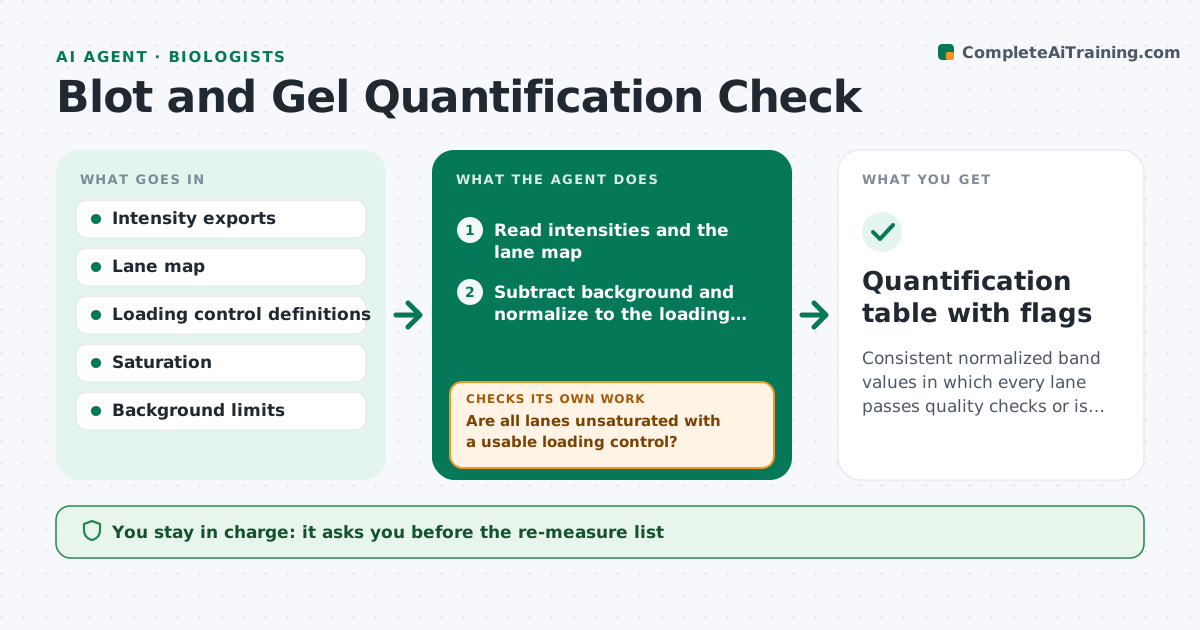
Consistent normalized band values in which every lane passes quality checks or is flagged with a reason.
What it does
Two people quantify the same blot and get different numbers, and a saturated band quietly ends up in a figure. This agent reads exported band intensity data and normalizes each lane to its loading control. It flags saturated bands, uneven loading, missing lanes and background that is too high. Flagged lanes go on a re-measure list with the reason. After you re-expose or rescan, it reads the new data and checks again. It then calculates the relative values by the method you set and builds a table for each blot. You approve values for the figure. Edge case: a blot where the loading control varies by more than the limit is held back until reprobed.
How it works
Follow the arrows from top to bottom. The orange dashed arrow is the loop: when a check fails, the agent goes back and tries again.
Read the steps as a list
- Intensity export loaded
- Read intensities and the lane map
- Subtract background and normalize to the loading control
- Are all lanes unsaturated with a usable loading control?If not: add flagged lanes to a re-measure list with the reason. Back to step 3.
- Scientist approves the re-measure listThe agent waits here for your OK.
- Read new exposures or scans for the flagged lanes
- Recompute normalized values for the updated lanes
- Is loading control variation within the limit across the blot?If not: hold the blot and recommend reprobing or stripping. Back to step 7.
- Build the relative value table by the chosen method
- Scientist approves values for the figureThe agent waits here for your OK.
- Quantification table with flags
How it decides
A lane passes if its band is below saturation, background is acceptable and the loading control is within the allowed variation.
- Band signal above 90 percent of the maximum: flag as saturated
- Loading control varies by more than 20 percent across lanes: hold the blot
- Background above half the band signal: flag as unreliable
- Missing lane: do not average, report the lane as absent
Make it yours
Every agent is a starting point. You choose these settings for your own situation.
- Saturation limit (default 90 percent)
- Loading control variation limit (default 20 percent)
- Normalization method
- Lane map format
- Figure table layout
What keeps you in control
It always asks you first
- The re-measure list
- Values used in a figure
Hard limits
- Never drop a lane silently
- Never change the raw image data
It stops when
- Done: all lanes pass or are excluded with reasons
- Stop: blot must be reprobed
Set it up
We guide you through the set-up, step by step
Members get the full set-up guide for this agent. No technical skills needed: you copy, paste and upload.
- One set of instructions to paste into your AI, with the clicks for ChatGPT, Claude, Microsoft 365 Copilot, Gemini and Grok
- The agent then walks you through connecting your own data, one source at a time
- A downloadable copy with the flow chart, the rules and the full guide