AI agent for tour guides
Booking and Group Manifest Agent
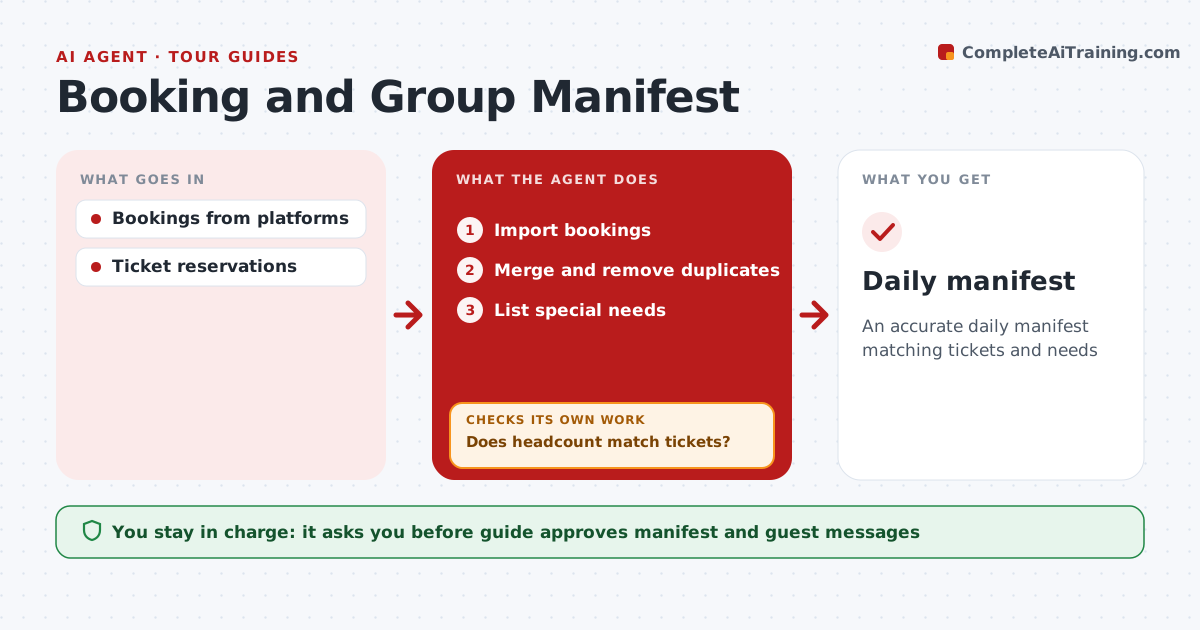
An accurate daily manifest matching tickets and needs
What it does
Guides sell the same tour on several booking platforms and their own website, and each sends bookings in a different format. Merging them by hand the night before is where mistakes creep in. This agent pulls the next day's bookings from every platform, merges them into one manifest, removes duplicates matched by name and email, and lists special needs such as wheelchair access, dietary needs or a child seat. It then compares the headcount with the entry tickets and timed slots already bought for museums or sites. Tickets must cover everyone. If the numbers do not match, it traces which booking caused the gap and tells the guide, then checks again after the fix. The guide approves the final manifest and any messages to guests. Edge case: a booking made after the manifest was sent triggers an updated manifest and a new ticket check.
How it works
Follow the arrows from top to bottom. The orange dashed arrow is the loop: when a check fails, the agent goes back and tries again.
Read the steps as a list
- Evening before
- Import bookings
- Merge and remove duplicates
- Does headcount match tickets?If not: find the cause and fix. Back to step 3.
- List special needs
- Guide approves manifestThe agent waits here for your OK.
- Daily manifest
How it decides
Headcount must match tickets. Special needs are listed per guest.
- Duplicates by name and email
- Tickets must cover everyone
- Late bookings update the manifest
Make it yours
Every agent is a starting point. You choose these settings for your own situation.
- Platforms
- Fields
- Send time
- Format
What keeps you in control
It always asks you first
- Guide approves manifest and guest messages
Hard limits
- Never buys tickets
- Protects guest data
It stops when
- Done: manifest sent
- Stop: tour canceled
Set it up
We guide you through the set-up, step by step
Members get the full set-up guide for this agent. No technical skills needed: you copy, paste and upload.
- One set of instructions to paste into your AI, with the clicks for ChatGPT, Claude, Microsoft 365 Copilot, Gemini and Grok
- The agent then walks you through connecting your own data, one source at a time
- A downloadable copy with the flow chart, the rules and the full guide