AI agent for tour guides
Supplier Confirmation Agent
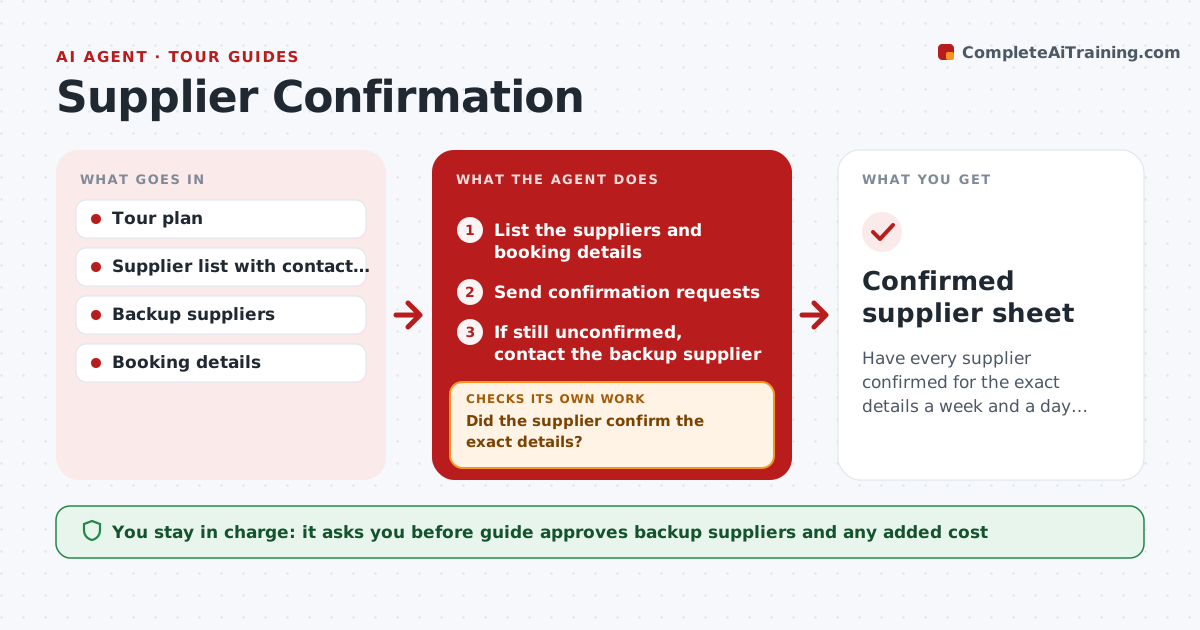
Have every supplier confirmed for the exact details a week and a day before each tour.
What it does
A tour depends on suppliers such as buses, restaurants, ticket offices and local guides, and one missed confirmation can break the day. This agent lists the suppliers for each tour and asks each to confirm a week before and again a day before. It chases those who have not replied. If a supplier does not confirm, it contacts a backup and updates the plan. The guide approves any change of supplier and any cost. Edge case: a restaurant confirms but with fewer seats, so the agent counts it as unconfirmed and looks for a second venue.
How it works
Follow the arrows from top to bottom. The orange dashed arrow is the loop: when a check fails, the agent goes back and tries again.
Read the steps as a list
- Tour is a week or a day away
- List the suppliers and booking details
- Send confirmation requests
- Did the supplier confirm the exact details?If not: chase after 24 hours and by phone task after 48. Back to step 3.
- If still unconfirmed, contact the backup supplier
- Guide approves the backup and costThe agent waits here for your OK.
- Update the plan and notify the affected suppliers
- Are all suppliers confirmed for the day?If not: repeat with the next backup. Back to step 3.
- Confirmed supplier sheet
How it decides
A supplier is confirmed only when the reply matches date, time, number and place. Otherwise the agent chases and then uses a backup.
- Treat mismatched numbers as unconfirmed
- Chase after 24 hours
- Use backups in the guide's order
- Re-run the check a day before
Make it yours
Every agent is a starting point. You choose these settings for your own situation.
- Confirmation timing (default 7 days and 1 day)
- Chase times
- Backup order
- Required details
What keeps you in control
It always asks you first
- Guide approves backup suppliers and any added cost
Hard limits
- Never pay deposits without approval
- Never cancel a supplier without the guide
It stops when
- Done: all suppliers confirmed
- Stop: no backup available, guide decides
Set it up
We guide you through the set-up, step by step
Members get the full set-up guide for this agent. No technical skills needed: you copy, paste and upload.
- One set of instructions to paste into your AI, with the clicks for ChatGPT, Claude, Microsoft 365 Copilot, Gemini and Grok
- The agent then walks you through connecting your own data, one source at a time
- A downloadable copy with the flow chart, the rules and the full guide